
Please log in or register
To enjoy the benefits of Nexus Mods, please log in or register a new account
Item IDs and Cheat Codes
File information
Last updated
Original upload
Created by
Uploaded by
Virus scan
Tags for this mod
About this mod
Cheats and ID numbers for in-game items and creatures to spawn with the command console.
Credits and distribution permission
Author notes
This author has not provided any additional notes regarding file permissions
File credits
This author has not credited anyone else in this file
Donation Points system
This mod is not opted-in to receive Donation Points
Both straight donations and premium membership donations accepted
Dark and Light’s modding isn’t quite available yet until the Dev’s put out their Dev Kit for it. For now, you can still use the command console for various commands.
This is a text file with Cheat Codes and Item ID’s for the game Dark and Light. I will provide all the Item IDs and cheats in the description as well as upload a text file for you to download if you would like.
These are item ID’s that I have found on various websites as well as getting them directly from within the game myself. All the ID’s seem to be spread around the Internet, so I decided to put them all in one place. I have gone through the list and checked some that were blank to fill them in if applicable. I also checked some numbers beyond the maximum I found and filled those in as well. I checked, so far, up to 900 but there doesn’t seem to be anything past 860 for now.
If you find any that are incorrect or still blank that in fact do have an item, please let me know in the Posts section. I will then update the list.
If there are more ID numbers you checked and found items for, please let me know in the Posts section. I will then update the list.
This current list is up to 860 IDs as of 20th December 2017!
Cheat Codes:
* Logging in as Admin *
Press » numpad + » or whichever key you have bound your «Toggle Console» keybind in your options and type enablecheats [password].
(Options > Keybindings > Toggle Console [keep default keybind or select a new one]).
Example = enablecheats pass123
You can also use these cheat codes in single player mode. Single player mode does not need an Admin login nor a password. Just open the command console and type in the codes.
——————————————
Code and Effect
——————————————
cheat god
— Enables God Mode. You can not die from direct damage or fall damage, but you can still drown, freeze to death, or overheat to death.
— Type the command in again to turn God Mode off. You may have to fiddle with it and repeat the command several times. Turning it off and on may be buggy. Just jump off a short ledge that you would normally take some fall damage from and see if you take any fall damage to know whether God Mode is either on or off. If you take fall damage, God Mode is off. If you don’t take fall damage, God Mode is on.
cheat fly
— Allows you to fly.
cheat walk
— Deactivates flying and allows you to walk again.
cheat giveresources
— Gives you 50 of all resources.
cheat addexperience 1000 0 0
— Gives you 1000xp. You can change the 1000 value to whatever you’d like.
cheat infinitestats
— Gives you infinite stats.
cheat teleport
— Teleports you to coords 0 0 0 (X Y Z).
cheat slomo 5
— Changes the speed on the server such as player movement, use slomo 1 to revert to normal speed.
cheat playersonly
— Freezes absolutely everything except players; this even includes crafting.
— Type the command in again to unfreeze everything.
cheat ghost
— Turns on no-clip; you are able to walk through walls and objects.
— Type the command in again to un-ghost yourself.
cheat destroyallenemies
— Destroys all enemies. They respawn eventually.
cheat enemyinvisible true/false
— Makes all creatures ignore you even if you attack them.
— Type the command in again to stop creatures from ignoring you.
cheat destroymytarget
— Destroys the object / enemy you are looking at.
stat fps
— Shows your fps; usable by anyone. Commands do not need to be enabled for this.
— Type the command in again to not show your fps.
cheat giveitemnum 299 [quantity] 0 0
— Command for coins.
If any of the above cheats are not working, try typing in the command name only without the «cheat» word in front of it.
Spawning in items/resources:
You can find the resources folders in your installation folder: Blueprint\Game\PrimalEarth\CoreBlueprints\Items\Resources
I did not find such a folder. I assume the new place for these files will be in:
steamapps\common\Dark and Light\DNL\Content\PrimalEarth\CoreBlueprints\Resources
Admin Cheat GiveItem
Cheat Giveitemnum (item ID) (quantity) (quality) 0
Example: cheat giveitemnum 1 1 1 0
A quality number from 0-2 usually give Common to Uncommon items. Give or take.
A quality number from 3-7 usually give Rare to Epic items. Give or take.
A quality number from 8-9 usually give Epic to Legendary items. Give or take.
A quality number of 10 or above give Legendary items. Few here and there may be of Epic quality.
Note that above 10 doesn’t really do anything but ensure Legendary only. For instance, you can use 99 for the quality if you wanted, but stats will still be random and not any better. I rechecked items; comparing from a quality 10 to a quality of 99 and they actually do get better. Some by a lot, some by a little. BUT you can still end up with low quality items with a 99 quality number. It’s just less likely.
All qualities (item stats) are randomly generated. Meaning if you made Legendary Leather Boots (cheat giveitemnum 131 1 10 0), every time you make them the quality/stats will be different. You can make ten at a time (cheat giveitemnum 131 10 10 0) and each one will have different stats.
The number after the quality, from what I know, just refers to whether the item is a wearable armour or a blueprint. If you change the end number «0» to «1», the item will be a blueprint, if applicable. If nothing is spawned, there is no blueprint for the item and you need to use «0» at the end of the code. Quality works the same for blueprints.
When spawning in items, you can only spawn in a max amount of however much said item can stack to. For instance, if you try to spawn in 1000 wood, it will only give you one stack of 100 at a time because that is the max amount a wood stack can have. It will not spawn in ten stacks of 100 wood.
However, if you accidentally spawn in 1000 of something that is a single stack, such as leather boots, it will fill your inventory of that item and make you over encumbered so be careful. If that does happen, just use the «drop all» option or hold the D key down over all those extra items that you don’t want. Dropping all these items at once may lag your game a bit depending on your computer. They de-spawn after a few minutes, so don’t worry about the mess.
(These «Castle of Defense» are actually «Human Manor» when spawned. I left the original text for now except for the two I filled in that were blank.)
Spawning in a creature or NPC:
To spawn a creature/enemy/NPC type in the console:
cheat summon (Creature ID)
Example: cheat summon ghost_character_bp_c
Using the cheat summon will spawn the creature with a random level in front of you.
Another way to spawn in creatures is by using cheat spawndino :
cheat spawndino (Creature ID) (XYZ coords) (Level)
When using the cheat spawndino command, it requires 5 parameters: filepath, Xcoord, Ycoord, Zcoord, Level
The X, Y, Z coords start from the distance of your character. So 1 1 1 will spawn it right in front of you. Level will be the level of the creature that is spawned. You can take the command below and replace the path with the desired creature path and adjust level.
Example: cheat spawndino «Blueprint’/Game/Mods/DarkAndLight/object/Monster/Firecara1/Firecara1_Character_BP.Firecara1_Character_BP'» 5 5 5 10
The above example will spawn in a level 10 Flarehorn in front of you.
This might not be a full list of creatures due to game updates. You can find the creature folders in your installation folder for more creatures if any were added:
steamapps\common\Dark and Light\DNL\Content\Mods\DarkAndLight\object\Monster
**Due to the length of the list(s), I put them in a «spoiler» section below. Click «show» to view the list of ID’s.**
Summoning NPC’s: Humans
Sol Graves: NPC_F_0006_Character_BP_c
Corben Thames: NPC_M_0013_Character_BP_c
Bogar Thonn: NPC_M_0015_Character_BP_c
Gunther Smith: NPC_M_0019_Character_BP_c
Artemis Payne: NPC_M_0102_Character_BP_c
Crossbow Guard: NPC_M_0104_Character_BP_c
Magic Patrol Guard: NPC_M_0105_PatrolGuard_Character_BP_c
Melee Plate Guard: NPC_F_0101_PatrolGuard_Character_BP_c
Female Peasant: NPC_F_0003_Noblewoman_Character_BP_c
Noblewoman: NPC_F_0004_Character_BP_c
Human Nobleman: NPC_M_0012_Character_BP_c
Magic Guard Female: NPC_F_0103_PatrolGuard_Character_BP_c
Inn Keeper Liana Emore: NPC_F_1002_Character_BP_c
Citizen: NPC_F_2101_HumanCitizen_Character_BP_c
Female Sentry: NPC_F_0102_Character_BP_c
Spawning NPC’s: Elves
Vessali Fa’arin: NPC_F_1104_Priest_Character_BP_c
Taluriel Faeliss: NPC_M_1004_Character_BP_c
Elisia: NPC_F_1106_PotrolGuard_Sword_Character_BP_c
Ranged Sentry Guard: NPC_M_1102_SentyGuard_Range_Character_BP_c
Elf Ranged Sentry: NPC_M_1103_SentyGuard_Staff_Character_BP_c
Gwynien: NPC_M_1106_PotrolGuard_Spear_Character_BP_c
Elidor El’idan: NPC_M_2104_Busi_Character_BP_c
Inn Keeper Freylith Willows: NPC_F_1001_Inn_Character_BP_c
Zahir Duravine: NPC_F_1005_Character_BP_c
Ranged Novaile: NPC_F_1102_SentyGuard_Range_Character_BP_c
Magic Guard: NPC_F_1103_PatrolGuard_Character_BP_c
Elf Citizen: NPC_F_2101_ElfCitizen_Character_BP_c
Spawning NPC’s: Dwarfs
Magic Seller Den: NPC_F_2004_Character_Wizard_BP
Darmok Thunderhoof: NPC_M_2001_Character_Hunter_BP_c
Mattlock Coalvale: NPC_M_2002_Character_Cleric_BP_c
Armorer Sindri: NPC_M_2007_Character_BP_c
Magic Sentry Guard: NPC_M_2103_PotrolGuard_Range_Character_c
Melee Sentry Guard: NPC_M_2105_PotrolGuard_Axe_Character_BP_c
Ranged Sentry Guard: NPC_M_2106_PotrolGuard_HackButter_Character_BP_c
Alchemist: NPC_F_2003_Character_BP_c
Dwarf Citizen: NPC_F_2101_DrawfCitizen_Character_BP_c
Dwarf Magic: NPC_F_2105_PotrolGuard_Axe_Character_BP_c
Ranged Sentry: NPC_F_2106_SentyGuard_HackButter_Character_BP_c
Some may look like they have typos, but they don’t. They’re written this way in the folder paths. In other words, the devs made typos XD.
Please log in or register
To enjoy the benefits of Nexus Mods, please log in or register a new account
Hot mods
Item IDs and Cheat Codes
Cheats and ID numbers for in-game items and creatures to spawn with the command console.

SHARE YOUR MOD AND WIN AN RTX 3070 Ti WITH ROG

More mods
Cheats and ID numbers for in-game items and creatures to spawn with the command console.
Cheats and ID numbers for in-game items and creatures to spawn with the command console.
Media
News & Updates
Do scalpers keep beating you to that new graphics card? Perhaps you’re looking to upgrade that tired old keyboard and mouse? We might have just the thing for you! We’ve teamed up with Republic of Gamers UK to give you the chance to win an RTX 3070 Ti, one of two ROG accessory bundles or a £50 Steam gift card.
Nexus Mods was officially founded on 1 August 2001, so this month is extra special for us. We’re celebrating our 20th anniversary! This event is a great way to celebrat.
Mass Effect Legendary Edition dropped in May and since then almost 400 mods, saves and presets have already been shared with the community. While Bioware has not provided any official modding tools, the community found a way! Legendary Explorer (LEX) is a developer tool kit for ME:LE created and maintained entirely by fans of the series. It features around 30 powerful tools to make creating mods for Legendary Edition significantly easier. We’ve been talking with Mgamerz and Audemus about the ex.
The Forgotten City is a mystery adventure game of exploration and deduction, and a re-imagining of the critically acclaimed mod that won a nationa.
Nexus Mods first started offering Premium Membership as an option to users all the way back in 2007. Since then, it has been an invaluable source of income for the site that has allowed us to continue to host our services, hire staff, create NMM and Vortex, expand to over 1,300 more games and give back to mod authors via our Donation Points system, among many other things. Without it, the site simply would not exist.
Since we first started offering Premium Membership, our billi.
Siege Survival: Gloria Victis released on Steam last month and the good people at Koch Media have partnered with us to give away 35 copies of the game to the Nexus Mods community!
Siege Survival is a new resource management survival game set in the medieval world of Gloria Victis. You play as a small group of civilians trapped in the only remaining stronghold of your city which is under a brutal siege by an invading army.
The gameplay loop is split between a day and n.
It’s that time of year again! The Morrowind May Modathon 2021 starts today celebrating 19 years of modding for The Elder Scrolls III. Upload a mod for Morrowind during the month for your chance to win prizes and unlock some special achievements.
As usual, here are the full details from darkelfguy:
Celebrating Morrowind’s 19th anniversary, today I’m announcing the seventh annual Morrowind May Modathon Month Modding Competition, one of the biggest annual modding competit.
Today we are talking to randyknapp, the author of many UI and quality of life mods for both Valheim and Subnautica, as well as the popular, ARPG inspired Valheim mod: Epic Loot.
BigBizkit: Thank you for joining us today. First of all could you tell us a little bit about yourself?
randyknapp: Thanks for having me! I’m Randy, I’m 33, I live in Seattle with my wife and kids. I’m a professional video game developer with 10 years of industry experience.
The third edition of the Morrowind modding competition «MODJAM» is upon us and it’s back with a revenge
Come April 3rd (yes, this weekend!!), modders have 48 hours to make a mod based on a theme announced minutes before the jam begins. Simple enough, right?
Modders can work alone or in te.
With Nexus Mods getting bigger and better every year, we’re looking to bolster our ranks once again by recruiting a Junior Community Manager to work with our existing team to help us better serve our community.
This position is based in our offices in Exeter in the UK an.
Your notifications are getting a facelift! Starting on 22nd March 2021 all users will be upgraded to the shiny new system featuring easy access to their preferences, an improved design and more control directly in the notifications panel. We need to permanently remove all existing notifications with this change, so please use this time to check the ones you currently have if you care about them. There are a few things you need to know before the switch-over happens, so read on for more informati.
And with that said, keep on reading to see all the correct answers and to learn who the lucky winners are.
We all love games, that’s one of the things everyone in this community has in common, so when our friends over at GOG.com asked us if we’d like to give away some game keys to you guys as part of their «We Love Games» celebration, we could hardly say no!
We have 5 copies of Lichtspeer, Sword of the Necromancer, Bonkies, Gods Will Fall and Project Wingman to give out to the 25 randomly chosen winners.
There are a few rules you should be aware of b.
I think I speak for pretty much everyone when I say we’ve got high hopes this year will be much better for everyone around the globe than 2020 was. With that said, it might come as a bit of a surprise to some of you, but did you know that we’re actually going to celebrate the 20 year anniversary of Nexus Mods come August 2021? That’s right, Nexus Mods (and its predecessors going by other names) has now been around for almost two decades! Just to give you an idea of what that means: back then whe.
We have recently enabled a new download location for Premium Members that can potentially increase download speeds for any users who might have slower speeds than expected with their Premium Membership. If you’re a Premium Member and you think you should be getting faster speeds then please try the «CDN» download location, which now defaults to this new provider.
If you’ve had the (mis)fortune of taking the time to read my year i.
In this feature, we’re chatting with Aragas (aka Aragasas), one of our top Bannerlord mod authors. While you might not have heard of him, if you’ve played Mount & Blade II with mods there’s a good chance you’ve used at least one of the mods he and the other members of the Bannerlord Unofficial Tools & Resources (BUTR) team have worked on.
Thank you for taking the time to talk with us Aragas. To start off, can you tell us a bit about yourself?
Happy new year everyone.
It has been a couple of years since I last updated you all on the more internal goings on at Nexus Mods so I’ve decided to drum up enough enthusiasm to write another of my long-winded, banal «blog posts» on the matter. I wasn’t able to get around to doing one last year and I am aware that some of you actually like to punish yourselves, but if you’re like me and just like to skim read, here’s the TL;DR:
Statistically we’re doing better than ever. E.
Thank you for joining us today, it’s truly appreciated. We like to start these interviews off with a bit of a personal introduction, so could you please tell us a bit about yourself?
I’m 28 years old from the United States and currently work in manufacturing dealing with parts and.
Dark and light моды
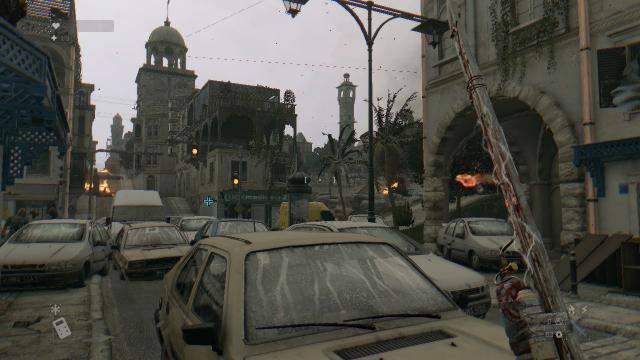
В Dying Light очень не хватает динамической погоды, однако с данным модом проблема будет решена. 12 различных климатов, включая дождь, туман, солнечную погоду и прочее, динамическая смена погоды.
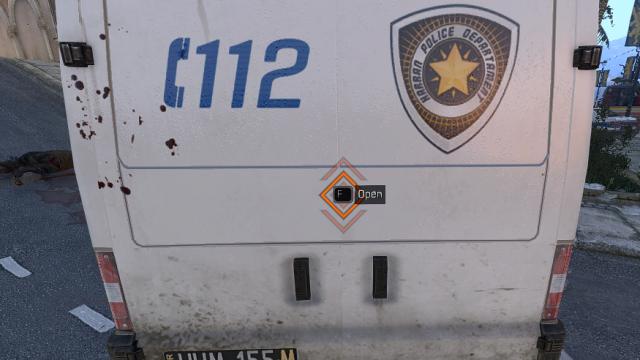
Очередной мод для Dying Light, удаляющий систему взлома для контейнеров и дверей. Путь установки: C:\Users\(username)\Documents\DyingLight\out
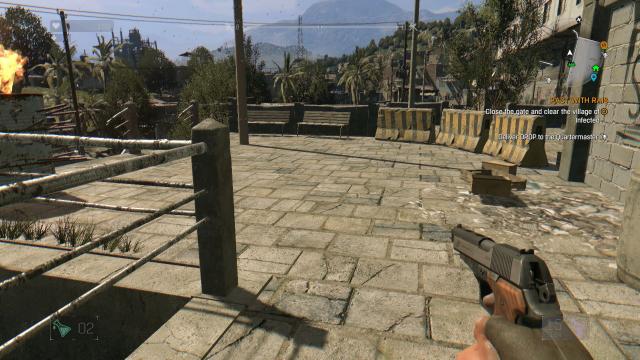
Данный мод для Dying Light позволяет вам хранить 999 единиц каждого типа патронов. Путь установки: C:\Users\\Documents\DyingLight\Out
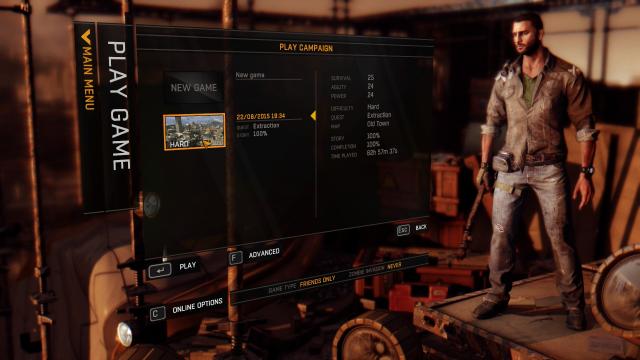
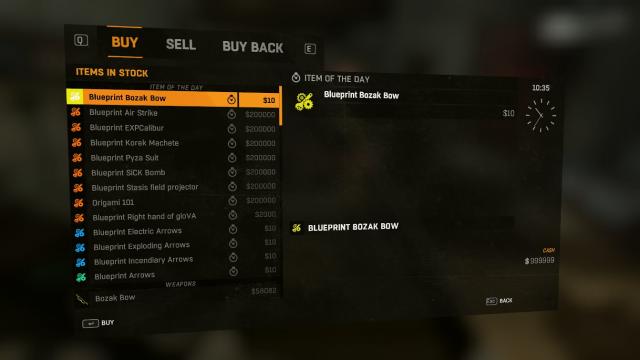
Данный чит-мод для Dying Light добавляет торговцам все предметы (оружие и экипировка) в игре, а также убирает все ограничения при покупке (уровень и т.д). Цены, урон и прочие характеристики не переработаны. Путь установки: DyingLight\DW
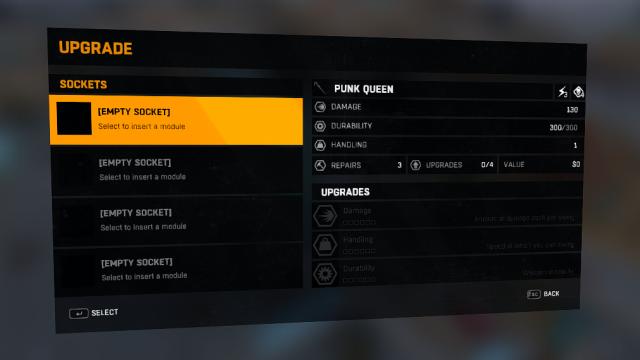
Как и сказано в названии, с этим модом предметы в Даинг Лайт будут иметь бесконечную прочность.



После того как мы определились с городом, мы нажимаем далее, и приступаем к созданию своего персонажа.
Если в подобных играх мы привыкли к созданию персонажа с стандартным набором выбора пола, волос и их цвета, то в Dark and Light разработчики подарили нам широкий спектр возможностей, где можно настроить практически каждую деталь. Так, можно настроить на голове волосы, брови, глаза, уши, нос, рот, щеки, и скулы., на туловище можно настроить размер груди, размер рук, длину рук, величину мышц, высоту туловища, также можно настроить высоту ног, толщину ног, икр и так далее.
Очень интересная деталь при создании персонажа заключается в реалистичности физических возможностей. Если вы создадите своему персонажу длинные ноги, он будет в два раза быстрее передвигаться по миру, что очень пригодится людям которые любят исследовать мир. Если вы любите сражения и вам важна сила, вы можете придать своему герою размер груди и мышц, что увеличит вашу выносливость и урон. Детали создания персонажа очень хорошо обработаны и действительно впечатляют на вид.
После того как мы подобрали необходимые параметры для своего персонажа, мы даем ему подходящее имя и жмем «Начать игру».
Вам интересно как начинаются приключения в Dark and Light и с чего нужно начинать? Оставайтесь с нами и читайте другие статьи в обсуждениях группы, чтобы узнать новые подробности!
Информация

Добро пожаловать на сервер Dark and Light Drunken Brotherhood!
На нашем сервере установлены следующие настройки:
Опыт Х10, приручение Х10, добыча ресурсов Х10, максимальный уровень 100
Так же установлены моды:
Glass Bottles x200, Enchanted Structures, item+, Better Forge, Better Grinder, Archos/Shard of Faith Atlas.
1. Запрещены разжигания розни по половому, национальному, религиозному или еще какому-либо признаку.
3. Запрещены оскорбления, переходы на личности и затрагивание родных в негативных ключах. Даже завуалированные.
4. Запрещены пропаганда нацизма, фашизма, и насилия.
5. Запрещена любого рода реклама на игровых серверах. (Сторонние игровые сервера, запрещенное ПО, читы, ссылки на сомнительные сайты).
6. Запрещено распространение личной информации игроков.
7. Запрещено выдавать себя за администраторов сервера и других игроков.
8. Запрещены призывы к протестам, несанкционированным митингам и прочим нарушающим законы страны проживания действиями.
9.Запрещено использование стороннего ПО («читов», «программ», «скриптов») что позволит преобладать над игроками не честным путем.
11.Запрещено затруднять игровой процесс другим игрокам.
Нарушение вышеперечисленных правил может привести к бану на сервере.
Приятной игры на сервере Drunken Brotherhood!