
Democracy 4 Руководство по моддингу
Подпишитесь на нас в Telegram, Facebook, Instagram, Twitter и так вы будете в курсе лучших гидов! Кроме того, если вы хотите поддержать нас, просто ознакомьтесь с этими предложениями на Amazon здесь!
Основной
Механизм моделирования Democracy 4 он основан на нейронной сети. Это компьютерная симуляция, функционирующая аналогично человеческому мозгу. Практически все в игре моделируется одинаково, например избиратель, группа избирателей, политика или событие. Все эти «объекты» связаны друг с другом «эффектами». Таким образом, объектом может быть «Подоходный налог», а эффектом может быть связь между подоходным налогом и счастьем группы избирателей среднего класса. Объекты и эффекты в игре не кодируются, все они загружаются из файлов «csv», которые можно открыть в текстовом редакторе или, что более удобно, в программе для работы с электронными таблицами, например Microsoft Excel. Вы можете редактировать эти файлы и сохранять их, затем запускать новую игру и сразу же играть с измененной симуляцией.
Вы найдете Julioría из CSV-файлов игры в папке моделирования данных файлов программ игры.democracy 4. Имена должны быть достаточно понятными. Самым интересным, наверное, является «policy.csv». Вы должны иметь возможность открывать его напрямую с помощью Microsoft Excel. Если вы отредактируете, а затем сохраните этот файл, УБЕДИТЕСЬ, что он сохранен как файл CSV, если вы позволите формату файла измениться каким-либо образом, он будет непригоден для игры, и вам придется начинать заново. По этой причине всегда делайте резервную копию любого файла перед редактированием! Все файлы CSV в игре имеют одинаковый формат со строкой, начинающейся с символа «#», что означает, что это объект, который необходимо загрузить в игру. Любая строка без символа # в начале игнорируется, поэтому ее можно использовать в качестве комментария, чтобы упорядочить вещи.
Теперь это может сбивать с толку, потому что [operator3] [value4] полностью НЕОБЯЗАТЕЛЬНО и не часто включается. Давайте посмотрим на реальный пример, который является вторым эффектом в этой таблице и представляет собой первый эффект субсидий на образование взрослых. Dice.
Образование, 0.04 + (0.04 * х), 4
Конечный эффект = 0.04 + (0.04 * 0.5) = 0.06
Другими словами, когда ползунок установлен на 50%, мы говорим, что хотим увеличения ценности образования в наших странах на 6%, исходя из политики грантов на образование для взрослых. Это не * вся * история, потому что, поскольку это государственная политика, это окончательное значение может быть немного ниже, если политика еще не полностью соблюдается, плюс его можно немного скорректировать в сторону увеличения или уменьшения в зависимости от компетенции вашего министра. государственных услуг, но принцип остается прежним. Итак, что произойдет, если мы добавим эти необязательные дополнительные значения? Давайте посмотрим на это вместе с другой специальной способностью, которая у нас есть, которая должна ссылаться на другой объект в игре, например, на другую статистику: «Технология».
Образование, 0.04 + (0.04 * x) * Технологии, 4
Как и все в игре, мы можем предположить, что ценность Технологии находится в диапазоне от 0 до 1. Это позволяет масштабировать эффективность политики до уровня другого значения и используется в нескольких местах, особенно в Налогах, где доход от алкоголь зависят от текущего уровня потребления алкоголя, а также от самого ползунка налога на алкоголь. Для полной ясности я добавлю несколько скобок, чтобы показать вам, как рассчитывается этот последний бит:
Образование, 0.04 + ((0.04 * x) * Технологии), 4
Каждый мод по сути представляет собой папку, содержащую подпапки, отражающие структуру папок базовой игры. Все папки находятся внутри основной папки мода в моих документах.democracy 4моды. (Это место отличается, когда Steam устанавливает мод.)
Практически любую папку в установке игры по умолчанию можно отразить в папке мода, и игра ожидает найти каждый файл в том же месте, что и основная установка, поэтому любая не векторная графика в «databitmaps» будет основные электронные таблицы находятся внутри «моделирования данных» и так далее.
В каждой папке мода будет существовать специальный файл мода с именем config.txt в следующем формате:
[конфигурация]
name = сельские интернет-субсидии
path = C: UserscliffskiDocuments / Мои игры / демократия4 / mods / village_internet_subsidies
guiname = сельские интернет-субсидии
автор = cliffski
description = описание сельского Интернета
Это файл, который игра ищет и читает, чтобы собрать информацию для отображения игроку на панели управления. control из игрового модуля:
Весь текст, отображаемый игроку, находится за пределами структуры папок, описанной на других страницах моддинга. Чтобы изолировать текст и упростить перевод мода, удобочитаемый текст находится в папках, находящихся в папке «translations» для каждого мода. Эти файлы точно отражают данные в папке переводов в основной игре.
Мод «Real Democratic Russia» для Hearts of Iron 4 (v1.6.1)
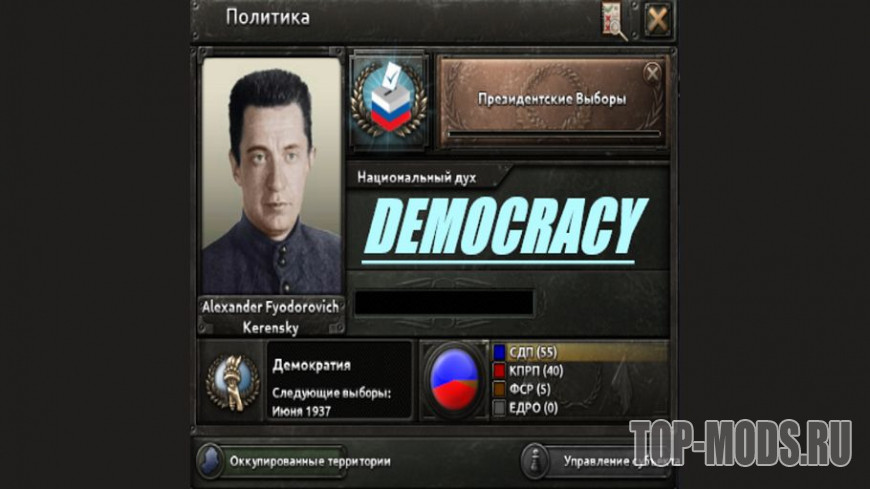
Новый альтернативно-исторический мод для HoI 4, который превращает советскую Россию в демократическое государство. Мод на русском языке.
Особенности модификации:
Мод проверен на версии игры: 1.6.1
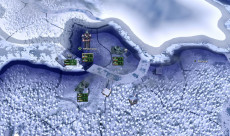
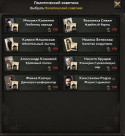
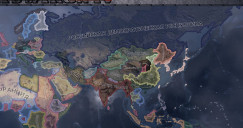
Для того, чтобы установить мод для игры Hearts of Iron 4 распакуйте содержимое архива в папку Documents\Paradox Interactive\Hearts of Iron IV\mod и включите модификацию в лаунчере.
Рекомендуем ознакомиться с полным руководством на тему: «Как установить моды на Hearts of Iron 4?»
Информация о файле
- Добавил: TOP-Mods Автор: Fiona_RU Формат файла: ZIP Размер: 61.1 mb Источник: Перейти
Вы можете войти в свой аккаунт или зарегистрироваться на сайте, чтобы скачивать моды без ожидания.
Democracy 4 россия мод





Democracy 4 is certainly a complex game, and coding and designing it was no easy task, but actually, modding the game is surprisingly easy. Almost all of the simulation elements within the game are loaded from simple text or csv files, which can be edited using any (free) text editor or spreadsheet program. You don’t need to download any SDK, learn any languages or install any software. Anyone can mod Democracy 4, even if you’ve never done any modding or scripting of a game before. You can add new countries, situations, dilemmas, policies and more, using nothing more than a copy of windows notepad (or similar). You may need a graphics program to create any new icons for your policies though.
Democracy 4’s simulation engine is based on a neural network. This is a computer simulation designed to work in a similar way to the human brain. Pretty much everything in the game is simulated in the same way, such as a voter, a group of voters, a policy or an event. All of these ‘objects’ are connected to each other by ‘effects’. So an object might be ‘IncomeTax’ and an effect might be the link between IncomeTax and the happiness of the middle class voter group. The objects and effects in the game are not hard coded, they are all loaded in from ‘csv’ files, which can be opened in a text editor, or more conveniently by a spreadsheet program such as Microsoft Excel. You can edit these files, and save them, then start a new game and immediately play with the changed simulation.
You will find the majority of the CSV files for the game inside the games \program files\democracy 4 \data\simulation folder. the names should be pretty self-explanatory. The most interesting one is probably ‘policies.csv’. You should be able to open this up directly using Microsoft Excel. If you edit and then save this file be SURE that it gets saved out as a CSV file, if you let the file format change in any way, it will be unusable by the game, and you will need to start again. For this reason, always back up any files before you edit them! The CSV files for the game all have the same format with a line that starts with ‘#’ indicating that this is an object that should be loaded into the game. Any line without a starting ‘#’ is effectively ignored, so can be used as a comment, to help you organize things.
Looking at the policies file, you will see a whole bunch of columns in there that load in various bits of data, but towards the end of the list of columns you will see the ‘effects’ for that policy. For clarity, the effects are denoted as any column to the right of the ‘#effects’ column, and there can be as many there as you like. Some policies have a few effects, some have many, but each effect entry takes up one ‘cell’ and has the same format which is.
Now this may be confusing because [operator3][value4] is entirely OPTIONAL, and not often included. Lets look at an actual example,. which is the second effect in that spreadsheet, and represents adult education subsidies first effect. it reads.
In this case the target of the effect is Education. because the effect is an output coming from a policy, the magic value ‘x’ gets substituted with the current value of the slider for AdultEducationSubsidies.The final value gives us an ‘inertia’ of 4 for this effect, meaning it averages out over the last 4 values of the slider (in other words it takes up to 4 turns for any slider changes to fully take effect on Education). So let’s say that the AdultEducationSubsides policy has been consistently set to 0.5 for 4 turns. What would the value of the effect be?
Final Effect = 0.04 + (0.04 * 0.5) = 0.06
In other words, with the slider at 50%, we are saying we want a 6% boost to the value of our countries education, coming from the AdultEducationSubsidies policy. This is not the *whole* story, because as this is a government policy, that final value might be a bit lower if the policy is not fully implemented yet, plus it may be tweaked up or down slightly depending how competent your minister for public services is, but the principle remains the same. So what happens if we add in those optional extra values? lets look at that, along with another special ability we have, which is to reference another object from the game, for example another statistic: ‘Technology’.
In this case, the equation is entirely the same, but we end up multiplying the bracketed result by the current level of technology. like everything in the game, we can assume that the value for Technology is between 0 and 1. This lets you scale the effectiveness of a policy on the level of another value, and it is used in various places especially Taxes, where the income from alcohol tax is dependent upon the current level of alcohol consumption, as well as the slider for alcohol tax itself. To be absolutely clear, I’ll add some brackets to show you how this last bit is calculated:
Each mod is basically a folder containing subfolders that mirror the folder structure of the base game. The folders all sit within a master mod folder in \my documents\my games\democracy 4\mods. (This location is different when steam workshop installs the mod).
Almost any folder within the default install of the game can be mirrored to a mod folder, and the game expects to find each file in the same place it would in the main install, so any non-vector graphics inside ‘data\bitmaps’, the main spreadsheets are inside ‘data\simulation’ and so on.
A special mod file will exist inside each mods folder called config.txt stuff in this format:
[config]
name = rural internet subsidies
path = C:\Users\cliffski\Documents/My Games/democracy4/mods/rural_internet_subsidies
guiname = rural internet subsidies
author = cliffski
description = the rural internet description
This is the file that the game looks for, and reads to gather information to display to the player in the games mod control panel:
All of the text that is display to the player is located outside the folder structure described on the other modding pages. To isolate the text to make it easy to provide translations for a mod, the human-readable text is within folders found inside a ‘translations’ folder for each mod. These file exactly mirror the data inside the translations folder in the main game.
Policies are basically just a line in a spreadsheet. In this case that spreadsheet is in \program files\democracy 4\data\simulation\policies.csv, and each row that starts with a ‘#’ in the first column becomes a policy that gets loaded into the game. The key to adding policies is to understand what all those columns do, so here is a breakdown of each one, and what it means. I’m using the titles for each column taken from the very first row to describe them.
The Name is the word or words used to reference this object internaly within the game by other objects. This is never shown in the game.
if set to ‘default’ then the slider for this policy has no specific features. If set to a name, this name is used inside ‘sliders.csv’ to select a bunch of names for the different slider positions, and optionally to ‘clamp’ them to a series of fixed options.
Can be blank, or one of a number of presets. UNCANCELLABLE means the cancel button is greyed out and the policy is always implemented at 0.5 strength unless specified at a different level. MULTIPLYINCOME means that when determining the amount of income generated by the policy, the various inputs to the income get multiplied rather than added (see below).
Comma-separated list of the names of policies that conflict with this one. They should also list this policy in their opposites. This ensures that any conflicting policies are automatically cancelled when this one is implemented.
This is the amount of political capital required to introduce this as a new policy, cancel it, and raise or lower the current slider level once it’s implemented.
Decides which ‘zone’ on the screen the icon for this policy will appear in, which category on the new policies screen it will be listed under, and also which cabinet minister will be in charge of the policy, and thus affect the efficiency with which it is implemented.
Values that *must* be true if this policy is to be available to the player. This can be any entry found in the file \democracy 4\data\simulation\prereqs.txt
These show the cost of the policy per turn at a level of 0 on the slider and at maximum on the slider. This is a fixed value, which then gets multiplied by a set multiplier for each country (specified within the country file) and then adjusted for ministerial competence to get an actual cost for this policy (This is then adjusted by the next column. )
The equation determining how costs are calculated, at a base level. Best to leave this at 0+(1.0*x) to get a nice smooth linear increase in cost as the slider goes from 0 to 1
A series of inputs, separated by colons, which determine how we get a ‘cost multiplier’ for the policy, which is a value by which the final cost of the policy is multiplied. Each entry in the list is either _default_ and a set value or it’s an actual effect, as specified here.
How many turns it will take for this policy to be fully implemented (or cancelled). This will be adjusted in practice for the competence of the minister in charge of this policy.
Same as MinCost,MaxCost but for income
The equation determining how income is calculated, at a base level. Best to leave this at 0+(1.0*x) to get a nice smooth linear increase in income as the slider goes from 0 to 1
Exactly the same as Cost Multiplier, except the flag MULTIPLYINCOME under flags can convert this to be a value where the inputs are multiplied together rather than added.
The value to the player as a percentage of current GDP, credited to the players funds if this policy is cancelled leading to a privatisation, or vice versa during a nationalisation.
Dilemmas are not loaded from a CSV file but from individual files for each dilemma within \program files\democracy 3 \data\simulation\dilemmas. Each one has certain criteria that may cause it to trigger. The dilemmas can be shown again and again, but once triggered will not be eligible for triggering again for 32 turns.
Grudges are created by various parts of the game. They are basically a hidden ‘temporary’ object (although theoretically they can have a 100% ‘decay’ value which means they last forever. ) that can have an effect on another game object. For example, many game events create a grudge which has effects on public opinion, allowing them to have a temporary and fading out value as they drift from memory. The grudges are created by a special bit of ‘script’ which is used a lot in the dilemma code. A grudge has a target object, a value and a decay, although technically it’s the inverse of a decay, meaning that a decay of 0.9 means that each turn the value of the grudge is multiplied by 0.9, so gradually fading out. The higher that value, the longer the effect will last. Here is a breakdown of the data you will find in a dilemma file.
This section loads in a name, used internally by the program
This is a numbered list of input ‘effects’ which are calculated each turn to give the ‘likelihood’ of this dilemma being triggered. The top dilemma each turn is triggered, unless an event has also triggered that turn. For more on how to format an effect see here, although note you cannot use inertia for these effects. The name at the start of the effect here is the ‘source’ rather than the target (which is clearly this dilemma). So for example this influence:
Says that the value of this dilemma (Chance of it triggering) has 0.8 added to it, then (0.6*Health) is subtracted from it. In other words, the higher your health value, the less chance of this dilemma being triggered. There is also a special class of effect for these influences which is the random influence which is formatted like this:
What this means is to generate a random number between 0 and 0.3, and add that number to the dilemmas current value. This is to give some random variation to the probability of this dilemma being triggered.
You can have as many influences to a dilemma as you like.
These two (or optionally 3) sections represent the options the player must choose from. Each one has a line called ‘OnImplement’ which is only processed if this is the option which the player selects. This line is a ‘script’ which is run to implement the effects of this decision. For example:
The script is almost always just a string of CreateGrudge() statements separated by a semicolon. Each of these calls creates a new grudge with the given values. For example:
Events can be found as simple text files within \democracy 4\data\simulation\events. Every text file in the folder is considered to be a separate events. every 3 turns, the ‘event manager’ will evaluate the chances of every single event happening, and if the highest-scoring one has a value above 70%, it is triggered. The score of an event is based on a number of ‘influences’ that are effects from other items in the game, and once triggered the event runs a script, which effectively creates temporary effects.
The [config] section of an event has lines for Name and Texture. These are the internal name and the graphic used for display when the player clicks to see details of the event. (we recomend a 512×512 png file anywhere inside your mods ‘bitmaps’ folder). There is also a GUISound line, which is the name of a sound effect file that will be played while that window is active.
That section also has a line called ‘OnImplement’ which looks like this:
This is a ‘script’ which has a number of ‘functions’ each of which are separated by a semicolon (;). The functions are always called ‘CreateGrudge’, and what these do is to create a ‘temporary’ and hidden object called a grudge, which decays over time, but while it is active, will exert an effect on another object within the game. The Parameters to the function are as follows:
Target Object Name (Internal name for the object we wish to affect. )
Effect value (At the maximum, ie: the start of the grudge)
Decay (Actually the inverse of a decay, so a 0.97 is multiplied by 0.97 each turn. Higher numbers lead to slower decays)
There is no limit to the number of grudges an event can create. Note that most effects create a negative grudge against themselves, to prevent frequent repetition.
Situations are rows loaded in from the CSV file found at \program files\democracy 4\data\simulation\situations.csv. Each line that starts with a ‘#’ is a situation that is loaded in and may be triggered. The game will pre-calculate to see if any situations should be running given the situation at the start of the game. From left to right, the different columns of data are as follows.
The internally used ‘object’ name of the situation, not shown in the game.
This picks which area of the main screen shows this situation
The names of any pre-requisites for this situation to trigger, such as requiring a coastline, or WMD tech.
The name of the file used to display this situation. This is an SVG file (vector graphics) which you can create using a free program like inkscape, available here. It should be inside the mods ‘svg’ folder.
A value of 1 means this situation is shown in the game with a green background. 0 means a red background.
These are the values for this situation that conform to triggering a ‘start’ or a ‘stop’. By default these values are all set with a similar gap, but you can set them however you want, although I can’t vouch for what happens if they are reversed or the same!
This is a fixed value spent each turn that the situation is on-going. This crude value are then multiplied by the multiplier value set up in each country’s country file to get the final figure applied in the game.
The equation determining how costs are calculated, at a base level. Best to leave this at 0+(1.0*x) to get a nice smooth linear increase in cost as the situation strength goes from 0 to 1
This is a fixed value earned each turn that the situation is on-going. This crude value are then multiplied by the multiplier value set up in each country’s country file to get the final figure applied in the game.
The equation determining how income is calculated, at a base level. Best to leave this at 0+(1.0*x) to get a nice smooth linear increase in cost as the situation strength goes from 0 to 1
Simulation values are the blue icons. These are loaded in from a spreadsheet found here: \Democracy 4 \data\simulation\simulation.csv. Each line of the CSV that starts with a ‘#’ is loaded in as a new simulation value. The columns in the spreadsheet all do different things and are explained below:
Used internally as the ‘object name’ for this value in effects.
Chooses which of the screen areas and policy groups this simulation value is displayed under. This is purely visual so that the player has all of the same kind of data in the same place.
This is the initial value given to this object regardless of what other effects may have an influence. Should be between 0 and 1.0
Generally set these to be 0 and 1.0.
Decides whether a change in the value is portrayed as good or bad or unknown on the ‘changes’ graph for showing what has changed since you were elected. This sets a value to red, green or black depending what you select and what direction the value has moved in. Try to avoid any partisan value judgements.
The name of the icon used to display this item. (This is just the central icon, the blue circle surround is added automatically).This is an SVG file (vector graphics) which you can create using a free program like inkscape, available here. It should be inside the mods ‘svg’ folder.
This column denotes that the columns to the right of it represent inputs into this simulation value. These are then effects added in the standard format, which create a link from other objects feeding into this one. You can have as many as you like, or none at all, and they end at the next ‘#’ entry.
Adding a new country to the game takes some work, but can be done. The countries are folders under the path \democracy 4\data\missions. Each folder contains a number of additional files and information.
Inside the folder for your new country you need one text file and two more folders. The folders are ‘overrides’ and ‘scripts’ and the file is called countryname.txt where countryname is the same as the folder. That text file contains the majority of the information for controlling the state of the country, split into four sections called [config], [options], [stats] and [policies].This file should be saved in UTF8 format, so that symbols like the Euro are preserved.
There are a large number of lines in this section which control how the country looks and behaves. Here is a breakdown: