
Game Mechanics
Contents
The Grid [ ]
Whenever a block from this mod is placed, it determines its borders based on a predefined grid system. Usually two industries can not occupy the same grid space at the same time (there are exceptions, see below). I will say right now that there will be a tool provided in the mod in the future to help the player visualize this grid and aid in placement, because I know a lot of people will probably be requesting it. In the meantime, hopefully, the following information will help.
The grid system is based on Minecraft chunks.
If you have an area where you will be doing a lot of building then it might be a good idea to first run around and place a lot of markers at all chunk corners with slightly different markers at the beginnings of the even chunks.
Here’s an example of figuring out the borders for specific structure sizes:
If you place an 8×8 industry at coordinates x:57,z:129, then
If you place a 16×16 industry at coordinates x:57,z:129, then
If you place a 32×32 industry at coordinates x:57,z:129, then
Most structures are symmetrical on all sides with the exceptions of Offices and Roads.
The grid only applies horizontally. There is no predefined grid vertically. So, you can place an industry at any elevation you want and it will calculate it’s vertical borders based on that location. Industries can be stacked vertically (in the same horizontal grid zone) as long as their vertical borders do not overlap. This can be seen in the fact that Factories and Towers can hold four industries per floor. Some industries can contain other industries inside their borders, such as manufacturing industries inside of buildings.
The Simulation [ ]
Every block in this mod uses the Minecraft random tick when it is placed in the world. See minecraft.gamepedia.com/Tick the section on «Block Tick» for more details about this. Essentially, this means there is a median time of 47.35 seconds between ticks and an average time of 68.27 seconds between ticks and there is only a 1% chance that there will be greater than 5 minutes between ticks.
Each tick, there is a chance that the block will attempt to eat food if not in peaceful mode and if the block type needs food. This chance is calculated in such a way that on average it happens about once per Minecraft day. If the block can not eat because there is no proper food available then there is a 1% chance that the block will go out of business and drop itself and all its contents on the ground.
Each tick, the block performs some tasks. Some blocks will only perform their tasks during the day, while others will perform until midnight and others will perform all day and all night. The amount of work a block does on each tick is calculated so that over the course of a Minecraft day it is roughly equivalent to what an average human player might accomplish.
Each tick, the block will re-evaluate it’s area and determine what to do. The blocks retain no «memory» and do not keep track of what they have already done. This means that blocks can be broken and then replaced anywhere in the same area at any time and should have no problem figuring out what they need to do. It does not even have to be re-positioned in the same area. A block could be placed in an area that was previously started by another block of the same type. This is what allows the abandoned city to be repaired. Just place a new Tower block in an existing abandoned Tower structure and give it the appropriate stained glass block type and it will evaluate and «repair» the existing Tower.
The Economy [ ]
This mod can be played with a money based economy or a free economy. If you don’t give coin pouches to any industries, then whenever resources are requested, they will be given freely without payment. If a request for resources is given to an industry that has a coin pouch, then those resources must be purchased or the request will be denied. The following information pertains to a money based economy.
Some coin pouches with money can be found in the abandoned city, but your first earned money will likely come from resource collecting industries. The money based economy is «resource» backed, which means that theoretically, the total amount of money in the game at any given time should be about equal to the value of all resources collected/produced up to that time.
When resource industries and manufacturing industries collect/produce items, the value of those items is added to it’s coin pouch. The industry can then use that money to purchase food, tools, and supplies, to pay distributor fees, and to invest in surrounding buildings. Later, when the collected/produced items are purchased from the industry, the money it receives in payment is removed from the game instead of being added to it’s coin pouch.
Manufacturing industries make a small profit since the cost of materials to produce an item is usually slightly lower than the items selling price. However, they do have to pay for food and distributor fees out of this profit. So, it’s a good idea to keep raw materials flowing into manufacturing industries as much as possible and not let them sit waiting.
In the future, item prices will be in a config file.
Customization [ ]
This mod currently provides three different building structures that each may come in different sizes and have a variety of different construction material options along with roads and intersections. It is meant to provide the backbone infrastructure for a large city. However, it is hoped that the player will go a step further to make a truly unique city by building their own parks, plazas, and unique buildings and further customizing this mod’s buildings and roads.
The following are the currently allowable construction materials:
Office and Factory walls and Tower cross beams: stone, sandstone, cobble, brick, stonebrick, wood planks, netherbrick, quartz, red sanstone, purpur.

Floors: any wood planks.

Office and Factory casing: any stonebrick.
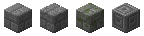
Tower center column and road-sidewalks: any stone, prismarine.

Office and Tower windows: any stained glass block.

Tower carpet: any carpet.

Building and road lighting: torch, glowstone, sea lantern (Note: Towers can’t use torches.)

Buildings can be further customized to a degree and still remain active (able to import/export.) If you break a window in an active building then you will notice that it repairs itself. However, if you replace the window with something, then the building is still considered complete and active. This allows modifications like skywalks and balconies if you replace windows with a door. Also, anything can be attached to buildings like paintings, banners, etc.
Getting Started
This short getting started tutorial is for Survival Single Player and assumes you are going to work toward designing and building your own city with a money based economy. Other tutorials will come out later that address other methods of playing such as finding and repairing the abandoned city or creating a city specialized in a single industry.
After finding a good location and getting yourself established, you should try to collect some leather or wool and some string so you can make a few coin pouches, which will get you your first achievement «Elected Mayor» and a City Planner Book for referencing later. Your first few industries will run just fine without coin pouches and you can add them at any time later but the sooner you give them coin pouches, the sooner they can start making money.
A good first industry to make is a carrot or potato Farm because it can supply you with food and most other industries will require food also. An oak tree Lumber Mill is also good to get started early because it can eat the apples it collects, and a Fishery will provide food and feed itself also. Don’t get carried away and start too many other industries until you have a good food supply.
Next, you may want to start some resource collecting industries such as Mineshafts or Quarries to collect some building materials and coal. Now that you have a number of industries running, you will probably get tired of supplying them all with tools, so now is a good time to make a Carpenter. The Carpenter will supply industries within 80 blocks of itself with stone tools.
Start to think about what materials you will use to construct you first building. Now is a good time to set up more manufacturing industries such as a Craftsman and a Stonemason as they can produce a lot of building materials you might need such as brick, stone and glass. By now you could also benefit from a Distributor to help move raw materials from the resource collection industries to the manufacturing industries. Distributors also have a radius of 80 blocks and after you place a coin pouch and a few materials in its inventory it will begin to buy those materials from industries that supply them, and then the manufacturing industries can buy the materials from the Distributor.
About now is when I would probably start a Ranch. It can be started earlier but since it requires a lot of food for the animals, it’s good to have a well established Farm(s) and a few Distributors. Also, the products from the Ranch are not as essential earlier in the game.
Finally, it’s time to make your first building. An Office takes the least amount of materials and will allow you to start selling some of your excess supply to the global market for some extra cash. Place a coin pouch in the Office inventory along with the items that it requires to customize the look of the building. Do you want it made of brick, wood, stone, etc. The Office will collect investments from surrounding industries and buy the materials it needs for construction from Distributors. Hopefully, your Distributors can supply the materials and if not, then you should spend some time adding/moving/adjusting your industries until you get everything working smoothly.
Congratulations! Your first building is complete and now you want it to do something. You can house other industries on each floor or you can make it your residence. It can also make money or get you supplies that may be difficult to get otherwise. You will want to take a trip out into the world now and get some emeralds. You should have enough items to do some trading at a village. Create a Buyer and/or Seller and place it on the ground floor of the Office and place a coin pouch and items in the inventory. The Office can now buy items from your industries and export them to the global market and/or sell items that it imports from the global market to your industries.
You can also use the Buyer and Seller to create your own player shop to supply your city with needed items. Maybe you have collected quartz and glowstone from the nether and you want to sell it to your industries.
As you progress and grow, you will want to build Blacksmiths, Bakeries and Textiles and probably place them in their own dedicated buildings. You can start to lay out Roads and Intersections. You can make Factories, Large Factories, Towers, and Large Towers. When you have a good number of buildings making money then you will want to place a Tax Collector to rake in some of that money for yourself.
Since each player will have their own vision of how their city will be, it is hard to give specific advice once you have grown to a certain level. So, I hope this short generic getting started tutorial is enough for now. More tutorials will come in the future. Have fun!
Dooglamoo Cities Mod
Have you wanted to make epic builds but can never get enough resources in survival single player?
This mod lets you design a city and create industries to collect the large amounts of resources needed to make the city grow.
Don’t want to deal with industry management and resources? Then just jump straight into city design and construction in creative mode with the help of the cheater block.
Or explore your world to find the lost abandoned city which you can make your home or scavenge for resources or fix up to become a fully operational city again.
There are multiple ways to play: Make your city diverse or specialized in a single industry. For example, see how much money you can make from a huge mining industry or a massive lumber operation or see how much food you can export from a farm and ranch industry. Maybe you want to import all your raw materials from the global market and manufacture finished goods for export. You decide how to structure and run your city.
Your decisions determine how well your city does: Location and number of industries, the ratio of industries to distributors to buildings, how much you optimize each industry, how much you import and export, all determine if your city thrives and becomes wealthy or complains and goes broke.
21 Update Logs
Another small issue is that the Buyer/Distributor blocks are being extremely aggressive and starving my industries. My fishery needs Gravel, for instance, but even if I manually fill it up with Gravel the Distributor scoops it up before it can use any of it and then the Buyer sells it off to the global market, and then the Fishery complains about not having Gravel.
I’ve tried to see if I can resolve it with a Seller block in the same building as the Buyer that will buy Gravel, but I’m worried the same issue is gonna happen.
That’s fair, I think without having a good way of viewing (or controlling/editing) the «district» of a distributor is a potential problem, though. Might be hard to maximize space usage of industries if we have to keep them 80-some blocks apart because of Distributors being aggressive.
The Carpenter just keeps buying wood and crafting planks for seemingly no reason, as well. I’m guessing it’s related to the «low on wood» message.
Ah, the office needs a coin pouch too, I see. The Buyer’s inventory was filling up as expected but nothing was ever getting sold. I’ll try that out! So here’s my setup currently, let me know if this will do anything:
Basically I want to get rid of all of the excess dirt and cobble, but the Buyer doesn’t seem to be budging. It buys stuff from the distributor, but it seems to stop there.
Abandoned City
Abandoned Cities can naturally generate in any biome including Ocean. They will generate with other mods installed such as Biomes O’ Plenty and Realistic Terrain Generation. They generate in square rings based on the world center (x:0, z:0) Currently there are only two rings and three abandoned cities.
There is a section of the config for adjusting how abandoned cities generate. It has settings for things such as how much glass and streetlights are missing, how many towers generate with iron blocks (if any,) if there should be spawners in buildings, etc.
Generation [ ]
One small abandoned city will generate in the first ring between 500 and 1000 blocks from world center. This city is 144 blocks across and contains two roads that cross at one intersection in the center. These roads will always have subway tunnels below. No Large Towers will be generated in this city. This city is meant as a starter city for players to get resources from or to fix up and expand.
Two larger abandoned cities will generate in the second ring between 1000 and 3000 blocks from world center. These cities can range from 304 up to 528 blocks across and contains many roads and intersections. There will be at least one main road that goes straight from one end of the city to the other and this road will always have subway tunnels below. As roads branch off from the main road, the probability of subway tunnels decreases. Large Towers can generate in these cities. Because of their size, these cities provide many more resources and take considerably longer to explore and fix up.
Locating [ ]
In the Minecraft 1.11 versions of this mod there are features to help you locate abandoned cities.
If you have access to commands, then you can type «/locate AbandonedCity» to get coordinates to the nearest city.
If you are in survival then you can buy a City Explorer Map from a cartographer villager for 12-17 emeralds.
Resources [ ]
Some resources that can be found in abandoned cities: spider webs, rails, various loot chests, mob spawners, book shelves, glowstone or sea lanterns, iron blocks (if enabled,) sponges (if in the ocean,) prismarine blocks, quartz blocks, purpur blocks, and netherbrick blocks.
Dooglamoo Cities Mod for Minecraft 1.11/1.10.2
Dec 28, 2016 5,158 views Minecraft Mods

Have you ever thought that you will make epic builds but can never get enough resources in survival single player?
Dooglamoo Cities Mod lets you design a city and create industries to collect the large amounts of resources needed to make the city grow. Additionally, if you do not want to deal with industry management and resources, you should jump straight into city design and construction in creative mode with the help of the cheater block.
Especially, you can explore your world to find the lost abandoned city which you can make your home or scavenge for resources or fix up to become a fully operational city again.
Features:
Screenshots:


Tip: When placing blocks from this mod, it may take a few moments to several minutes for the block to start working, so be patient. This mod is designed to handle very large scale cities with lots of industries and buildings. In the end game when you have hundreds of these industries and buildings all working, you will be glad that they are not all in a hurry and slowing down your computer.