
Please log in or register
To enjoy the benefits of Nexus Mods, please log in or register a new account
Personal Craftable Vertibirds
File information
Last updated
Original upload
Created by
Uploaded by
Virus scan
Tags for this mod
About this mod
Personal Craftable Vertibirds
Author’s instructions
File credits
Donation Points system
This mod is not opted-in to receive Donation Points
Both straight donations and premium membership donations accepted
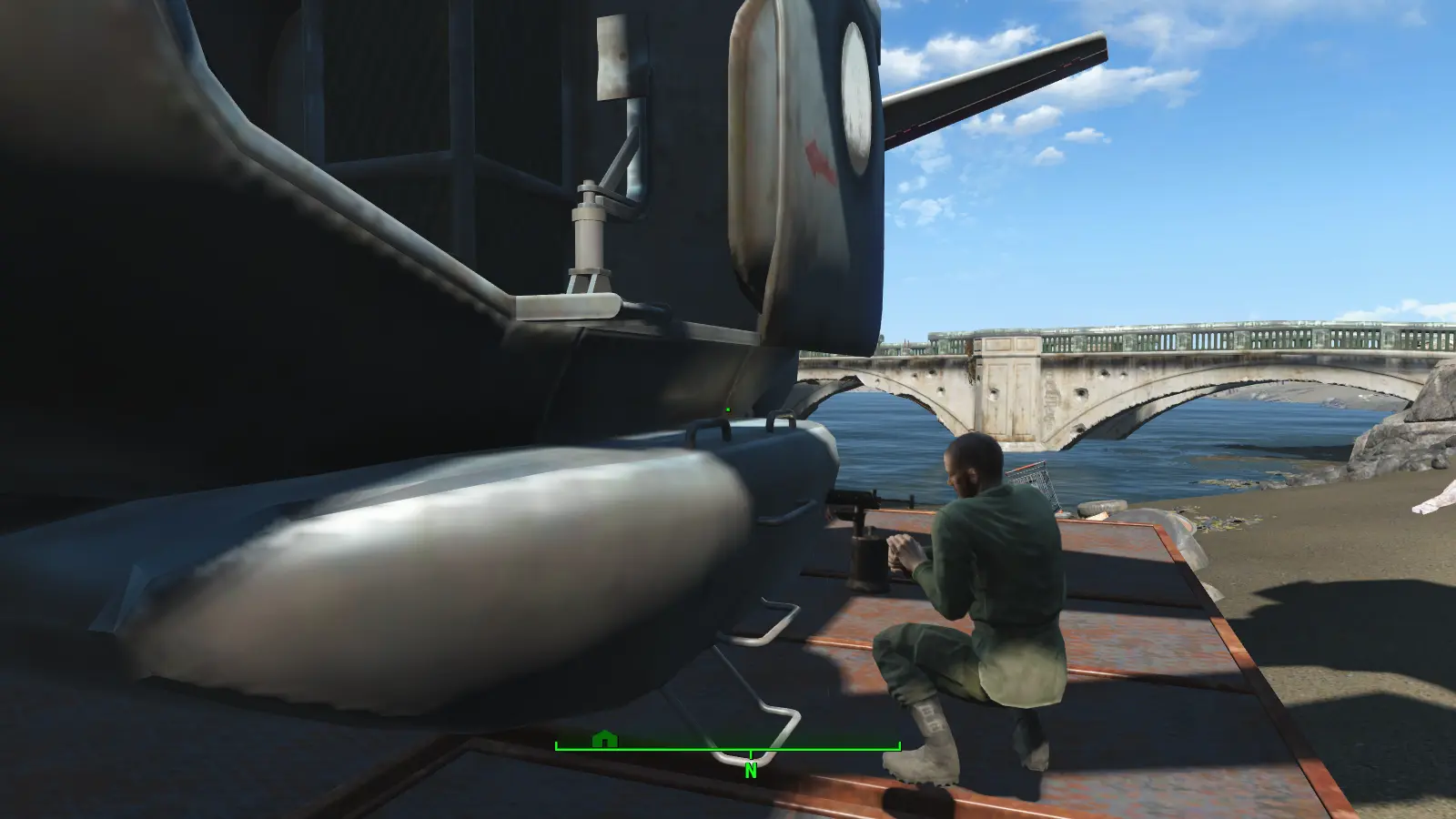
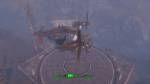
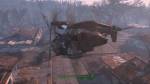
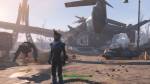
Craftable Vertibirds. No affiliation required. Build via settlement workshop, it will be under special (same place where artillery and robot workshop show up) No requirements to build other than the materials. You do NOT have to be in brotherhood or any other faction to build.
VIDEO OF HOW TO USE THE AI VERSION PROPERLY:
Pick ONE add on depending on what faction you want. What these do is override the game so that:
#1: vertibird fast travel is unlocked at start/by default.
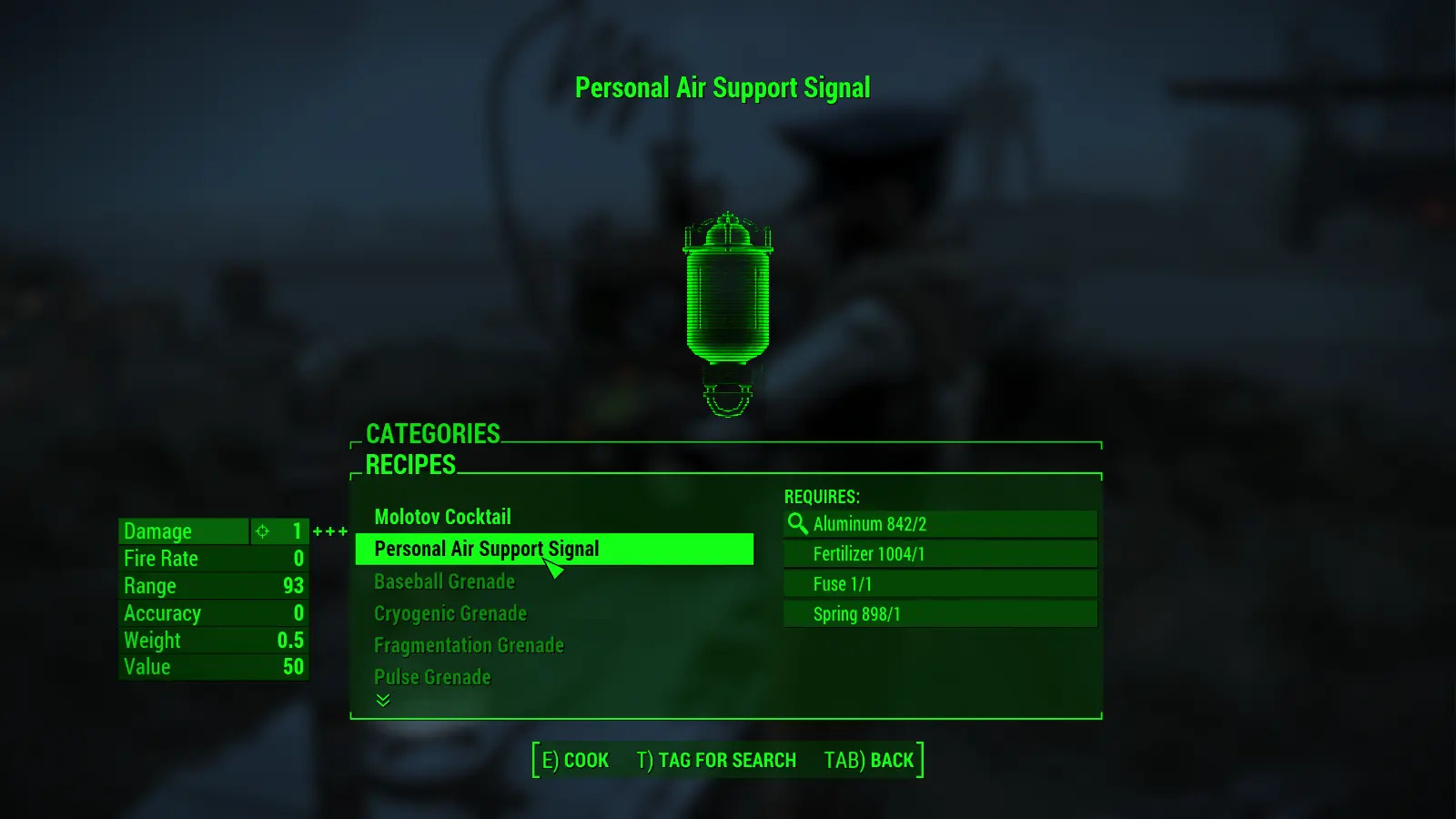
#2: vertibird signal grenades are craftable at chem station under grenades.
#3: depending on which faction you want your new vertibird that comes to pick you up will be either
BOS(standard), Minutemen, Railroad, or Institute.
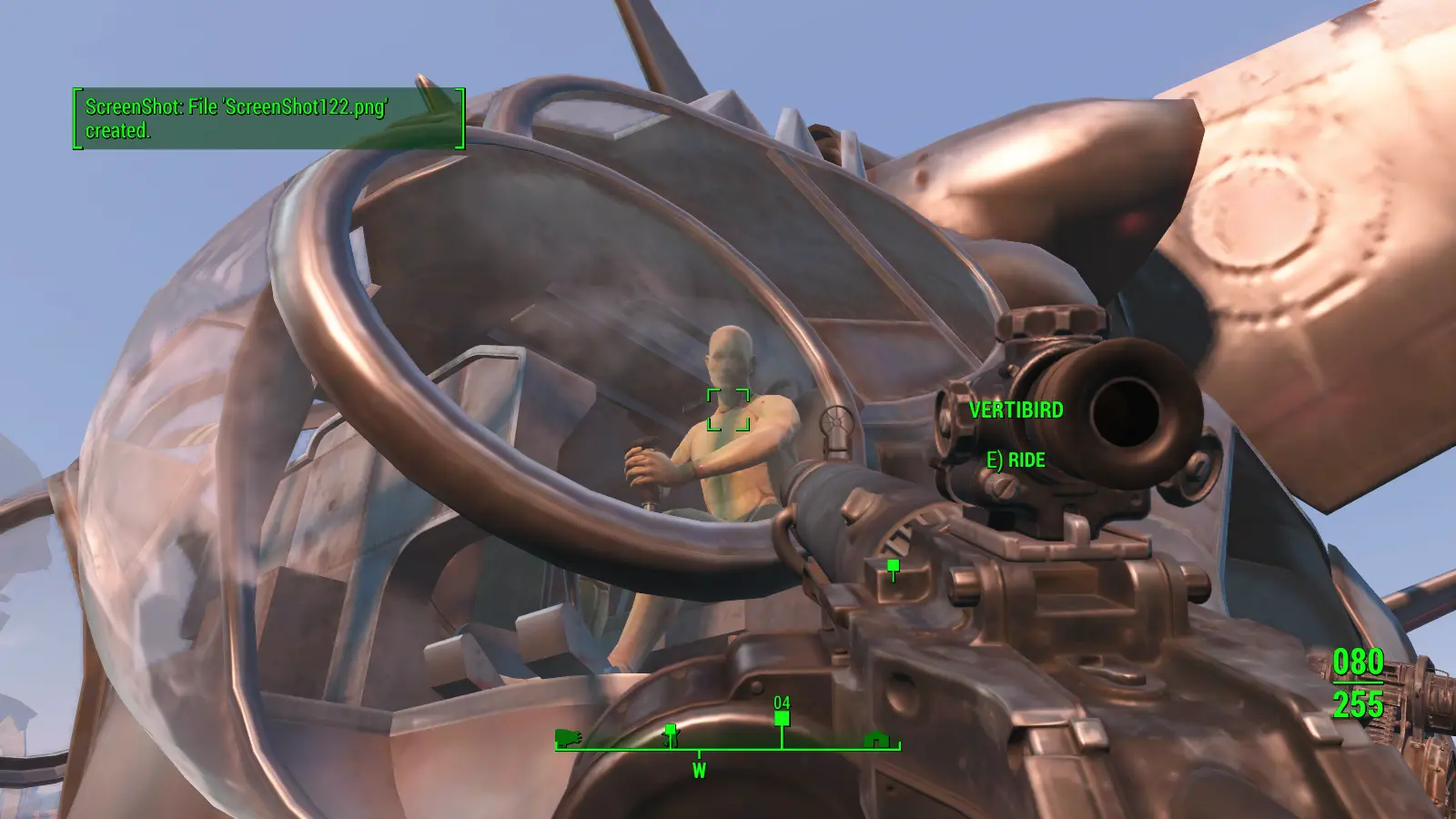
UPDATE 1.4:
TWO VERSIONS AVAILABLE:
To do this, I have added an «artificial intelligence» to the vertibird which uses data from the automatron DLC so that you
can have dialog to trade. I have used the beep voice so that the vertibird will not be chatting to you and break immersion.
to me this is feasible for immersion as the vertibird is already auto-pilot so an AI makes sense. Please ignore the option to
«let’s get moving» unless you want the vertibird to teleport behind you everwhere you go. you will get dialog options like you would
the automatron robot beep version. just ignore it all other than trade option and you’ll be fine. this was the only way to add ability to store
items in the vertibird. when the CK/geck comes out I will look into changing this to something better.
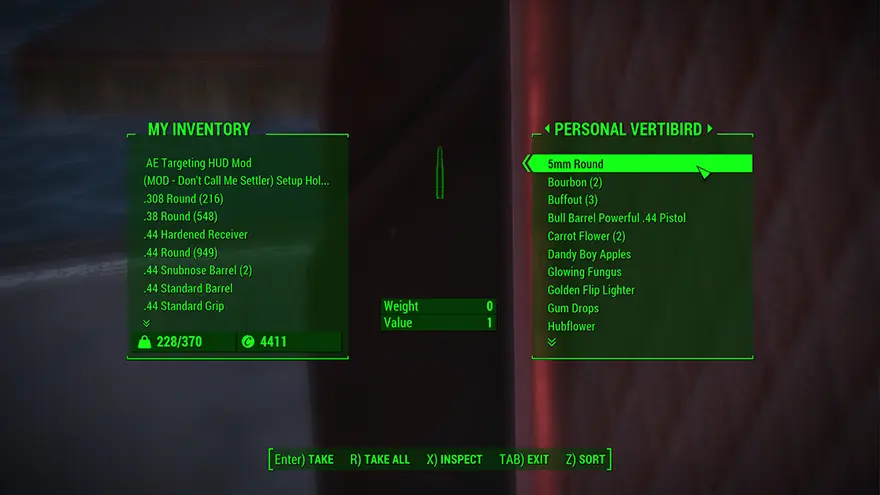
no trade/inventory does not require DLC01
fixes collision bug (hopefully)
Personal Craftable Vertibirds and the air support craftable ones are now higher material cost. This was by request so that it wasn’t so
«cheaty/cheap» to create.
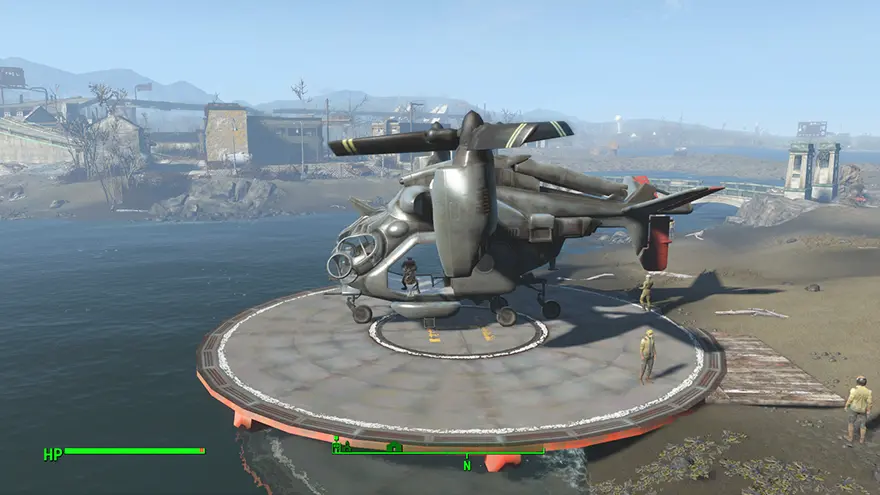
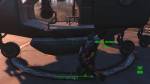
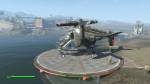
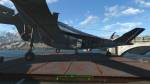
PCV now has a helipad for your vertibird. Craft it in resources>misc
The helipad acts as a fast travel marker, (you can only have one of these per settlement.) The vertibird will land right on it every time
as long as nothing is blocking it. You will want to place down floors or something for it to sit on most likely. it can sit on the ground but the collision isn’t very good. placing flooring etc under it makes it perfect.
Please note that there is a custom NIF for this helipad. after installation make sure the folder «pcv» with the nif «PVHelipad01.nif» is in your data/meshes folder.
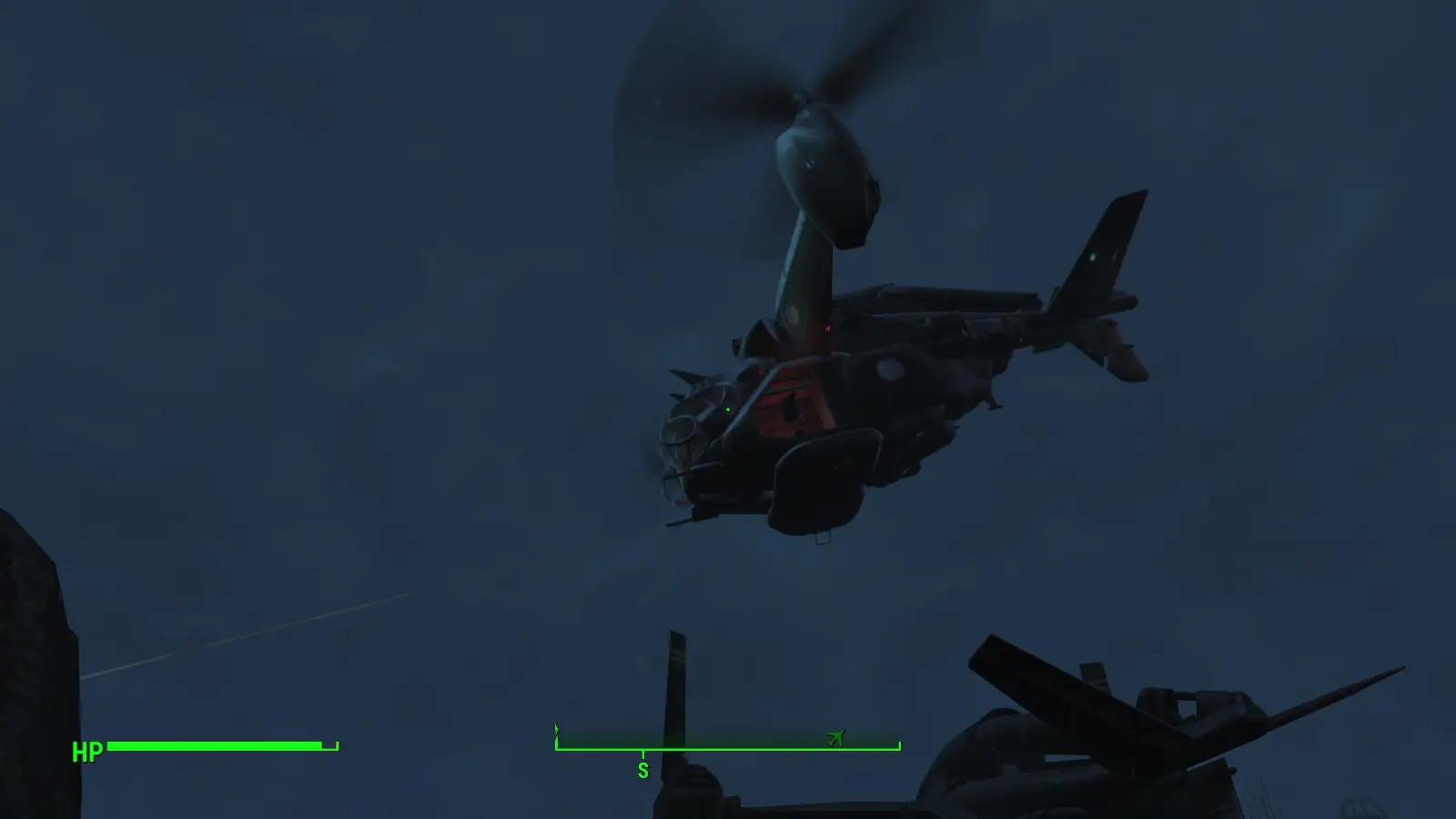
There are now Personal Craftable Air Support Vertibirds. Find and build via special in workshop just like the personal vertibird.
these air support vertibirds will fly up and protect your settlements!
There are now settler assignable furniture Vertibird, Stingray, and ufo that act just like the scavenger stations. Once placed and you assign a settler
the settler will «work on» the aircrafts (welding) and so on.
these can be found in resources>misc
There are also new grenades in the chemistry station that will summon Air Support Vertibirds so you can have them when you travel.
I will always be trying to improve and add on to this mod. Enjoy!
This vertibird is set to ignore combat and is set to invulnerable, that way it acts as a mode of transport.
Simply find a place to build that is big enough for the vertibird and build.
NOTE: If you place a craftable fast travel marker (workshop>resources>misc) in the spot where you want the vertibird to land, it will land
as close to this spot as possible.
To bring companion with you: mouse over them command> on the vertibird they will ride with you.
If you don’t already know once inside open your map and click location to travel to to begin flying there.
Known issues:
No pilots, so think of it as an auto-piloted vertibird. You will be in the gunner slot. (working on adding pilot and co-pilot)
If you have issue where vertibird goes off course(forgets where it’s going) open map and click location again. this fixes it.
same if vertibird starts clipping through ground or objects.
This opens up a whole new opportunity for modders to create new flying vehicles! Enjoy 🙂
Please log in or register
To enjoy the benefits of Nexus Mods, please log in or register a new account
File information
Last updated
Original upload
Created by
Uploaded by
Virus scan
Tags for this mod
About this mod
Nexus requirements
Off-site requirements
Mods requiring this file
Credits and distribution permission
Author notes
This author has not provided any additional notes regarding file permissions
File credits
This author has not credited anyone else in this file
Donation Points system
This mod is not opted-in to receive Donation Points
Translations available on the Nexus
Version 2.5
Version 2.3
Version 2.2
Version 2.1
Version 2.0
Version 1.1
Version 1.0
WHAT
Without this mod, your Flyable Personal Vertibird’s Pilot doesn’t do very much: You can say hi to them, but that’s about as good as it gets.
Sad, so sad. But Life doesn’t have to be like this no longer anymore!
FPV Interactive Pilot adds a command menu to your Flyable Personal Vertibird Pilot, so you can issue them your orders. To make them a bit more useful, you know =) You can even instruct your Pilot from afar, by building FPV Command Radios in any of your outdoor Settlements.
NOTE: This is an Add-On for PJMail’s Flyable Personal Vertibird and will not work without that mod! Download & install first!
Seriously? Because why not!
NEW Prerequisites
>> There are absolutely NO «but», «what if» or «can I get» exceptions to those requirements.
— You need F4SE installed and running.
— You need PJMail’s Flyable Personal Vertibird installed and running.
— You need the FPV Tracking Module installed and running.
— You need Rename Anything installed and running.
— You need F4MS installed and running.
Installation
— Download and install mod (try manual install if you’ve got a mod mananger and «it just doesn’t work»).
— Plugin is ESLified ESP, so will not tie up one of your precious load order slots.
— Back-up your saves.
— Activate the mod.
Update to 2.5
— Before updating: Open Console, type «stopquest FPV_PilotCommands_SystemQuest» and save your game.
— Install FPV Interactive Pilot 2.5.
— Run game, open console, type «startquest FPV_PilotCommands_SystemQuest».
— Done.
Basic Usage
— Load game.
— Find your Pilot and talk to them.
— Or build a Radio and talk to your Pilot that way.
— Please Endorse if you like, thank you!
Issuing orders to your Pilot in Person
— Build Flyable Personal Vertibird / Go to your Flyable Personal Vertibird.
— Make the Pilot appear if they are not already there, by entering the bird briefly and then disembarking again.
— Point at the Pilot, press E) for COMMAND and select any of the presented options, see below for a description.
Issuing orders to your Pilot by Radio
— You can build an FPV Command Radio at any outdoor Settlement. Indoors not possible due to game limitations.
— The FPV Command Radio is in the SPECIAL workshop category and it needs radiant power to work.
— You need SCIENCE 1 to build it (just like you need for the Vertibird, so shouldn’t be an issue even).
— When using the Radio, it may take a few seconds for your Pilot to respond. Much like real life.
— If you don’t have a Vertibird nor a Pilot for any reason, there will simply be no answer on the Command Radios. Such immersion!
— You can’t access the cargo hold from the Radio. Makes sense, doesn’t it.
— If the Vertibird is parked (not flying) in another Settlement or elsewhere, you can use the Radio to recall the Bird to your Location.
— If the Vertibird is flying, you can instruct the Pilot to land near you instead (subject to change).
Changing the Pilot’s Outfit
Trading with your Pilot
— This option is new in Release 2.3
— The Pilot is Essential since Release 2.2, but may still get deleted/respawned (when you store the Bird in workshop, for example).
— BEWARE: If the Pilot NPC gets destroyed/respawns, it will have lost anything you may have put in it’s inventory.
— Therefore, this Option is disabled by default. If you want to enable it:
— Build a FPV Interactive Pilot Settings Holotape at the Chembench (Utility category).
— Run holotape in Pip Boy or Terminal.
— Toggle the «Trade with Pilot» setting to Enabled.
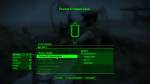
— When talking to the Pilot in person, the new «Let’s Trade!» option will be made available, near the bottom of the list.
Menu Commands
— OPEN CARGO HOLD: Access the Vertibird’s inventory (available only when talking to the Pilot in person)
— RETURN TO BASE AND UNLOAD CARGO: Sends the Vertibird to park at it’s home settlement, unloading any cargo as it arrives.
— UNLOAD AT BASE AND RETURN TO MISSION: Sends the Vertibird to unload cargo at it’s home settlement, returning to you when done.
— DEPLOY TO SETTLEMENT: Sends the Vertibird to a settlement you choose (must be owned and properly registered outdoor Workshop).
— PROVIDE CLOSE AIR SUPPORT: Has the Bird circle around your position, providing air support (Vertibird Front Guns Mod Heavily Recommended!)
— LAND NEAR ME: Has the airborne Bird land near your position (available only while the Bird is flying).
— ASSIGN NEW BASE OF OPERATION: Choose a new home settlement for your Bird (must be owned and properly registered outdoor Workshop).
— RECALL TO MY LOCATION: If the Bird is parked elsewhere, recall it to your current Settlement location (only available via Radio and only while not flying).
— LET’S TRADE: Open the Pilot’s inventory. Only available when talking to them in person, and only when Pilot Trade is enabled in Settings Holotape.
— CHANGE YOUR OUTFIT: Set a new outfit on your current Pilot (for specific Vertibird, doesn’t affect the others).
— RELIEVE FROM DUTY: Replace your current Pilot with a new one (for specific Vertibird, doesn’t affect the others).
— NEVERMIND: Close the Command Menu.
Additional information provided by the Command Menu
— Vertibird Name & Status:
— The name of your Vertibird. You may rename it with Rename Anything, the change will reflect here. Useful if you have multiple Birds.
-The Bird’s current status (Can be Idle, Boarding, Take Off, In Flight, Landing, Disembarking or Dead).
— Active Core: Charge percentage left in your Vertibird’s active Fusion Core (will be 100% if not using Cores).
— Reserve: Number of additional Fusion Cores carried by the Vertibird, to be used as fuel if the active core has drained empty.
— Current Cargo Load: Combined weight of all things in the Bird’s inventory.
— Current Location: The name of the Location where the Vertibird is at the moment (Settlement, Place or World Space name).
— Base of Operations: The Bird’s current home Settlement name.
Mod Geek Info
Will NOT work with
Uninstallation
CREDITS
Would you like to know more (mods)? Click here.
Личный управляемый Винтокрыл / Personal Craftable Vertibirds
Автор:Wintermuteai1
Версия:1.4
Перевод:русский
Обновление:1.4
— Исправлены ошибки с коллизиями/столкновениями (надеюсь)
— Автор сделал еще один вариант мода с возможностью складирования вещей в инвентарь Винтокрыла, в том варианте требуется DLC Automatron, я не стал выкладывать этот вариант мода, так как он вообще сырой, автор сам написал что у Винтокрыла будут такие же возможности как и у роботов из DLC Automatron, то есть может разговаривать и следовать за вами, эти «фишки» пока никак не удалить, потому что без Креатон Кит нереально это сделать, в общем как выйдет Креатон Кит, то автор сделает нормальный второй вариант мода с возможностью хранения вещей в Винтокрыле, ну а я как уже сказал не стал делать этот вариант, только тот что был, обычный пока будет.
Обновление:1.2
— Исправлена проблема с принадлежностью фракции (не должен помечаться как враждебный)
— Добавлен пилот (судя по тому что в esp. при переводе по крайней мере есть Личный пилот, но автор что то не упомянул ничего про это, так что не знаю будет ли пилот или нет)
Примечание:
— Если вы поместите изготавливаемый маркер для быстрого перемещения (мастерская> ресурсы> разное) в том месте, куда вы хотите чтобы приземлялся Винтокрыл, то он будет приземляться как можно ближе к этому месту, насколько это возможно.
Известные вопросы:
— Почему нет пилотов? Думайте об этом как об авто пилотируемом винтокрыле. Вы будете находиться в ячейке пулеметчика (Работа по добавлению пилота и второго пилота ведется)
— Если у вас есть проблема, когда Винтокрыл уходит с курса (забывает куда лететь), снова откройте карту и выберите место куда вы направляетесь, это исправит сбитый курс.
Требования:
Fallout 4
Установка:(можно вручную или через NMM менеджер)
Установка вручную:
1. Создайте файл Fallout4Custom.ini если такого у вас нет по адресу «My Documents\My Games\Fallout4»
2. В файле Fallout4Custom.ini пропишите следующее
[Archive]
bInvalidateOlderFiles=1
sResourceDataDirsFinal=
3. Скачиваем архив мода, берем папку meshes и файл personalvertibird.esp и кидаем в папку Data в игре.
4. Открыть файл plugins.txt по пути «C:\Users\%USERNAME%\AppData\Local\Fallout4\plugins.txt» и добавьте в него строку personalvertibird.esp
5. Как устанавливать моды и что делать в ini файлах читаем в теме NMM менеджер
Please log in or register
To enjoy the benefits of Nexus Mods, please log in or register a new account
File information
Last updated
Original upload
Created by
Uploaded by
Virus scan
Tags for this mod
About this mod
Nexus requirements
Off-site requirements
Mods requiring this file
Credits and distribution permission
Author notes
This author has not provided any additional notes regarding file permissions
File credits
This author has not credited anyone else in this file
Donation Points system
This mod is not opted-in to receive Donation Points
Translations available on the Nexus
Version 2.5
Version 2.3
Version 2.2
Version 2.1
Version 2.0
Version 1.1
Version 1.0
WHAT
Without this mod, your Flyable Personal Vertibird’s Pilot doesn’t do very much: You can say hi to them, but that’s about as good as it gets.
Sad, so sad. But Life doesn’t have to be like this no longer anymore!
FPV Interactive Pilot adds a command menu to your Flyable Personal Vertibird Pilot, so you can issue them your orders. To make them a bit more useful, you know =) You can even instruct your Pilot from afar, by building FPV Command Radios in any of your outdoor Settlements.
NOTE: This is an Add-On for PJMail’s Flyable Personal Vertibird and will not work without that mod! Download & install first!
Seriously? Because why not!
NEW Prerequisites
>> There are absolutely NO «but», «what if» or «can I get» exceptions to those requirements.
— You need F4SE installed and running.
— You need PJMail’s Flyable Personal Vertibird installed and running.
— You need the FPV Tracking Module installed and running.
— You need Rename Anything installed and running.
— You need F4MS installed and running.
Installation
— Download and install mod (try manual install if you’ve got a mod mananger and «it just doesn’t work»).
— Plugin is ESLified ESP, so will not tie up one of your precious load order slots.
— Back-up your saves.
— Activate the mod.
Update to 2.5
— Before updating: Open Console, type «stopquest FPV_PilotCommands_SystemQuest» and save your game.
— Install FPV Interactive Pilot 2.5.
— Run game, open console, type «startquest FPV_PilotCommands_SystemQuest».
— Done.
Basic Usage
— Load game.
— Find your Pilot and talk to them.
— Or build a Radio and talk to your Pilot that way.
— Please Endorse if you like, thank you!
Issuing orders to your Pilot in Person
— Build Flyable Personal Vertibird / Go to your Flyable Personal Vertibird.
— Make the Pilot appear if they are not already there, by entering the bird briefly and then disembarking again.
— Point at the Pilot, press E) for COMMAND and select any of the presented options, see below for a description.
Issuing orders to your Pilot by Radio
— You can build an FPV Command Radio at any outdoor Settlement. Indoors not possible due to game limitations.
— The FPV Command Radio is in the SPECIAL workshop category and it needs radiant power to work.
— You need SCIENCE 1 to build it (just like you need for the Vertibird, so shouldn’t be an issue even).
— When using the Radio, it may take a few seconds for your Pilot to respond. Much like real life.
— If you don’t have a Vertibird nor a Pilot for any reason, there will simply be no answer on the Command Radios. Such immersion!
— You can’t access the cargo hold from the Radio. Makes sense, doesn’t it.
— If the Vertibird is parked (not flying) in another Settlement or elsewhere, you can use the Radio to recall the Bird to your Location.
— If the Vertibird is flying, you can instruct the Pilot to land near you instead (subject to change).
Changing the Pilot’s Outfit
Trading with your Pilot
— This option is new in Release 2.3
— The Pilot is Essential since Release 2.2, but may still get deleted/respawned (when you store the Bird in workshop, for example).
— BEWARE: If the Pilot NPC gets destroyed/respawns, it will have lost anything you may have put in it’s inventory.
— Therefore, this Option is disabled by default. If you want to enable it:
— Build a FPV Interactive Pilot Settings Holotape at the Chembench (Utility category).
— Run holotape in Pip Boy or Terminal.
— Toggle the «Trade with Pilot» setting to Enabled.
— When talking to the Pilot in person, the new «Let’s Trade!» option will be made available, near the bottom of the list.
Menu Commands
— OPEN CARGO HOLD: Access the Vertibird’s inventory (available only when talking to the Pilot in person)
— RETURN TO BASE AND UNLOAD CARGO: Sends the Vertibird to park at it’s home settlement, unloading any cargo as it arrives.
— UNLOAD AT BASE AND RETURN TO MISSION: Sends the Vertibird to unload cargo at it’s home settlement, returning to you when done.
— DEPLOY TO SETTLEMENT: Sends the Vertibird to a settlement you choose (must be owned and properly registered outdoor Workshop).
— PROVIDE CLOSE AIR SUPPORT: Has the Bird circle around your position, providing air support (Vertibird Front Guns Mod Heavily Recommended!)
— LAND NEAR ME: Has the airborne Bird land near your position (available only while the Bird is flying).
— ASSIGN NEW BASE OF OPERATION: Choose a new home settlement for your Bird (must be owned and properly registered outdoor Workshop).
— RECALL TO MY LOCATION: If the Bird is parked elsewhere, recall it to your current Settlement location (only available via Radio and only while not flying).
— LET’S TRADE: Open the Pilot’s inventory. Only available when talking to them in person, and only when Pilot Trade is enabled in Settings Holotape.
— CHANGE YOUR OUTFIT: Set a new outfit on your current Pilot (for specific Vertibird, doesn’t affect the others).
— RELIEVE FROM DUTY: Replace your current Pilot with a new one (for specific Vertibird, doesn’t affect the others).
— NEVERMIND: Close the Command Menu.
Additional information provided by the Command Menu
— Vertibird Name & Status:
— The name of your Vertibird. You may rename it with Rename Anything, the change will reflect here. Useful if you have multiple Birds.
-The Bird’s current status (Can be Idle, Boarding, Take Off, In Flight, Landing, Disembarking or Dead).
— Active Core: Charge percentage left in your Vertibird’s active Fusion Core (will be 100% if not using Cores).
— Reserve: Number of additional Fusion Cores carried by the Vertibird, to be used as fuel if the active core has drained empty.
— Current Cargo Load: Combined weight of all things in the Bird’s inventory.
— Current Location: The name of the Location where the Vertibird is at the moment (Settlement, Place or World Space name).
— Base of Operations: The Bird’s current home Settlement name.
Mod Geek Info
Will NOT work with
Uninstallation
CREDITS
Would you like to know more (mods)? Click here.
Please log in or register
To enjoy the benefits of Nexus Mods, please log in or register a new account
Flyable Personal Vertibird
File information
Last updated
Original upload
Created by
Uploaded by
Virus scan
Tags for this mod
1226 comments

Issues Fixed/New Features in Hotfix 7
). It must be 0.6.16 or more.
— Did you follow the instructions for installing F4SE (like starting your game via f4se_loader.exe )?
— Did you press R to take off first? If you are already flying to a Map destination, did you press R to go manual?
— Check the «Manual Control key» is set to «Ready Weapon» in the Holotape/MCM (or use the key you set it to).
I use CHW without changing anything and no CTD. I don’t use Driveables though. The fact that you get a CTD when opening the workshop says your problem is NOT FPV as it is not a workshop mod. It is not envoked or even active when you open the workshop. You clearly have a conflict somewhere else. Blaiming the straw that breaks the camels back is not sensible.
Can you message me your mod (load order) list? Something might stand out.
I cannot see the other images, I do not know why.
You can send me the text list of your esp files ( c:\users\YourUsername\appdata\local\fallout4\plugins.txt).
«yourusername» is what you log into your PC with, not your nexus username.
Start an email conversation with me (envelope symbol in top right corner of this page) then copy and paste the contents of that text file into an email to me (PJMail). That is better than using posts.


In case anyone is having occasional issues with Vertibirds landing through craftable helipads (any, not just from this mod), I’ve had no more issues (so far. ) by adding the keyword ‘WorkshopAnythingIsGround’ to the appropriate static.
Be interested to see if it works for others though.
Oh, I fully admit that the use of the keyword is not based on any externally sourced info. It’s simply a result of multiple test sessions, trying out various changes, one at a time in isolation. It’s possible it may just be a coincidence and a red herring. Hence, being interested in if it made any difference for others. All I can say is that, so far, all of the continual instances of landing through a helipad that I’ve been having have currently stopped.
If that does change though, I shall confirm the failure here.
Edit: Are you sure you are not referring to «WorkshopStackableItem»? This actually tells other things that this object is «solid» and not to pass through it. Normally added to floor and roof objects. NOTE: All my Vertipads have this on them anyway.
The pad is from Settlement Objects Expansion Pack. Here’s a pic from Starlight:
No. The Stackable keyword is already on the base object by default.
Edit: It appears to be navmeshed, but I have no idea if the «WorkshopIgnoresSimpleIntersections» on it may be causing issues.
Also as it is not recognized as a Vertipad (it is meant as decoration) so none of my FO4 bug-mitigations are active on it.
As it is just the same model as my smaller Vertipad (but inferior) It is not my issue so see no reason to continue further with this.
You can use it but have to accept it has problems. You can always use ‘place anywhere’ if you want to ‘merge’ my vertipads into a structure.
I will add it to the ‘not a problem, yet useless’ mod list on my description page.
I am also moving this to the bugs section (even though the bug is not in my mod) as it will just confuse people.
I wanted to say I love this mod. I’m also glad I installed some of the recommended mods that allowed you to change the color of the vertibirds. I really like this mod. It is nice having my own vertibird when I don’t want to be closely associated with the BoS and you have a good number of options we can choose from with the items we can make at the Chemistry Station.
I was wondering if there was a way to «name» the vertibrids and select which one we want from a menu apart from going to the bird manually and setting as current vertibird. It is just something I’m curious about for role playing reasons. My current character is skipping the minute men, since I already did a big playthrough with mods for them. That being the case, I have «Secret» bases around the map and I wanted to call certain vertibirds nearby to come and provide air support while having an «official» transport one.
Not making any demands or anything like that. I’m just wondering. I love the mod and plan on using it a lot in the future. As it is, I just call a vertibird to me a little away from the area where I want airsupport after «scouting» the place and tell it to follow me.
The latest version of the interactive pilot mod apparently has the ability to rename the Vertibirds, but it has some requirements you may not have (DLC’s).
However, the «rename anything» mod on it’s own can be used as long as you have console access (I think).
I will see if I can add rename in the next version (though not sure if it is possible to have text input).
Update: «rename Anyhting» looks to be the easiest way at the moment, and works.
Love this mod to death, but I keep having this strange issue of switching camera views. What I mean by this is that when I go third person in the Vertibird, I can’t really aim my minigun. This is by default which is fine, but when I go back to First Person to gun down enemies, I don’t really get the best angle of aiming.
I am stuck in the position I was when I switched to Third Person, but I can still ‘technically’ aim. It looks more like a second person view if that makes any sense. Sometimes the angle of camera is so extreme I can see my detached arms on the minigun if I move around enough. The only fix I use is that I never get out of first person in the first place, which is annoying when I am trying to manually fly the thing.
This bug occurs regardless if I am manually flying or not, even if I am fast travelling.
Interesting Mod! Exiting from the Vertibird is actually ‘exiting from furniture’ but a lot more messy so I am not surprised ETRFC and FPV have some interaction. I will look into it just in case other people might get a less desirable outcome.
Nope, no Power Armor.
Another thing. I nearly always get attacked, when exiting the VB in non populated areas (e.g. settlement), or «wilderness» so to speak. Your mod? If not, I am happy to try to find out from which mod these attacks come from. I have some mods, tinkering with encounters.

» 11 September 2021, 5:19AMOf course. Have you read the FAQ post? Like the section «companion as turret gunner and 2nd gunner’ questions». «
First I want to say thank you for this mod, it is without a doubt, very cool and I have been using it since it first appeared on the nexus. I mean no disrespect.
When a companion, either Vanilla, or mod created, boards the vertibird, they sit on the bench. If I give them the gunner ring, they take up the standard gunner position (although none have ever fired the minigun, even when we’re being attacked). After landing, the exit and then upon boarding again, they get into position, then immediately exit the vertibird. (The same is true for the co-pilot ring.) If I give them the 2nd gunner ring, they won’t board at all. The same thing happens with the Left/Right passenger rings. I have tried cycling through the companions boarding options in the pip-boy, exiting and re-boarding, quitting and restarting sometimes works but only for the first flight. No companion has ever taken up the 2nd gunner position and I cannot make my own character do it either (not sure if that is possible).
Your insight and any suggestions are sincerely appreciated!
Thanks!
All of that sounds like you have a mod that changes/overrides the standard ‘companion’ system or «human Race». My mod (in fact all mods that support companions) rely on some basic AI packages injected into companion NPC’s via the ‘Followers’ quest (the FO4 background process managing companions). There are many such mods so this is not unique to you, unfortunately mod authors have to aim at the ‘baseline’ as there are too many mods to account for them all. The baseline (followers) quest adds in packages that keep companions onboard Vertibirds (otherwise they spontaneously exit).
Thank you PJMall for that in-depth rundown on NPC/Companion behaviors! That explains a lot about FO4 that I did not know. I have several mods that alter races and packages/behaviors, etc. There are likely several mod conflicts in my load order. I have looked through it and here is a list of active mods that fit the scenarios you provided.
Thanks for your list, I will download and look at them. However from memory the sandbox mods just change some values that don’t cause an issue, and neither does conversation one (I use similar ones). The Teeparty multi companion mod, though, had issues from memory. I will get back to you on that though.
Update: All settler, conversation, and ‘glam’ mods are fine as expected. The Ada2Human one only effects Ada and looks like it should not be a problem for Ada boarding the Vertibird (as she is now considered ‘humanRace’ even as a robot).
You can use whatever multi-companion mod you like but I am adding that to my ‘very incompatible’ list.
Yes, UCF sorry. A quck summary of the other Multi-Companion mods: