
ОСОБЕННОСТИ МОДА:
16 Industrial/Cinematic треков для боя
8 различных музыкальных композиций для исследования подземелий
14 Dark Ambient треков для исследования открытой местности
7 Dark Ambient Tribal Rhythms для общественных мест
5 специальных тем для фракций Фаллоута
1 композиция для основного меню (по мотивам дефолтной темы)
220 коротких тем для различных звуков в игре (открытие новой локации, поднятие уровня и т.п.)
Поэтому настоятельно прошу воздержаться от комментариев типа
«не лорно», «фу, гадость», «не слушаю такое».
Пожалуйста, уважайте труд автора, он проделал колоссальную работу и, вопреки своему первоначальному решению не давать разрешение на публикацию сторонним сайтам, всё же позволил поделиться своим творением с пользователями modgames.
Потому прошу, давайте будем вежливы.
Установите мод с помощью NMM (настоятельно рекомендуется)
1. Скопируйте файлы из архива в папку Fallout 4\Data\
2. Откройте ваш plugins.txt (C:\Users\%Имя пользователя%\AppData\Local\Fallout4\plugins.txt)
и добавьте в него строчку * DN Music.esp
По желанию установите опциональные файлы:
ВНИМАНИЕ:
Порядок загрузки самого мода не важен,
НО все дополнительные файлы
должны располагаться НИЖЕ основного в списке загрузки
ДАННЫЙ МОД БУДЕТ КОНФЛИКТОВАТЬ С ЛЮБЫМ ДРУГИМ, МЕНЯЮЩИМ МУЗЫКУ В ИГРЕ
(кроме модов на радио)


ВЫ МОЖЕТЕ ПОБЛАГОДАРИТЬ АВТОРА ЗА РАБОТУ, ПЕРЕЙДЯ ПО ССЫЛКАМ:
Fallout 4 мод музыкальные инструменты
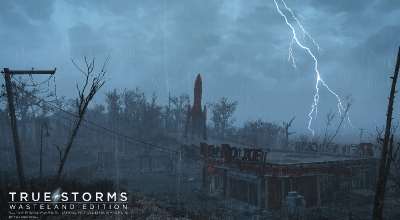
Fallout 4 — Новые текстуры и звуки для дождя и грома

Fallout 4 — Радио Вокалоид

Fallout 4 — Обновлённые звуки шагов
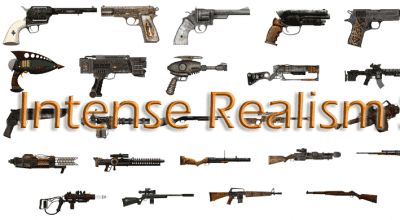
Fallout 4 — Улучшение звуков стрельбы
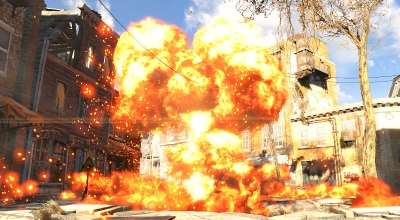
Fallout 4 — Впечатляющий звук взрыва ядерного оружия
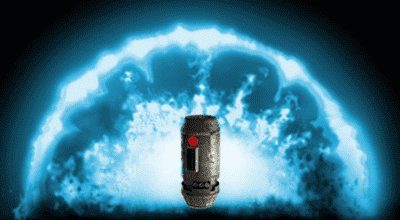
Fallout 4 — Звук взрыва импульсной гранаты как в «Звёздных Войнах»
Fallout 4 — Радио «Jetfuel»
Fallout 4 — Реплейсер звуков энергетического оружия
Fallout 4 — Таинственный Незнакомец (Музыка из X-Files)
Fallout 4 — Рок Главное Меню
Fallout 4 — Русское Рок Радио
Fallout 4 — «Громкий» Дождливый Звук
Fallout 4 — Реалистичные звуки выстрелов
Fallout 4 — Тихие поселения / Quieter Settlements
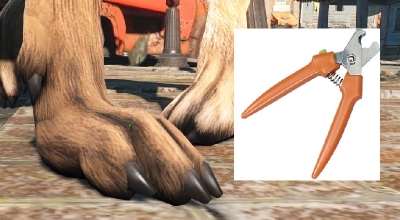
Fallout 4 — Подстригите когти собаки (Immersive Nail Trim for Dogmeat)

Fallout 4 — Мод убирающий звук при получении опыта и убийстве
Fallout 4 — Реалистичные звуки стрельбы
к записи: Garry’s mod — Карта gm_liminal_space
к записи: Skyrim — Слейвран: Перезагрузка (1.02 2016.09.10)
к записи: Skyrim SE Sexlab mod pack by Korh 18+ Скайрим геймлейная сборка с Секслаб
к записи: fnaf content_4x
к записи: Garry’s Mod 13 — HUD из Ori and the Blind Forest
к записи: Combine Soldier Pack [Replacement] 1.1
к записи: Skyrim — Набор HDT причесок yundao 5.5
к записи: fnaf content_4x
к записи: Fallout 4 — Альтернативные костюмы убежищ
к записи: Fallout 4 — Убежище 111 — Поселение
к записи: Fallout 4 — Пак армейской одежды
к записи: Fallout 4 — Альтернативная анимация походки и бега
к записи: Fallout 4 — Стикеры на контейнеры
к записи: Fallout 4 — Ткацкий Станок
к записи: Fallout 4 — Более удобное строительство
к записи: Fallout 4 — PILGRIM / Хоррор ENB и улучшение погоды
к записи: Advanced Animation Framework (AAF)
к записи: [AAF] Анимации 18+ от Leito 2.0
в теме: Перенос одежды из Обливиона в Скайрим
в теме: добавте мод
в теме: Заказ аддонов [Garry\’s Mod]
в теме: Заказ аддонов
в теме: Есть ли такой мод?
Please log in or register
To enjoy the benefits of Nexus Mods, please log in or register a new account
Fallout Instrument Pack
File information
Last updated
Original upload
Created by
Uploaded by
Virus scan
Tags for this mod
About this mod
Adds 4 Playable Instruments for use in Workshop Mode and 2 Melee Weapons. Also includes a small Quest to get plans to build said instruments.
Banjo, Acoustic Guitar, Piano & Snare Drum (Playable Instruments)
Acoustic Guitar & Banjo (Melee Weapons)
This mod does not have any known dependencies other than the base game.
Mods requiring this file
Credits and distribution permission
Author notes
This author has not provided any additional notes regarding file permissions
File credits
Donation Points system
This mod is opted-in to receive Donation Points
Both straight donations and premium membership donations accepted
Fallout Instrument Pack
Inspired by Fallout 76 I decided to make some playable instruments for Fallout 4 and here they are! This mod includes 4 playable instruments that you can place in Workshop mode for you and your settlers to use and 2 Melee Weapons.
(Bear in mind I’m not the best Animator in the world and did what I could with this as I don’t specialise in Animations, I hope you enjoy it anyway!)
All the custom meshes, textures and animations in this pack were made by me with one exception, the Ottoman used for the Piano was made by TheFriedturkey who allowed me to use it in this mod (thanks again man!).
The music used for the Instruments was made by Crow Bennett of Octane Sound. Without him I probably would have had some random audio from the internet and I would like to give some big thanks to him for making this possible!
Features
4 Playable Instruments place-able in Workshop Mode
Acoustic Guitar Melee Weapon with a few Weapon Mods (Craftable at Chemistry Workbenches, also spawns as a reward from the Quest!)
Banjo Melee Weapon (Craftable at Chemistry Workbenches)
Well Tuned Buff. +25% AP regeneration for 1 hour after playing an instrument for 30 seconds.
Small Quest
Orchestra Workshop Object (Allows all 4 instruments to be played in sync. Although this can be a bit buggy!)
ESL Plugin (Does not count towards your load order!)
Please log in or register
To enjoy the benefits of Nexus Mods, please log in or register a new account
Music Mods Merged
File information
Last updated
Original upload
Created by
Uploaded by
Virus scan
Tags for this mod
About this mod
I merged a few Fallout 4 music mods.
DLC requirements
Nexus requirements
Credits and distribution permission
Author notes
This author has not provided any additional notes regarding file permissions
File credits
Donation Points system
This mod is opted-in to receive Donation Points
Version 3.1.0
Version 3.0.7
Version 3.0.6a
Version 3.0.6
Version 3.0.5a
Version 3.0.5
Version 3.0.4
Version 3.0.3
Version 3.0.2
Version 3.0.1
Version 3
Version
This mod does not replace the vanilla tracks at all, it adds tracks to the playlist
This mod uses the following mods
This mod is incompatible with any other music mods that add music to the game
If you do not want to use a certain mod from above, you do NOT have to install it
All this mod does is provide working playlists that will play tracks from the mods above
Any that you don’t like, you can uninstall them without any issues
The Creation Kit is required to extract the BA2 contents to match specific mods’ volume levels
FOLLOW THESE STEPS CAREFULLY, I AM NOT GOING TO HAND-HOLD
SKIP ANY MODS YOU DO NOT WANT INSTALLED:
Everything is done through MO2 now. If you don’t use it, you need to use it.
Instructions should be easier to follow than last time as I’ve figured out MO2 makes things easier.
Your music will be unmatched in volume if you don’t use the Archive2 method mentioned above and in my sticky comments.
If you do not own either Fallout 3 or the OST for it, disregard this step
——————————————————————————————————-
You must convert all the music files into WAV format (or if you want to save space, you may convert them to XWM). This can be done relatively quickly with Audacity, otherwise Google other methods. Afterwards, create an empty mod in MO2 and make the folder structure as Music\FO3. Dump all the converted tracks into this folder and activate the mod.
If you got the tracks from the official sound track (not the game itself), you’ll need to rename the files (see sticky comment #3). I also have an image of what the files should look like inside the folder.
Install Digital Nightmare Main v1.10 through MO2. Hide/delete DN Music.esp. Download the optional Mega Battle Pack FIX 2 if you want it, and hide/delete DNMega.esp. Download the optional Far Harbor Music Addon if you want it, and hide/delete DN Far Harbor.esp.
Install Fallout Suite v.1.1 through MO2. Hide/delete Fallout Suite.esp.
Install Musical Lore through MO2 and hide/delete NirShor-MusicalLore.esp.
Install Classic Fallout Music 1.4b through MO2, leave all options at default, and hide/delete the plugins.
[THIS MOD HAS LOUDER THAN VANILLA TRACKS, IF YOU DON’T WANT TO MESS WITH THEM, IGNORE THIS STEP OR JUST PLAY WITH LOUD TRACKS]
Install Stalker Music 1.1 through MO2. Hide/delete StalkerMusic.esp.
Install Glowing Sea Extended Legacy Assets through MO2. Uncheck AtomCrater.xwm, GSSEnclave.xwm, GSSMBase.xwm, and TheTraveler.xwm. Hide/delete GSE_Legacy_Assets.esp.
Install the main file Orkus Postapo Ver. 2.3 for New Post Apocalyptic Soundtrack through MO2. Create a new directory in Music called NPS and move everything inside the Music folder to the new NPS directory. Uncheck Special and Death, or optionally leave the main theme file if you want it. Rename Music\NPS\DLC04\MUS_DLC04_Explore_Inner_Nuka_Town_01a to Music\NPS\DLC04\MUS_DLC04_Explore_Inner_NukaTown_01a.
Hide/delete the plugin that came with it.
I highly recommend running this mod through Audacity to normalize the volume to your current install.
Install the main file Fallout Ambient Overture Overhaul for Ambient Overture Overhaul through MO2. Create a new directory in Music called FAOO and move everything inside the Music folder to the new FAOO directory. Uncheck Special, or optionally leave the main theme file in the regular spot if you want it.
Install either main file from IMMERSIVE SUPER ULTRA HYPE COMBAT MUSIC OVERHAUL through MO2. Which one is up to you. Create a new directory in Music called SUHC and move all files inside the Music folder to the new SUHC directory.
Install the main file Distortion Combat Music Replacer through MO2. Create a new directory in Music called DCM and move everything inside the Music folder to the new DCM directory.
Install my mod and enable the MusicMerged.esp and enable any ESL file that pertains to which music mods you installed, for example, enable Fallout Suite.esl if you installed Fallout Suite.
Do the installation in reverse. Or just disable the ESP from this mod. Either works.
Переделка игровых звуков и музыки для радио в Fallout 4
Автор: SEA-CAT
Версия: 0.5
Все новые звуки комбинированные, собирались на основе материалов из игр S.T.A.L.K.E.R. и Метро-2033 и пр. но не в чистом виде, а резались и клеились сегментами под каждого мутанта, его поведения в конкретные ситуации и в итоге сведение эффектов и громкости звука под общий фон игры Fallout 4.
2. В Fallout 4 есть небольшая проблема со звуками которые мы слышим от зверей и мутантов, она заключается в распространении их на расстоянии, то есть в основном игрок слышит зверей и мутантов в большей части только вблизи себя, но почти не слышит звуки животных бродящих в округе, а именно рыки, рёвы, вой (они в архивах есть, но не работают как это реализовано в других схожих играх). Для начала, я пере озвучил тех мутантов, которых несправедливо забыли, но тем не менее они являются для меня весьма опасными (Собаки-мутанты, Болотники-охотники, Рад-Скорпионы и пр.). Часть озвучки мутантов взята из материалов Метро-2033, она весьма сочно подходит и для мутантов в Фаллоуте. Также, добавил туда (для полноты комплекта) модификацию «Реальные птицы / Radiant Birds» от Indipindi, так как у него весьма неплохо получилось исправить недостатки озвучки пернатых.
Вся музыка и звуки были переработаны, сведены, профильтрованы в нескольких программах под общий игровой уровень громкости и пр., где-то грубовато, где-то более старательно, но вполне достойно для восприятия в игре.
Особенности: Если вы ставите эту модификацию не с новой игрой, а в процессе, то (загрузив сохранение) все Новые звуки Вы услышите при переходе на новые территории (мини-локации). И чем тише вы подкрадываетесь к опасным мутантам, тем больше новых звуков от них услышите (звуки их мирной жизнедеятельности, вой и пр., чего почти не слышно во время боя).
Установка: (можно вручную с заменой-перезаписью совпадающих файлов)
1. Скопировать папку SOUND в папку data игры