
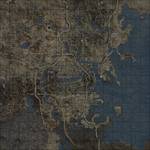
Спутниковая карта Содружества / Satellite World Map
Данный мод является реплейсером обычной карты мира в Пип-бое, на улучшенную карту в качестве 4к и 8к с высоты птичьего полета, как бы это выглядело в реале. Новый реплейсер карты также расширяет границы карты Пип-боя, показывая часть ландшафта, который находится за пределами игровой зоны.
Подробнее:
— Мод поставляется в двух вариантах качества текстур в 4к и 8к
— Мод поставляется в двух вариантах как полностью цветная и монохромная.
— Детальное отображение зданий, дорог, объектов, рек, водоемов, зданий.
— Не должно быть какого-либо заметного влияния на производительность при использовании любой версии качества карты в 4к или 8к.
Требования:
Fallout 4
Установка:(можно вручную или через NMM менеджер)
1. Выберите один из 4-х вариантов мода в качестве 4к или 8к в цветном или монохромном исполнении.
2. Поместить папку Data из архива в папку с игрой (Data не внутрь Data, а поверх), подтвердить слияние папок и активировать файл SatelliteWorldMap.esp.
— Чтобы не было никаких багов с кривым отображением карты или локаций на карте или других причуд, ставьте мод в самом конце списка всех модов, в самом низу!
3. Как устанавливать и активировать моды читаем в данной теме.
ВАЖНО.
— Для варианта мода «Монохромная карта» никаких танцев с бубном не нужно делать, просто установите и активируйте, цвет карты Пип-боя можно менять.
— Для варианта мода «Цветная карта» вам потребуется сделать несколько дополнительных изменений в файле Fallout4Custom.ini: (находится в Мои документы/My Games/Fallout4, если нет, то создайте) и впишите следующее: Эти правки сделают цвет текста в Пип-бое белым, который раздражает, но, к сожалению, это неизбежно, так как изменение цвета Пип-боя не будет настраиваться. Ваш цвет HUD останется прежним, хотя. В общем впишите это:
[Display]
fPipboyScreenEmitIntensityPA=1.25
fPipboyScreenDiffuseIntensityPA=0.15
Например у меня в файле выглядит вот так:
[Archive]
bInvalidateOlderFiles=1
sResourceDataDirsFinal=
[Display]
iLocation X=0
iLocation Y=0
fPipboyScreenEmitIntensityPA=1.25
fPipboyScreenDiffuseIntensityPA=0.15
Please log in or register
To enjoy the benefits of Nexus Mods, please log in or register a new account
Satellite World Map
File information
Last updated
Original upload
Created by
Uploaded by
Virus scan
Tags for this mod
About this mod
A high resolution world map made using in-game distant land assets.
Author’s instructions
File credits
This author has not credited anyone else in this file
Donation Points system
This mod is not opted-in to receive Donation Points
A replacer for the pip-boy World Map, available in 8k resolution, that gives an aerial view of the Commonwealth as it looks in game. Made using the game’s LoD meshes and textures, among other things. It also extends the boundaries of the pip-boy map, showing some of the landscape that lies outside of the playable area.
The mod is available in both full colour and monochrome versions, and there are optional files using a 4k texture rather than 8k. While these are lower quality they allow you to zoom out further on the world map. It’s mainly a personal preference, as there shouldn’t be any noticeable performance impact when using either version.
Extract the contents of the zip file to your Fallout4/data folder.
Enable SatelliteWorldMap.esp using a mod manager or manually.
Ensure these lines appear in either your Fallout4Prefs.ini or Fallout4Custom.ini:
[Archive]
bInvalidateOlderFiles=1
sResourceDataDirsFinal=
For the colour version, you’ll need to make a few additional edits to your Fallout4Custom.ini:
This will force your pip-boy text colour to white, which is annoying but sadly unavoidable. Your HUD colour will stay the same, though.
Спутниковая карта Содружества / Satellite World Map
Данный мод является реплейсером обычной карты мира в Пип-бое, на улучшенную карту в качестве 4к и 8к с высоты птичьего полета, как бы это выглядело в реале. Новый реплейсер карты также расширяет границы карты Пип-боя, показывая часть ландшафта, который находится за пределами игровой зоны.
Подробнее:
— Мод поставляется в двух вариантах качества текстур в 4к и 8к
— Мод поставляется в двух вариантах как полностью цветная и монохромная.
— Детальное отображение зданий, дорог, объектов, рек, водоемов, зданий.
— Не должно быть какого-либо заметного влияния на производительность при использовании любой версии качества карты в 4к или 8к.
Требования:
Fallout 4
Установка:(можно вручную или через NMM менеджер)
1. Выберите один из 4-х вариантов мода в качестве 4к или 8к в цветном или монохромном исполнении.
2. Поместить папку Data из архива в папку с игрой (Data не внутрь Data, а поверх), подтвердить слияние папок и активировать файл SatelliteWorldMap.esp.
— Чтобы не было никаких багов с кривым отображением карты или локаций на карте или других причуд, ставьте мод в самом конце списка всех модов, в самом низу!
3. Как устанавливать и активировать моды читаем в данной теме.
ВАЖНО.
— Для варианта мода «Монохромная карта» никаких танцев с бубном не нужно делать, просто установите и активируйте, цвет карты Пип-боя можно менять.
— Для варианта мода «Цветная карта» вам потребуется сделать несколько дополнительных изменений в файле Fallout4Custom.ini: (находится в Мои документы/My Games/Fallout4, если нет, то создайте) и впишите следующее: Эти правки сделают цвет текста в Пип-бое белым, который раздражает, но, к сожалению, это неизбежно, так как изменение цвета Пип-боя не будет настраиваться. Ваш цвет HUD останется прежним, хотя. В общем впишите это:
[Display]
fPipboyScreenEmitIntensityPA=1.25
fPipboyScreenDiffuseIntensityPA=0.15
Например у меня в файле выглядит вот так:
[Archive]
bInvalidateOlderFiles=1
sResourceDataDirsFinal=
[Display]
iLocation X=0
iLocation Y=0
fPipboyScreenEmitIntensityPA=1.25
fPipboyScreenDiffuseIntensityPA=0.15
Please log in or register
To enjoy the benefits of Nexus Mods, please log in or register a new account
Color Map 4K 2K with Magazines Bobbleheads and Armor Locations
File information
Last updated
Original upload
Created by
Uploaded by
Virus scan
Tags for this mod
About this mod
Color map with Bobblehead, Power Armor, Settlement and Fast Travel Locations.
This mod does not have any known dependencies other than the base game.
Mods requiring this file
Author’s instructions
Contact Me: Please contact me if you want to edit or use parts of this mod for your own mod.
Videos: Some guys PMed me asking if its OK to make a video of the file, YEP its OK, No need to ask me, can be used in Videos with Nudity, Bestiality and Other Languages, Just send me a link to you video.
Re-Uploading to Other Web Sites: If you want to upload this file to any other web site, please let me know before you do and link back to my Nexus Mod page.
Inclusion in Mod Packs and Other Mods: No need to notify me if your package is on Nexus, just Credit me and PM me a link to your mod.
Translation to other Languages: YES Please, let me know when you done.
File credits
Nixsy for his awesome colored Armor Locations Map, Thanks.
Donation Points system
This mod is opted-in to receive Donation Points
Both straight donations and premium membership donations accepted
Color map with Bobblehead,Power Armor, Settlement and Fast Travel Locations.
Use the 4K version if you can, its best looking and the one in screenshots.
Use the 2K version if you Really low on VRAM.
v2.0 Full Magazine and Bobble Heads locations, colored Icons. Final Version
If you discovered a new location and my Icon is not lining up, make a
screenshot and PM me, also include location name.
Please try to send at least in 1080P resolution, lower resolutions overlap lots
of Icons.
To see Color Map open or create «fallout4custom.ini» located at
C:\Users\YourWindowsUsername\Documents\My Games\Fallout4
And add the following:
[Archive]
bInvalidateOlderFiles=1
sResourceDataDirsFinal=
The last one should fix Power Armor map being way too bright.
If you already have [Archive], [Pipboy] or [Display], dont duplicate, just add
the text under it.
If you use the Full color pipboy edit, im sure you noticed the white text,
please download this cool mod to make the pipboy background 100% black, will
improve pipboy usability by miles.
I already talked to the author and he agreed to include it as part of my map
installer next time i release an update, for now get it directly from the
author
http://www.nexusmods.com/fallout4/mods/7762/?
If You want the Vanilla color version of the map without any locations, you can
get it from Nixsy
Satellite Color World Map Combo
Satellite Color World Map Combo
Description:
This is a replacer for your World Map in your Pip-Boy. It’s a combination of Satellite World Map by FloorBelow and Color Map by VirusZ. It is a texture replacer and of the correct size so no ESP file is required. The map itself gives a satellite view of the Commonwealth made using the game’s LoD meshes and textures. This map has icons for settlements, vaults, power armor, military bases, metros, police stations, discoverable locations (optional), and roads + railroads (optional). You’ll discover many varieties of options in terms of what icons should appear on your map during the installation process, and this particular map features a more accurate boundary line. Oh yes, I painstakingly (with god mode and tons of run speed gear) ran around the edge of the entire wasteland just for you, so I could discover where the boundaries actually are. What was ever the point of a border on the map that didn’t even represent any kind of boundary anyways? Sheesh. Get your stuff together, Bethesda.
Aside from the new boundary lines and the combining of those two maps, the icons being used have also been updated and the grid for the map has been made more like we’re used to. The outer boundaries were manually fixed, because the original large black grid from the Satellite World Map was actually the individual meshes of the LoD and they didn’t quite meet seamlessly. So… clone stamp, bitches!
I was going to remove the large black grid from Satellite World Map from the entire map (which would have been kind of a pain in the ass tbh) but it occurred to me that it would be more useful if there was a grid there. And so, I completely remade the grid – I even pulled out a calculator to figure out the exact size each square needed to be (hey, I was really proud of myself about that… I suck at math. For real.) – and now it’s labeled with coordinates. That way it’s easier to tell your friends where to find something. Like, “I ran into this crazy overpowered deathclaw at 1C-30, so don’t go there! Or, uh… I mean… Forget what I said. There’s tons of loot just laying around at 1C-30, go there immediately… and uh… don’t save for a few hours before that. Yeah. Do that. >:]” Anyways, I’m sure you all will figure out some kind of use for it.
There are two primary editions: Vault Boy bobbleheads, or Vault Girl bobbleheads. We have replacers for the bobbleheads already and we’ll surely have a full interface replacer sometime soon; so, we may as well have a matching map. Each of these types includes several variations: all features, no location markers, no location markers and no roads, and just no roads. You can choose which you prefer during the FOMOD installation.
“But Xun, I don’t use NMM.” Well, then you can manually install! The folders are named pretty intuitively, and here’s how you do it…
Manual Installation:
Extract archive.
Choose your desired flavor, and open that folder (e.g. VG-All).
Copy “worldmap_d.dds” to “textures\interface\pip-boy” in your Data folder.
Done!
All of this shit’s in color. That means it’s not going to be just pure pink or green or whatever the heck you have your Pip-Boy color set as. It’s not going to look like that though unless you do some wizardry in your ini files first. Now look, before I continue… I’m just going to be up front with you: The entire interface for you Pip-Boy will be white after this, but the rest of your UI will be unaffected. So, weigh whether you want a color map & white pip-boy UI or if you’ll just settle for a monotone map. Your choice.
Installation:
To get it in color you’re going to need to navigate to Documents\My Games\Fallout4 and either edit your existing file or create a new file called Fallout4Custom.ini and it needs to have this:
Now, if your map doesn’t work at all – dude, have you done any texture or mesh replacer mods yet? – then you’ll need to edit your Fallout4.ini and under [Archive] you’ll want to add this line:
And if you have anything after sResourceDataDirsFinal= then delete all that shit after it because it makes your game load like a sloth stoned out of its mind. Seriously. This will be your game’s load speeds:
You don’t want that. Or maybe you do. I don’t know. I’m not the boss of you. Do what you want.
So, my map is the same resolution as the 8K Satellite Map. I know what you’re thinking…
“mmm… 8K… high res… want…”
But, my map is only 4K.
I have a good reason though. The 8k Satellite Map had a ton of extra map area that quite frankly isn’t really necessary. Once you crop the map to just the actual map area (which is why this map doesn’t require an ESP), then it’s the same resolution as it was with the 8K even though it’s 4K.
Aaand, uh… that’s pretty much it.
…EXCEPT FOR THE CREDITS!
Credits:
Satellite World Map by FloorBelow, for the satellite map. Used with permission.
Color Map by VirusZ, for icon placement, some icons, and inspiration. Used with permission.
JAMA / Armor Location Map by Nixsy, for the roads & railroads. Used with permission.
Shadman for vault girl’s icon. Shadman is awesome. Check out Shadman’s art. Uhh… if you’re over 18. Definitely… only… if you’re over 18…
Oh. I almost forgot.
It was THIS. Open that in a new tab and look at it. Things will make sense.
It still looked kind of ghetto though, but it got better:
Changelog:
1.1 – Feb 3, 2016 New!
-Adds the bridge outside sanctuary which was previously missing.
-Removes the vault icon from Vault 101. Why, you might ask? Well, it’s impossible not to discover so it’s pointless.
-Adds two new versions: Clean with only roads and clean with only faint roads.
-Adds two new variations: Vault Girl bobbleheads + no locations + faint roads, and Vault Boy bobbleheads + no locations + faint roads. This was previously the XunCustom.
1.0 – Feb 2, 2016
-Initial release.
Do you feel shortage of some options and features in Fallout 4? No worries, we have an exclusive offer for you – Fallout 4 Mods. With these mods everyone can develop the game and adjust to individual needs. Play smarter and get the best with Satellite Color World Map Combo Fallout 4 Mod – your competitors will be powerless. Surprise them right now and increase your score right now. You are able to update your game within few clicks. Don’t miss this chance! If it sounds great, don’t wait a second anymore, this is a perfect chance to get the significant benefit against your competitors without spending much time or money.