
The file Far Cry 5 Resistance Mod v.4.10 is a modification for Far Cry 5, a(n) action game. Download for free.
file type Game mod
last update Monday, August 23, 2021
Report problems with download to [email protected]
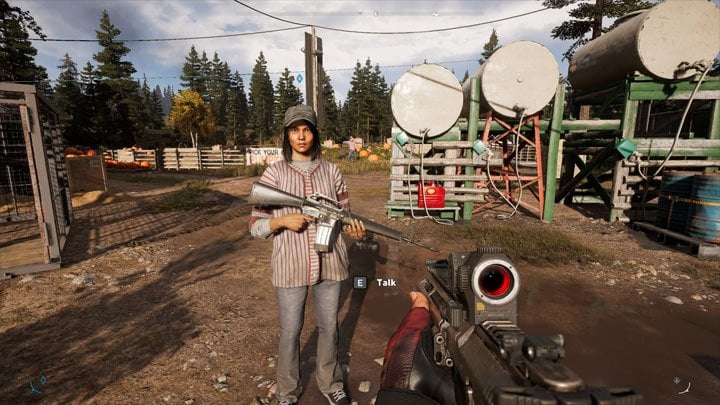
Far Cry 5 Resistance Mod is a mod for Far Cry 5, created by Resistance Mod team.
Description (in authors’ own words):
Mod that allow you to control resistance points, add enemies after region is liberated, unlock live events and more.
Far Cry 5 is an amazingly beautiful game, where Montana’s original world is very accurately reproduced.
With a very powerful game engine and a developed playground.
But, as is often the case with large projects, much remained behind the scenes and was not included in the final release, and a lot of things were implemented not in the way users would like to see.
And after completing all the missions outside the main scenario, the game becomes lifeless and empty.
The presented mod is designed to solve many of these problems and add features not included in the final release of the game.
Make the game interesting and exciting even outside the main scenario.
You will be able to control the weather and time, respawn enemies and participants in the resistance, defend roadblocks, change spawn modes: from war to quiet nirvana, hunting and fishing.
Add new and unrealized items to the store. Edit weapon parameters and rewards. And much more. Here is a list of the main options (packages) of the mod, also, you don’t have to run them all, just select what you want:
The mod uses a convenient installer to select packages of the mod and install them into the game.
The installer is localized for several languages, there is a built-in Help and a brief Wiki of modding terms.
Download the zip file from here, unpack it and run FC5ModInstaller.exe.
The Mod Installer will try to find the game directory (mostly if you have Uplay or Steam version), but if it will be unsuccessful, then manually find the installation directory of the game, go to the path: «bin\» and select the file FarCry5.exe. So you specify the working folder to the installer.
If there is a problem with game files, the program show message box. If so, try use FAQ, if you still don’t know, ask me on mod’s page.
Click the INSTALL button to install the mods.
Note: Items 1, 2 and 3 must be completed only at the first start of the installer.
Backup also your saves!
In the section named «Base packages» there are packages which don’t change any visible things in the game, these packages are required by another packages. They should be enabled by default.
If a new version of the mod is released, You will receive an update message in the Mod Installer.
Mod Installer contains internal self-update system UOTA. Always when new update comes out, you can easily update the mod by clicking to a orange U button at right top part of main window.
Some users have problems with downloading updates throught UOTA, so if you have problems too, try update later or use legacy manual update via Nexus.
If you want to uninstall all mods from the game, for example when you want to play Arcade, you must again use the Mod-Installer to do such thing.
You have two choices:
Click on «UNINSTALL MODS» button in Mod-Installer’s main window
Verify files in Uplay or Steam (can be longer, because it will download all files which were changed by mods)
If option A will not work, you must use option B.
Modified Files directories
There are several «ModifiedFiles» directories.
The reason of separating was when the mod is updated, you always must find and copy over your downloaded a3 files or your own edited a3 files in «ModifiedFiles» directory.
In the new version, «ModifiedFiles» is originally empty and you can place a3 files here and then copy whole «ModifiedFiles» directory to a new version.
If you want to edit any package from Resistance mod, just copy it from «ModifiedFiles_Resistance» directory and place it to «ModifiedFiles», Mod-Installer automatically loads the one from «ModifiedFiles» and you will also have backup of original package.
Do not edit or place new files in «ModifiedFiles_BasePackages» or «ModifiedFiles_Resistance» Otherwise they will be ignored.
Also, if you want to have your own «ModifiedFiles» directory with your mod, please contact me and I send you info how to do it.
I started this mod, because there weren’t many mods which changed important things in the game. Also, at first release of this mod, the last big mod was 3 months old and it didn’t contain latest game patch, so I decided to start new mod with more changes and updated game files.
This mod doesn’t contain files like download-copy-play. You will get some source files and program that allow you to edit and pack game sources.
So me and my co-author RtroActiv (he left the mod’s author team in Aug 2019) created mod and program that is much smaller than patch.dat.
Also, by this way you can select what you want in the game.
List of known issues. Maybe these bugs will be fixed in future
Please log in or register
To enjoy the benefits of Nexus Mods, please log in or register a new account
Far Cry 5 Resistance Mod
File information
Last updated
Original upload
Created by
Uploaded by
Virus scan
Tags for this mod
About this mod
Mod that allow you to control resistance points, add enemies after region is liberated, unlock live events and more.
. READ THE DESCRIPTION TAB BEFORE USING.
Off-site requirements
Mods requiring this file
Credits and distribution permission
Author notes
If you want to add or edit some content in the game, you can use included program for packing.
If you include it in your mod, you must credit that it comes from this mod «FC5 Resistance mod».
File credits
Resistance mod team
Donation Points system
This mod is not opted-in to receive Donation Points
Version 4.11
Version 4.10
Version 4.09.2
Version 4.09.1
Version 4.09
Version 4.08
Version 4.07.1
Version 4.07
Version 4.06
Version 4.05
Version 4.04
Version 4.03
Version 4.02
Version 4.01
Version 4.00.1
Version 4.00

Far Cry 5 is an amazingly beautiful game, where Montana’s original world is very accurately reproduced.
With a very powerful game engine and a developed playground.
But, as is often the case with large projects, much remained behind the scenes and was not included in the final release, and a lot of things were implemented not in the way users would like to see.
And after completing all the missions outside the main scenario, the game becomes lifeless and empty.
You will be able to control the weather and time, respawn enemies and participants in the resistance, defend roadblocks, change spawn modes: from war to quiet nirvana, hunting and fishing.
Add new and unrealized items to the store. Edit weapon parameters and rewards. And much more. Here is a list of the main options (packages) of the mod, also, you don’t have to run them all, just select what you want:
You can install packages of other authors hosted on Nexus Mods with a link to Resistance Mod in Description.
You can even try to become a developer and author of packages yourself.
Using development tools and documentation.
Developers live and communicate on the Discord FC modding server.
If you want to help develop the mod (searching in game-files and testing changes in the game,
translation of the Mod-Installer into your native language), you can.
You’ll be listed in the credits.
To install third-party or your own author packages, just drag and drop the package file with the extension .a3 onto the installer window. Confirm the installation, do not forget to select it in the list and install.
In the section named «Base packages» there are packages which don’t change any visible things in the game, these packages are required by another packages. They should be enabled by default.
If a new version of the mod is released, You will receive an update message in the Mod Installer.
Mod Installer contains internal self-update system UOTA. Always when new update comes out, you can easily update the mod by clicking to a orange U button at right top part of main window.
Some users have problems with downloading updates throught UOTA, so if you have problems too, try update later or use legacy manual update via Nexus.
If you want to uninstall all mods from the game, for example when you want to play Arcade, you must again use the Mod-Installer to do such thing.
There are several «ModifiedFiles» directories.
The reason of separating was when the mod is updated, you always must find and copy over your downloaded a3 files or your own edited a3 files in «ModifiedFiles» directory.
In the new version, «ModifiedFiles» is originally empty and you can place a3 files here and then copy whole «ModifiedFiles» directory to a new version.
If you want to edit any package from Resistance mod, just copy it from «ModifiedFiles_Resistance» directory and place it to «ModifiedFiles», Mod-Installer automatically loads the one from «ModifiedFiles» and you will also have backup of original package.
Do not edit or place new files in «ModifiedFiles_BasePackages» or «ModifiedFiles_Resistance» Otherwise they will be ignored.
Also, if you want to have your own «ModifiedFiles» directory with your mod, please contact me and I send you info how to do it.
ModifiedFiles — originally empty, here comes all a3 files you downloaded outside Resistance-mod, or your own packages
ModifiedFiles_BasePackages — contains base packages which are needed by other packages
ModifiedFiles_Resistance — contains files from Resistance-mod, also place here all a3 files which you download from Resistance-mod page
I started this mod, because there weren’t many mods which changed important things in the game. Also, at first release of this mod, the last big mod was 3 months old and it didn’t contain latest game patch, so I decided to start new mod with more changes and updated game files.
This mod doesn’t contain files like download-copy-play. You will get some source files and program that allow you to edit and pack game sources.
And others who I forgot to add!