
Тема: Унификатор словаря руд и Лексикон Forge
Опции темы
Поиск по теме
Отображение



Унификатор словаря руд и Лексикон Forge
Еще раз здравствуйте, на этот раз я вас научу обращаться с Лексиконом Forge(5360) из мода Thermal Foundation и Унификатором Словаря руд(1146:3) из мода Mekanism.
Делаем как на картинке ниже:


После того как создали Лексикон Forge необходимо его активировать.
Для этого нужно присесть и нажать кнопку V(м) одновременно.
После этого Лексикон станет активированным.

Кладем слитки/блоки которые мы хотим переделать в левую часть активированного Лексикона Forge.

Выбираем слитки блоки в которые мы хотим превратить наши блоки по центру с помощью стрелочек.

Тыркаем на стрелочку посередине. Забираем справа блоки.

Есть еще один вариант:
Для этого надо повторить все вышесказанное.
Бросить блоки на пол.

Забрать их, они автоматически переделаются.


Интерфейс. Нажимаем на кнопку «Новый фильтр»

Печатаем название слитка для переделки. Учитывая регистр.
Узнать название слитка: Зажать Shift и навести на него. Нам нужно название на английском.
Выбрать нужный нам тип слитка и нажать «Сохранить»

Добавить нужно все типы слитков в случае переработки руды завода 1к4/1к5, включая железо:
Forge Lexicon (Thermal Foundation)
The Forge Lexicon is an item added by the Thermal Foundation mod. The Lexicon is an item variation transmutation device. It functions without an external energy source while in the Players inventory. The default key bind V empowers the Lexicon to be used as an item converter. While empowered, the Lexicon converts any interchangeable items picked up to the variation that is set as a preference.
Contents
Recipe [ edit ]
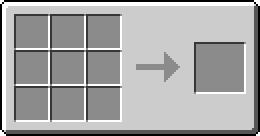


Gui [ edit ]
With the Lexicon in hand ‘Right-click’ to access. The Lexicon will open to a different interface when accessed depending if it is empowered or not.
Knowledge [ edit ]
«Consult the knowledge of the world and alter your personal destiny. Empower the Lexicon to force the world to obey your choices.»
The Knowledge page opens when accessing the Lexicon when not empowered. It is an oreDict reference list with a search function. Selecting an entry in the list, will show the icon from each available mod variations if more than one entry exist. This is used to set the preference to the variation displayed. This is the preference that the Lexicon will use for automatic conversion when empowered. If an interchangeable item’s preference is not set, the variation that first displays when the item is selected will be the default preference. Preferences are saved to the Player’s file.
Transmutation [ edit ]
«Transmute equivalent items according to an arcane set of rules laid down by higher powers. Quell the Lexicon to relinquish mastery over the world.»
The Transmutation page opens when accessing the Lexicon while empowered. It is used to transmute items manually. Placing the item to be converted in the input inventory will display its oreDict ID name. the Player can choose the desired target mod variation from the available items displayed. Activate transmutation when ready and the transmuted items will move to the output inventory.
Usage [ edit ]
Forge Lexicon (Thermal Foundation) has no known uses in crafting.
Forge Lexicon
The Forge Lexicon is a tool added by Thermal Foundation. It allows for the manual or automatic conversion of interchangeable blocks and items to equivalent forms, as registered in the Minecraft Forge Ore Dictionary.
Crafting
Usage
Using the Forge Lexicon opens the ‘Knowledge’ GUI. This GUI allows players to select their preferred variations of items with equivalent forms in the Ore Dictionary.
Preferences are selected by first selecting an Ore Dictionary name in the list, then selecting the preferred variation using the arrows, and finally clicking the checkmark labeled ‘Set Preference’. They can be undone by clicking the button labeled ‘Clear Preference’ next to the checkmark.
Ore Dictionary preferences are saved per player, not per Lexicon. Using another Forge Lexicon will display the same preferences for the same player.
Transmutation
The Forge Lexicon can be empowered by pressing the V key (changeable) while holding it. While empowered and in the player’s inventory, the Lexicon converts any interchangeable items picked up by the player to the variations that are selected as preferences, where possible. If an interchangeable item is picked up that does not have a variation selected by the player, the item will be converted to the first in the list of variations for that item.
Using the Forge Lexicon while empowered opens the ‘Transmutation’ GUI. This GUI allows players to manually convert interchangeable items to the variations of their choice.
Interchangeable items are manually converted by putting an item in the slot on the left, then choosing the Ore Dictionary name to convert by using the arrows below, then choosing the variation of the item to convert to using the arrows above, and finally clicking the arrow in the middle. Converted items appear in the slot on the right, ready to be taken back by the player.
The Forge Lexicon can be reverted to the default state by pressing the V key once more.