
Как пользоваться модом:
Создайте блоки экрана и постройте экран:
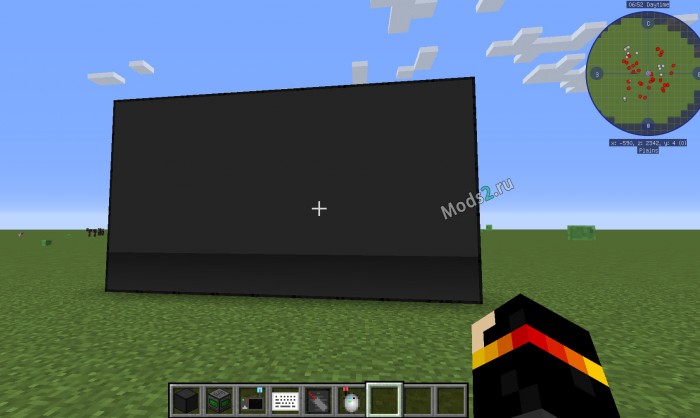
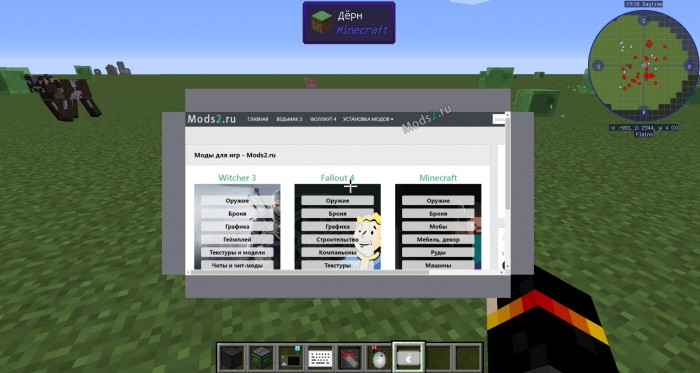
Подойдите к нему и нажмите по нему правой кнопкой мыши.
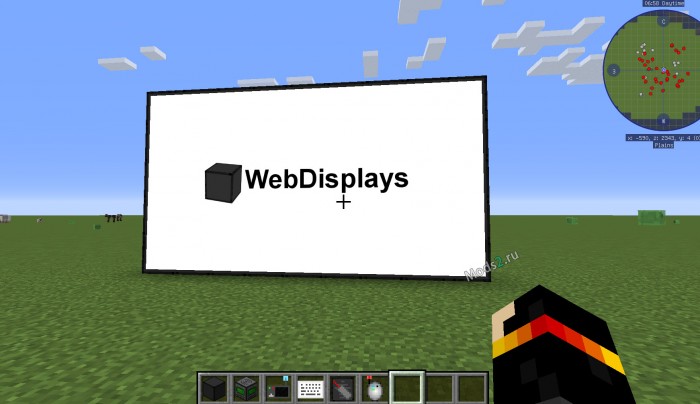
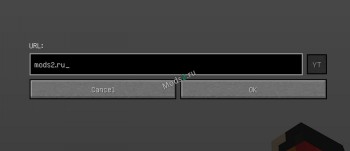
Если нажать Shift и правой кнопкой мыши то вы сможете ввести любой адрес:
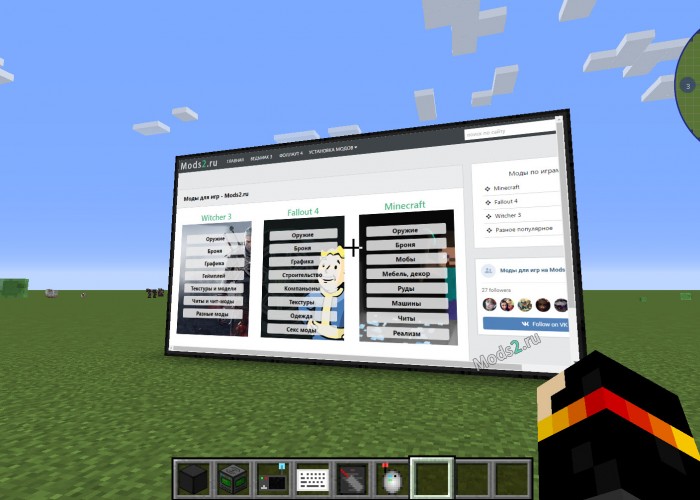
Вы можете создать клавиатуру и поставить ее в любом месте.
После этого создайте специальный инструмент (похожий на мышку), кликните им по экрану а потом по клавиатуре, вы увидите сообщение, что клавиатура подключена.
У мода нет мыши управления, вы управляете правой кнопкой мыши, тыкайте по самому экрану, нажав на клавиатуру вы сможете ввести текст со своей клавиатуры, а для выхода нажмите Esc.
Подобным образом работает и планшет:
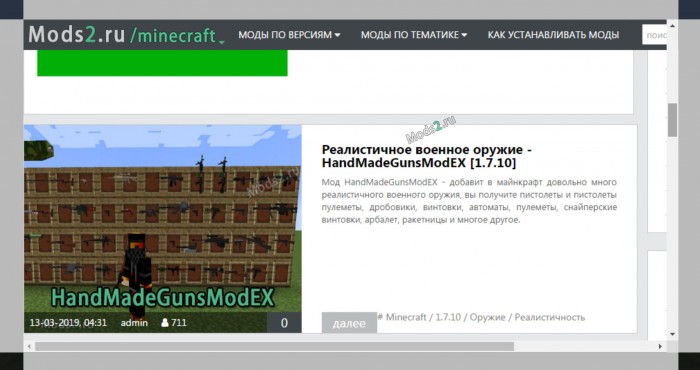
Так же вводите адрес, нажав на пкм вы включите полноэкранный режим в котором сможете управлять своей мышкой.
Как установить мод на интернет сайты в майнкрафт?
1) Установите Forge для майнкрафт.
2) Скачайте файл мода.
3) Скопируйте файл в C:/Users/ИМЯ_ПОЛЬЗОВАТЕЛЯ/AppData/Roaming/.minecraft/mods
4) Крафты новых вещей вы можете увидеть прямо в игре при помощи JEI или NEI
5) Запускайте в лаунчере версию майнкрафта с припиской Forge.
Подробная инструкция по установке модов в майнкрафт.
Minecraft Cube
Web Displays Mod — браузер в Minecraft
Web Displays Mod — невероятно интересный мод, для всех любителей посерфить в интернете. Теперь вы можете не только наслаждаться любимой игрой, но и выходить в интернет прямо в мире Minecraft!
Web Displays Mod — мод для Minecraft, который добавляет в игру полноценный работающий браузер, при помощи которого вы сможете читать новости, заходить на любимые сайты вроде Minecraft Cube и общаться со своими друзьями прямо в игре! Для этого вам потребуется создать специальный дисплей из нескольких блоков, если быть точнее — 16×9 блоков, который станет вашим экраном, а сам процесс перехода по сайтам будет доступен из игры.
Только представьте себе, что установив Web Displays Mod вы сможете просматривать интересные Minecraft видео или искать новые моды, не выходя из игры! Теперь вы можете завести своему персонажу отдельную страницу Вконтакте и посещать ее, используя браузер из мода Web Displays Mod.
Самое важное, не забывать, что для ввода адреса сайта не достаточно вводить его домен. Необходимо начинать ввод с http:// и только после этого набирать адрес нужного вам сайта. Например, набрав minecraft-cube.ru вы не сможете увидеть наш сайт, а если вы напишите в адресной строке http://minecraft-cube.ru, то перед вам откроется любимый портал о Minecraft!
На самом деле, использовать встроенный в игру браузер невероятно интересно и с модом Web Displays Mod такое становится возможно! Рекомендуем попробовать абсолютно всем игрокам!
Поскольку Web Displays Mod добавляет в игру несколько новых блоков и предметов, мы рекомендуем вам ознакомиться с рецептами крафта, которые вы можете найти под спойлером.
Скачать Web Displays Mod
Как установить Web Displays Mod
Видео Web Displays Mod
Похожие записи, которые будут вам интересны:
Добавить комментарий Отменить ответ
Для отправки комментария вам необходимо авторизоваться.
[1.12.2] White Screen #15
Comments
DarthLilo commented Apr 16, 2018 •
When I turn on the display screen it turns on but white, my friend can see it but I can’t!
I copied her minecraft folder over to mine and it still didn’t work! We are both running Windows 10. 
When I try to go to websites it is also white! But for her it loads the websites.
The text was updated successfully, but these errors were encountered:
montoyo commented Apr 16, 2018
I need your logs! Read https://montoyo.net/wdwiki/index.php/Main_Page#Where_are_my_log_files.3F «Where are my log files» if you don’t know where to find them.
DarthLilo commented Apr 16, 2018
montoyo commented Apr 16, 2018 •
DarthLilo commented Apr 16, 2018
DarthLilo commented Apr 16, 2018
montoyo commented Apr 16, 2018 •
Hello again,
Your antivirus/firewall (K9) seems to be blocking the access to the remote configuration file (which is required by MCEF). You need to go here:
http://montoyo.net/jcef/config2.json
and permanently allow access to http://montoyo.net.
Then, delete the mcef2.json file (in %appdata%\.minecraft), and re-launch Minecraft. Hopefuly this should fix it.
montoyo commented May 9, 2018
Since there are no more answer I guess the problem is sloved.
Y2Nk4 commented Feb 4, 2019
Hi, when I built this mod by myself, I met the same problem.
Could you explain how config2.json works?
HeroOrb commented Jun 14, 2019
I have the exact same problem only with mac i really don’t understand what to do could you please help me
montoyo commented Jun 14, 2019
MCEF is not mac compatible. Sorry.
SoviasLord commented Feb 3, 2020
the same happens to me. can u help?
thbg123 commented Feb 7, 2020 •
I need help when i open the display screen it only show white i try to connect to YouTube but it still white screen and then the textbox show opengl error 1281
And i have updated all drivers but it still white and the text error even though my firewall not on.please help me.
And i have searched the internet find out that because of optifine so i deleted it
The error test gone but it still white screen
My Minecraft version is:1.12.2
GCDonald commented Jun 6, 2020
so the same issue was happining to my friend what do i do
congaterori commented Jan 23, 2021
how about mcef-1.12.2-0.9-coremod.jar
KeparYTbcc commented Mar 1, 2021
Hello again,
Your antivirus/firewall (K9) seems to be blocking the access to the remote configuration file (which is required by MCEF). You need to go here:
http://montoyo.net/jcef/config2.json
and permanently allow access to http://montoyo.net.
Then, delete the mcef2.json file (in %appdata%.minecraft), and re-launch Minecraft. Hopefuly this should fix it.
how do i do, u really not clear
Araigum commented Mar 12, 2021
download the new version of «WebDisplays» and «MCEF»
You can’t perform that action at this time.
You signed in with another tab or window. Reload to refresh your session. You signed out in another tab or window. Reload to refresh your session.
Minecraft Forums

WARNING: On clients, only Windows is supported for now
Server-side, the mod works fine on every OSes. Non-Windows clients will also be able to connect, but screens will stay white.
This is a re-write of an old mod of mine, WebDisplays, which adds a Web Screen Block and more! So, what do you think this block will do? Well, when you place a few of these blocks in a surface («wall») shape, and you right-click it, a real web browser shows up. You can go on YouTube, watch some videos or listen to your favourites musics, watch the stream of your favourite streamer, shows the news in your server’s lobby and everything in-game.
Outdated spotlight by PopularMMOs: (Recipes HAVE changed since)
Teaser for the new version:
CAREFUL: WebDisplays’s (and MCEF’s) download server will be under maintenance during the 17th of September 2019 (2019-09-17). You might be unable to download the mod during this day. Sorry for the inconvenience.
For Minecraft 1.12.2:
For Minecraft 1.10.2:
To begin playing around with the mod, the first block you’d want to craft is the screen block:
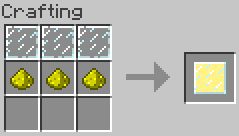
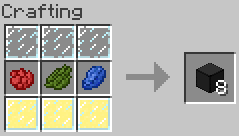
Place it in a «wall» shape, and right-click it with an empty hand to turn it on. Sneak and right click (again, with an empty hand) to change the URL.
At any time, hover a WebDisplays item and hit «F1» to get some help about the item!
Further informations can be found on the offical WebDisplays Wiki here!
WebDisplays 1.0 features:
Even though the source code is public, the following license applies:
This software, its source code and its binaries are Copyright © 2018 Nicolas BARBOTIN and are the intellectual property of the author. It may be not be reproduced under any circumstances except for personal, private use as long as it remains in its unaltered, unedited form. It may not be placed on any web site or otherwise distributed publicly without advance written permission. Use of this software on any other website or as a part of any public display is strictly prohibited, and a violation of copyright.