
Лучшие моды для Pathfinder: Kingmaker
Мы не говорим о том, что в Pathfinder Kingmaker вообще нельзя играть без модов, отнюдь, эта игра сама по себе отличная. Однако некоторые из них способны внести существенные изменения (в том числе, и в игровой процесс), так что держите список модов, на которые вам стоит обратить внимание.
Kingdom Mod Loader – один из лучших загрузчиков модов
Ни один подобный список не был бы полным без идеального загрузчика модов, который способен сохранить вашу игру неповрежденной и запускать ее после применения десятков модификаций. Kingmaker ModLoader является обязательным к установке, если вы планируете как следует оторваться с модами в Pathfinder. А знаете, что самое лучшее в нем? Он был специально сделан для работы с обновлениями и патчами, то есть никакие новые файлы не навредят вашей игре.
Carry More – самостоятельно выберите себе лимит перегруженности
Так же, как и Rest Less, мод Carry More позволяет игрокам обойти еще одно из наиболее реалистичных явлений этой игры. Мод позволяет вам изменить ограничение на количество переносимых предметов. Вы можете задать такое число, которого вы никогда не достигните, то есть вам никогда не придется беспокоиться о содержимом своего инвентаря.
Rest Less – отрегулируйте выносливость членов вашей партии
Хорошо это для отдельных игроков или не очень, но в Pathfinder: Kingmaker учтен такой момент реалистичности из RPG, как усталость. Если ваш персонаж или члены партии устали, это будет негативно сказываться по всем направлениям. И пока вы не отдохнете, будет только хуже. Модификация Rest Less позволяет регулировать скорость, с которой приходит эта усталость. Вы можете сделать так, что ее в принципе не будет, а если вам себя не жалко, установите значение 0.0001 и посмотрите, что будет.
Pathfinder Editor — изменяйте характеристики персонажа как угодно
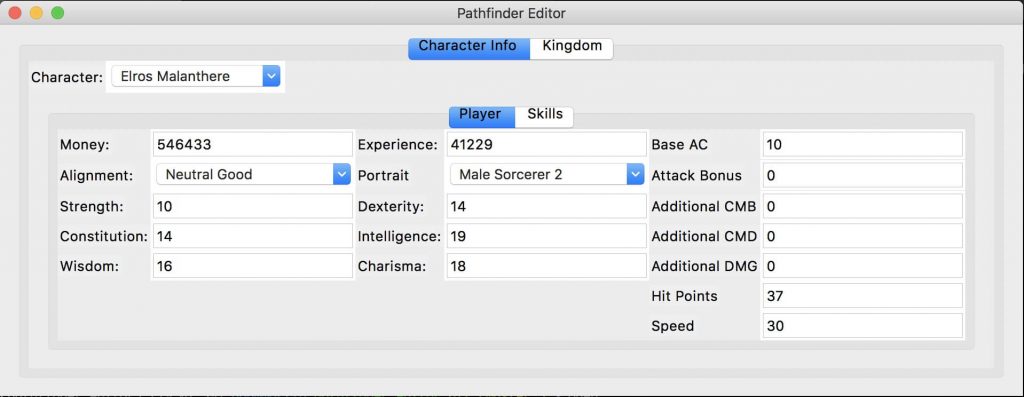
В Pathfinder: Kingmaker, как и в любой другой RPG, нужно постепенно исследовать окружающий мир и прокачиваться. Если вы хотите обойти эту часть игры, Pathfinder Editor вам в этом поможет. Установив его, вы сможете задать значение практически любого параметра. Измените свою ловкость, мудрость, харизму, да все, что угодно! Если чему-то соответствует числовое значение, вы сможете его изменить. Параметры вашего королевства тоже могут быть отредактированы.
Fast Travel — ускорение отдельных моментов игры
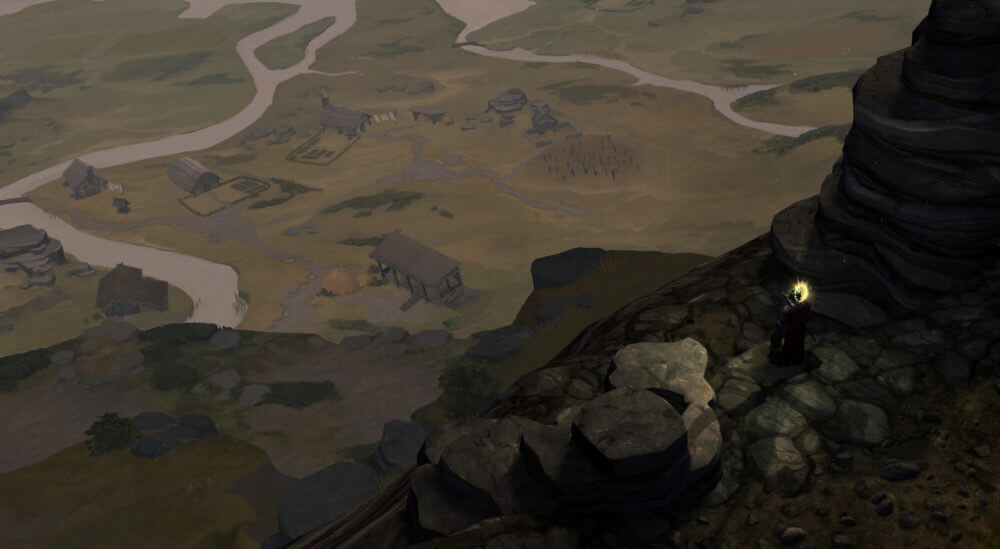
Безусловно, в Pathfinder: Kingmaker есть что-то, что игрокам хотелось бы ускорить. С помощью мода Fast Travel вы можете по отдельности установить значения скоростей исследования, боя и глобальную скорость карты от 100 до 300 процентов. Настраивая эти параметры по своему желанию, со временем вы найдете идеальный баланс, что сделает ваше времяпрепровождение в игре наиболее комфортным.
Cheat Menu – чит для получения золота, опыта и завершенных квестов
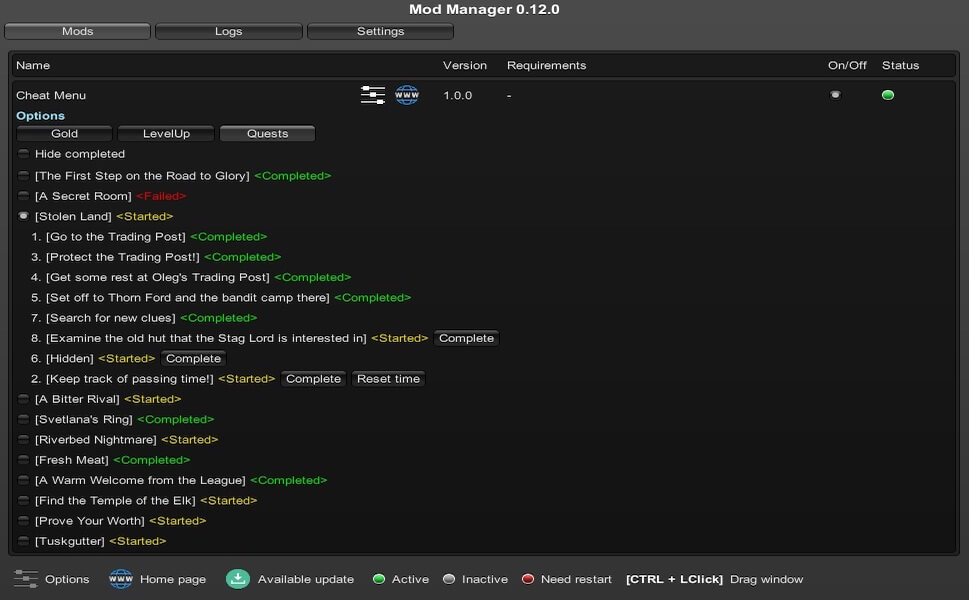
Моды, перечисленные выше, больше нужны для того, чтобы дать игрокам возможность настроить Pathfinder: Kingmaker под себя. Cheat Menu, однако, радикально отличается в плане подхода к игре. По команде он позволяет вам выполнять задания, получать опыт и золото. С этим модом, вы в буквальном смысле можете сидеть сложа руки и смотреть, как ваше королевство растет с помощью всего нескольких строчек в командной строке.
Visual Adjustments – броня не помешает вам видеть вашего персонажа
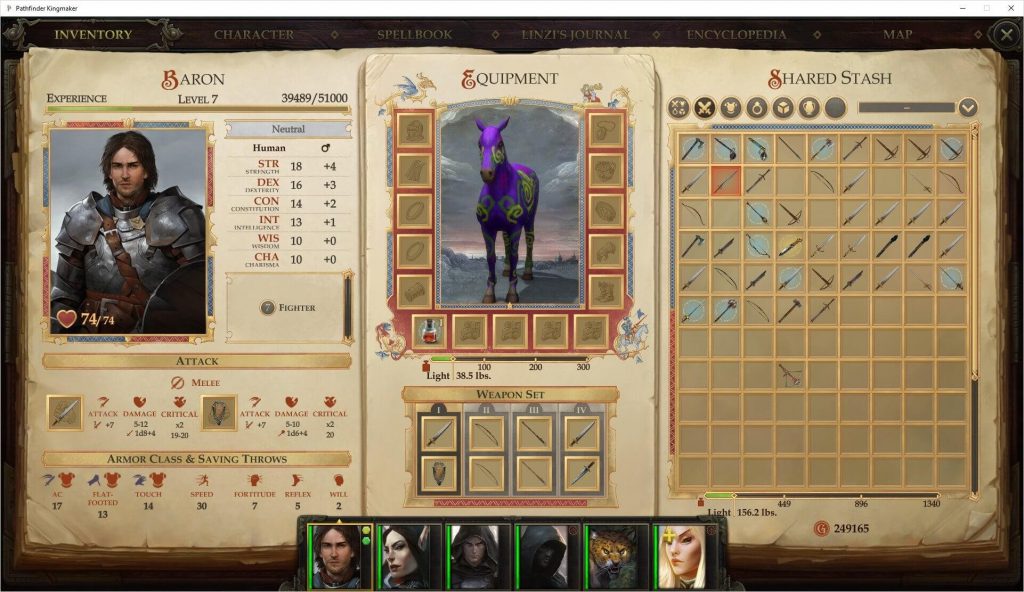
Немного обидно, что лучшее снаряжение полностью скрывает персонажа, на создание которого вы потратили долгие часы. Мод Visual Adjustments позволяет вам экипировать перса таким образом, что его не будет закрывать капюшон, шлем или рюкзак, но при этом защита останется полноценной. Есть также дополнительные опции (например, можно спрятать крылья), но, кажется, именно способность скрыть часть экипировки делает этот мод одним из самых востребованных на сайте Nexus Mods.
Kingdom Resolution – один день на решение всех королевских задач
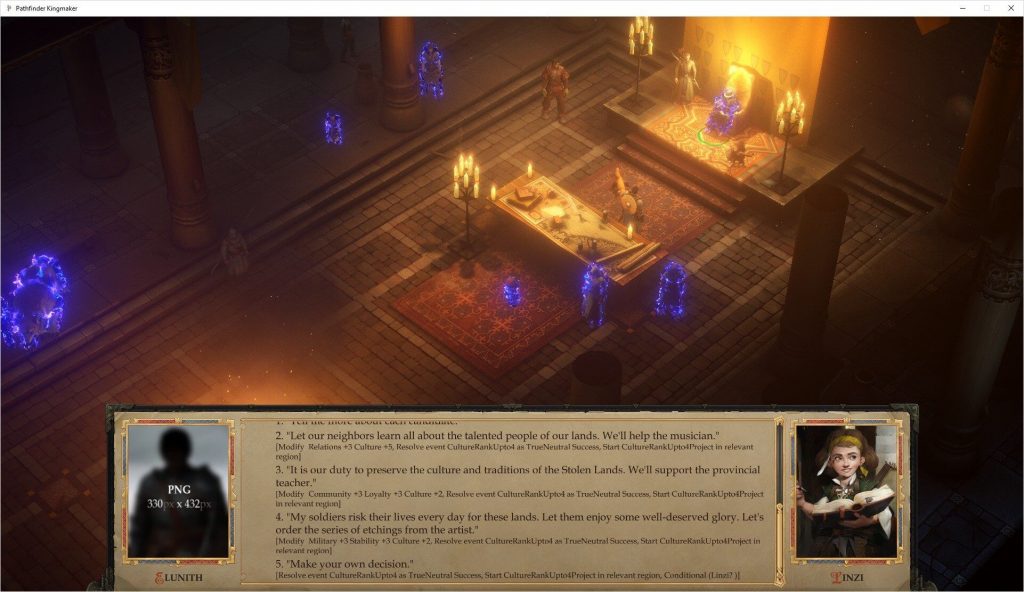
Одна из главных линий в Pathfinder: Kingmaker – становление вашего персонажа как сильного лидера, для этого потребуется решить королевские задачи. За прохождение этих квестов вам положены награды, но оно требует времени. Мод Kingdom Resolution позволяет завершить королевские события за один день, убрав 14-дневное ожидание, требуемое при прокачке советников, получить большее вознаграждение и многое другое. Это облегченный и ускоренный режим управления королевством.
Respecialization – возможность кардинально изменить своего персонажа
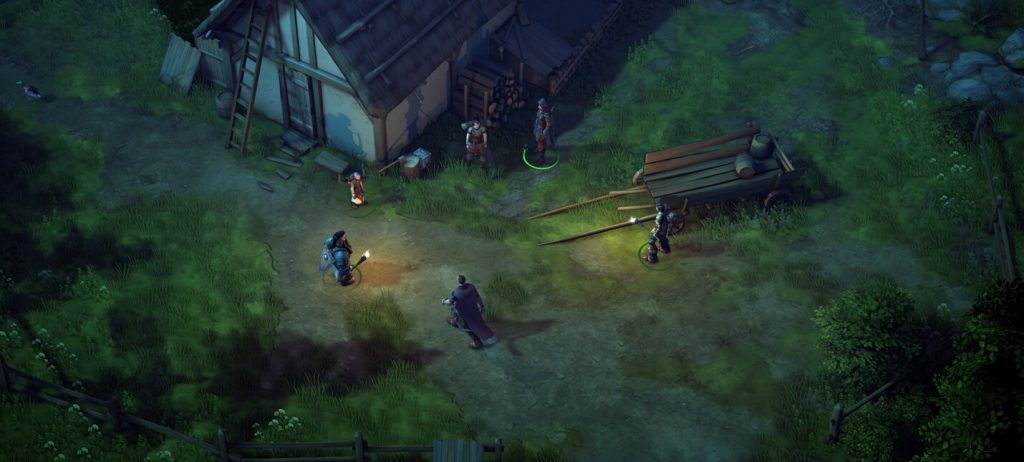
Вы когда-нибудь тратили неимоверное количество времени на создание персонажа, а потом, уже в процессе игры, понимали, что вас он не устраивает? Мы все были в таком положении, и, к сожалению, в большинстве игр нам пришлось бы начать все сначала. Мод Respecialization позволяет игрокам Pathfinder: Kingmaker полностью «перепрофилировать» своих персонажей, не перезапуская игру.
На самом деле, помимо класса, навыков и способностей, вы можете изменить все: пол, расу, портрет, внешний вид, голос и, конечно, имя.
Heroes of Stolen Lands – портреты персонажей высокого качества
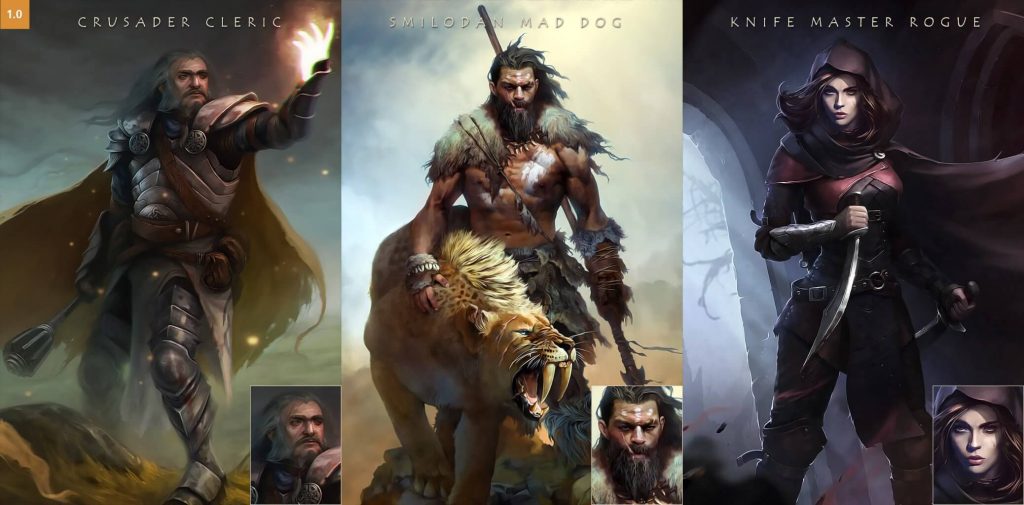
Разработчики Pathfinder: Kingmaker многое сделали правильно, но есть один момент, который можно было бы улучшить – портреты персонажей. Доступные портреты ни в коем случае не ужасны, они даже хороши, просто их не так уж и много. В игре, где один пользователь может создать десятки и десятки персонажей, этот небольшой недостаток сильно бросается в глаза.
Мод Heroes of Stolen Lands запросто решает эту проблему, добавляя в игру больше 300 новых высококачественных портретов. Это не самый крупный мод, но зато самый популярный на Nexus.
Pathfinder kingmaker моды как ставить


Pathfinder: Kingmaker


О каких «шероховатостях» идёт речь? Никакие моды не нужны.

Вообще я в целом игрой был доволен, потому имхо
Ну а поскольку никто не в курсе, в каких местах у тебя игра шероховатая, плюс на вкус у всех фломастеры разные, я бы посоветовал не спрашивать мнений в столь личных вопросах, а просто открыть список лучших модов,
https://www.nexusmods.com/pathfinderkingmaker?tab=popular+%28all+time%29
и потратить время, почитать, и самому сделать себе подборку

истечении времени на квесты
слишком большом показатели случайности в боевке
истечении времени на квесты
Судя по вашему комментарию, думаю у вас не малый игровой опыт, что бы мне не приходилось объяснять что игры ощущаются не напрямую и в этом и есть искусство игродела, что бы человек все органично чувствовал
Простите, но именно таймеры на основные квесты это основная причина по которой для меня Kingmaker стал первой PRG превзошедшей Baldur’s Gate 2.
Ибо вся интрига второго акта со спасением своей сестры из лап психопата убивалась тем, что игре было ааааабсолютно пофигу на твои действия. Всякая иллюзия живого мира убивалась тем самым на корню.
Pathfinder kingmaker моды как ставить
Pathfinder: Kingmaker has mods to *vastly* improve the game.
List last updated December 5, 2019 (Pathfinder: Kingmaker version 2.0.7.)
VERSION HISTORY
3 10 20
-The latest Eldritch Arcana Updated and Call of the Wild versions no longer fully conflict. Some things may not work correctly. (If you find a bug, contact @TMPhoenix on the Pathfinder: Kingmaker Discord server.
2 22 20
-Eldritch Arcana and Call of the Wild CONFLICT! Holic92 is amidst making Call of the Wild to include all Eldritch Arcana material
12 4 19
-Added Favored Class (somewhat incompatible with Eldritch Arcana’s favored class system), Proper Flanking 2 (not intended to be compatible with Closer to Tabletop).
10 5 19
-Added Races Unleashed and Visual Adjustments.
9 14 19
-Added A Touch of Magic.
9 4 19
-Renamed Arcanist to Arcane Tide and changed its URL. This mod is officially public now!
-Renamed Show My Pets to UI Extensions since that’s how the author renamed it.
8 30 19
-Added Owlcat’s mod disclaimer.
8 26 19
Initial release.
(The DLC/season pass is worth it to me for the extra spells and modes.)
OWLCAT’S MOD DISCLAIMER
Owlcat does NOT formally endorse mods in Pathfinder: Kingmaker. Owlcat’s employees won’t help you to install, edit, nor troubleshoot your mods. Any game mods are considered unofficial game content, and not their property nor their responsibility.
If you experience any problems with any mods, seek help from whoever made or is maintaining this mod, or from the Pathfinder: Kingmaker Discord Mods & Tools [discordapp.com] channel.
This policy may change in the future, but for now at least, expect the strong possibility of official patches breaking your mods. Any mods you use are used at your own risk. You’ve been warned.
That being said, Owlcat is not actively against modders nor the mods they make for this game. Owlcat encourages those who want to play modded games to disable auto-updates. This will reduce the likelihood that an official patch will cause your mods or/and game to stop working.
FORENOTE
This is NOT meant as an exhaustive list, but as a more comprehensive and better-sorted list than the last mod list I found on Steam. It’s meant to help people new to the game or/and its mods, or those who want to get a better idea of what mods exist and should be used with game version 2.0.6.
These mods might work on a future game version. (The portraits and voice sets/sound effects almost certainly will.)
These mods are intended for the English language only on Windows. I can’t promise any will work with another language, nor on any other operating system.
2: Run UnityModManager.exe. If the program says you can or should update it, normally update it to the newest version. If you update Unity Mod Manager (UMM), restart UMM after updating.
In Unity Mod Manager, select Pathfinder: Kingmaker from the dropdown list. Click the Patfinder: Kingmaker button under the dropdown list and tell it where your Pathfinder: Kingmaker game is. (If you installed it via Steam, it’s normally in Steam\SteamApps\Common\Pathfinder Kingmaker\)
NOTE: Every time Pathfinder: Kingmaker updates (meaning you install an official patch and possibly every time you obtain a new DLC), you’ll need to rerun UnityModManager.exe once and repeat step 2! If you update Unity Mod Manager, you may also need to repeat step 2!
3: Download whatever mods you intend to use. Put them in \Pathfinder Kingmaker\Mods.
The way that I installed my mods was to unzip/extract all of them into \Mods\, each mod in a separate directory. Normally, you can unzip them in \Mods and everything will work for you. (For example, Eldrtich Arcana is installed to Mods\EldritchArcana while Call of the Wild is installed to Mods\CallOfTheWild.) If you’re updating a mod, you should normally overwrite all its files.
NOTE: When installing a different mod version, you may need to reconfigure it in-game. Usually, you won’t need to start a new game for a mod to take effect.
VERY IMPORTANT NOTE: Disabling or uninstalling ANY mod that saves data on your character (with ANY new spell, skill, race, class, feat, trait, item, etc.) will likely prevent this saved game from loading! You’ve been warned!
CONFIGURING MODS IN-GAME
With Pathfinder: Kingmaker running, push Control-F10 by default to show your mod list. Click on each mod’s = button to configure it.
If Control-F10 doesn’t toggle the Unity Mod Manager overlay, start a new game or load a game, then push ESC. On the ESC menu, there may be a Unity Mod Manager button. If so, click that to access the Unity Mod Manager overlay.
Please log in or register
To enjoy the benefits of Nexus Mods, please log in or register a new account
Unity Mod Manager
File information
Last updated
Original upload
Created by
Uploaded by
Virus scan
Tags for this mod
1151 comments

If you can not install UMM, show its logs.
If you do not start a game or an error appears, show the game logs.
FAQ
Q: UnityModManager.exe won’t open.
A: Try running UnityModManager-net35.exe or with Windows7/XP compatibility mode.
Q: UMM menu does not appear in the game.
A: Perhaps the game has been updated. In this case, need to click on the Install button in the UMM Installer.
A: The path should contain only english letters.
A: Check the game logs for errors.
Q: Ctrl + F10 does not work on laptop.
A: Try the function key combination.
A: Additional hotkey can be set in the UMM menu, by default it is empty. Or in Game_Data\Managed\UnityModManager\Params.xml file set BackQuote for example.
Q: My game crashes or doesn’t start.
A: Perhaps the game version is incompatible. Additional information about the launch can be viewed in the game logs.
A: Update the game and mods to latest versions.
Q: Why does Pathfinder Kingmaker crash?
A: If you have previously installed KingmakerModLoader or there is a mention of it in the logs, you need to reinstall the game.
Q: What does it mean «DLL file not found»?
A: You have selected the wrong game folder.
Q: Umm is it compatible with Linux and Mac?
A: Yes.
Q: What does mean «Access denied» or «does not have write permission» error?
A: Try to run Umm as administrator.
A: Uncheck the read-only box from the game folder.
Q: I have the error «No network connection or firewall blocked».
A: It does not affect UMM, only to check for updates.
Q: Error parsing file UnityModManager.xml
A: Remove it. This happens on some Linux builds.

What do you mean «the path should contain only english letters»? Like the folder path selected? I am also getting this infinite load screen on the first game load, but it’s only for DoorstopProxy. Assembly method works. Is there some Windows service that DoorstopProxy relies on that might be disabled or blocking it?
EDIT 2: I don’t know what precisely was wrong, but a full Windows reinstall fixed it.
Hi im trying to reinstall my mods after the latest update and I’m getting this error
Pathfinder kingmaker моды как ставить





It is required for all the mods below. It is quite easy to use. Just follow the instructions.
After loading the game, there is an intro animation of main menu. The problem of this animation is it is too slow and it becomes a pain in the ass when you have seen it more than 20 times.
You can also try Skip Intro which mod here skips both the Kickstarter Thanks message and the book opening sequence,
It is a utility mod which reduces the size of your saves by eliminating left over loots and corpses in areas. If you have any leftover corpses the mod would bring out a windows for you to loot when you are about to leave the area. You can click “Take all” and then click “Clean”. Click Clean would destroy any leftover corpses.
You can install and forget about the mod. The mod works just fine without tweaking the setting of the mod.
Clean [www.nexusmods.com]
Turn Based Combat Mod [www.nexusmods.com]
A must have for me. You can turn it on or off during playing and it would not affect your saves. I turn it off when fighting trash mobs.
Personally, I speed up the speed a little in setting and set Ctrl+Z as a hotkey to turn on or off this mod. I also set Tab as a hotkey to turn on or off 5-step move. It is turn based mod, so 5-step move is very useful.
Setting off a trap or using a spell like Web, Entangle or Grease often means you can’t move through that area for a long time even after combat ends.
This mod adds a key to remove these area effects (‘L’ by default). The key is only active outside of combat, the idea being to lessen the irritation of area effect spells not to remove them altogether.
Heroes of Stolen Lands [www.nexusmods.com]
Adding over 377 new high quality portraits to the game. Make your own hero and companions for the story that you want to roleplay. +56 GOT Bonus Pack
Bag of Tricks [www.nexusmods.com]
This is a monstrosity beast which offers a lot of cheats and tweaks.
Item & Equipment
I usually check “no item weight” option in this category. I don’t like the idea of heavy inventory management.
Buff
Buffing your party before every battle gets repetitively and boring when you reach middle levels. The buff given by this mod is permanent. They only disappear after resurrecting.
Take Tristan for example, he is a buff machine and I count the buffs he can cast and give them to my companions by cheating. Tristan still remembers those buff spells but he never use them or convert them into healing spells. This way of playing saves me a lot of play time, since I don’t need to actually cast buffs and rest to refill my buff.
Rest
I don’t use it. I don’t need to rest much, since Fast Travel mod let me move on the global map in a high speed.
I choose Always Success in Passing Perception and Trick Skill Check. I hate trap and I hate failing them then heal and then rest or reload.
I choose Never Roll 1 for All. I dislike the critical miss concept. It maybe is fun in tabletop RPG. I don’t think it is in Computer RPG.
Camera
I enable Camera rotation and set the hotkeys. It is quite useful in some circumstances.
I change the distance of the camera for my liking, so I can see further and more.
Kingdom Resolution [www.nexusmods.com]
A mod offer various way of cheating in kingdom building.
I played through the kingdom building once and found it quit boring and quite a time sink. Some time I just sit there and click next day, next day and next day, just waiting for the timeline trigger.
I recommend choose automatic kingdom management, which disable kingdom management, in the game’s difficulty setting. Be warn, you can only choose automatic kingdom management before starting the game.
Note: You do lose quite a lot of unique equipment from kingdom management if you disable it.