
River city girls моды
River City Girls UserXpMod
UserXpMod is a «quality of life» mod for the beat ’em-up game River City Girls by Wayforward. It allows to tweak multiple small things to fix some issues and improve the user experience on PC.
** What is it used for **
[Combo Training Mode]


Extract the entire content of the archive where River City Girls is installed. The install folder on Steam is usually «Steam\steamapps\common\River City Girls».
It should replace the «Assembly-CSharp.dll» file located in «River City Girls\RiverCityGirls_Data\Managed».
Next to the «RiverCityGirls.exe» file, you should have a «ModData.json» file. Open it with any text editor.
Following the order of the file, this is what you can modify:
«allowQuickSkip»: Can be set to true or false. if true, allows to skip any video, dialog and the whole intro by pressing Start or Escape once.
«startFromMainMenu»: Can be set to true or false. If true, always start the game from the main menu.
«skipStartMenu»: Can be set to true or false. If true, always skip the «Press Start» menu (A.K.A. Title screen).
«interactActionId»: Can be set to any «action id» like «block» or «recruit» (full list just below). It will replace the button use for interacting with doors or grab objects on the floor. The game is using the «QuickAttack» by default which can be annoying when fighting next to a door or a weapon.
«instantInteraction»: Can be set to true or false. If true, it will make interaction with doors and bus stop instantaneous. Like in the version 1.0 of the game.
«playerOneInputConfigs» & «playerTwoInputConfigs»: Each line can be set to a keyboard keycode (full list just below). Remap each action to a new keyboard key.
«forceXInput»: Can be set to true or false. If true, it might fix some controller related bugs like controlling the two players with only one controller or the controller’s inputs being not detected at all.
«usePS4buttonPrompts»: Can be set to true or false. If true, it will replace the Xbox controller’s input prompts by the PS4 controller’s ones.
«displayProgressionInfo»: Can be set to true or false. If true, it will display a detailed breakdown of the currently selected save in the save selection menu.
«swapPhoneNavigationButtons»: Can be set to true or false. If true, it will swap the «Recruit» and «Block» buttons (Left and right on the phones) for the UI / menus.
«vSyncCount»: Can be set to 0, 1, 2, 3 or 4. 0 will deactivate the vertical sync and decouple the game’s framerate to the monitor refresh rate. Doing so will usually cause “screen tearing” but will allow to use frame limiters (see below). 1, the game default, will sync the framerate with the monitor’s refresh rate. Using 144hz monitor will make the game target a framerate of 144. As the number is the ratio between the monitor refresh rate and the framerate, 2 will make the game target a framerate of 72 (for the same 144hz monitor). Most user needs to keep that value to 1.
«useCustomFramelimiter»: Can be set to true or false. If true, the game will use a custom Frame limiter to do the same thing as described just before in the «targetFramerate» section. It might give better results than the built-in one. Don’t forget to set the targetFramerate before using this.
«displayDamageOnHit»: Can be set to true or false. If true, the amount of damage will be displayed when the enemies or the player characters are hit. An exclamation mark will be added to the damage indicator when the “Bomb Bra” effect (One hit KO) is being applied.
«xpGetTextColor»: Can be set to any real number between 0 and 1 for the Red, blue, green and alpha channels of the desired color. It corresponds to the desired color of the xp gain feedback displayed when an enemy is defeated. The alpha value (“a”) is ignored but setting it to 0 will pick the game’s default feedback text color.
«xpGetTextFontSize»: Can be set to any positive integer. It defines the font size of the xp gain feedback. The game’s default is 80. Setting it to 0 or less will pick the default value.
«hitDmgTextColor»: Can be set to any real number between 0 and 1 for the Red, blue, green and alpha channels of the desired color. The same usage as «xpGetTextColor» but for the Hit damage feedback.
«hitDmgTextFontSizeMin»: Can be set to any positive integer. As the size of the Hit damage feedback is actually dynamic, a minimum and a maximum size can be set. For the players, the size depends on the amount of base damage compared to all the other move of the player’s character. For the enemies, the size is determined from the portion of health lost from their attacks.
«hitDmgTextFontSizeMax»: Can be set to any positive integer. See «hitDmgTextFontSizeMin».
«moreInfosInUseableShops»: Can be set to true or false. If true, the shop selling foods or other useable will make it clear if a character already used an item. It will also display the items’ stat gains.
«loiterSelectedByDefault»: Can be set to true or false. If true, the «loiter» option will be selected by default after selecting a file. Making it unlikely to start a new game plus by mistake and reset the story progress.
«startSelectedByDefault»: Can be set to true or false. If true, the «Next» option in the selected by default in the file settings menu.
«noTutorialInNewGamePlus»: Can be set to true or false. If true, remove the tutorial in New Game Plus.
«characterByDefault»: Can be set to Misako, Kyoko, Kunio, Riki or left empty («»). If set to a character name, the character selection screen will try to select that character by default for the two players. If value is set to locked character, left empty or invalid, the default behavior will be used.
«unlockSecretCharactersOnceForAllSave»: Can be set to true or false. If true, unlocking the secret playable characters only need to be done once in order to make them available for any save.
«fixBooksBug»: Can be set to true or false. If true, fix a bug that prevented the Book items to work properly when using a character other than Misako.
«fixMaxStaminaBug»: Can be set to true or false. If true, fix a bug that prevented the phone interface to display a maxed-out Stamina stat.
«activateTrainingMode»: Can be set to true or false. If true, allows to use the F1 to F5 keys to switch on and off different features related to «combo training».
«enemiesScalingRatio»: Can be set to any real number between 0.1 and 20. Will change the size of the enemies. 😀
«gameplayModifications»: This section contains flags that change aspects of gameplay
«activeRecruits»: Can be set to true or false. If true, change the recruit system entirely. Recruits will now actively participate to the fight until they are taken down by the enemies or until the player left the current room. Summoning a recruit costs a heart, as well as letting a recruit get KO’ed. Press the recruit button again to dismiss before they are KOed.
«quickComboOverride»: Can be set to true or false. If true, after purchasing extensions to the quick combo, you can still do the finisher early by holding up while pressing quick attack.
«backAttackCombo»: Can be set to true or false. If true, in all combos where you can combo into a heavy attack, you can also combo into a back attack by holding back while pressing heavy attack.
«backAttackAutoParry»: Can be set to true or false. If true, all back attacks have an auto-parry property against all non-boss attacks coming from the back.
«heavyAttackGuardBreak»: Can be set to true or false. If true, forward + heavy attacks will break the guard of non-boss enemies.
«sharedRewards»: Can be set to true or false. If true, all XP and money from fighting enemies will be shared between players in coop mode.
«monkMode»: Can be set to true or false. This is a challenge mode where you play in poverty. No money will be earned (though you will start with all techniques unlocked, and burgers are free during the Godai burger quest). Enemies will have a 20% health bonus, act 1 and 2 enemies will be slightly tougher, all bosses will have double health, and Sabuko will have a nice end-boss surprise for you. In return, all characters will start with both Kyoko’s and Misako’s starting equipment. You may want to put on those gym shorts, since you don’t have a lot of other ways to get health back 🙂
«alwaysKeepWeapons»: Can be set to true or false. If true, the player characters will keep their currently held weapon when entering a boss room.
«useJsonLocalizationData»: Can be set to true or false. If true, the game will use the localization file located in «RiverCityGirls_Data\StreamingAssets\LocalizationData» instead of its internal data.
«localizationKeys»: A list of localization keys only used by the mod. Can also be used to replace any existing key used by the game.
If you want or need to restore the original files, you should be able to do that on Steam by using the «Verify integrity of the game files» option.
In your steam’s library, Right click on the game name, properties, local files. The option should be here.
River city girls моды


River City Girls

I tried to do it in settings but I can’t navigate anything other than returning to menu.
I figured I might need a controller to rebind the controls. I’ll try that out later unless somebody knows how?


H is (A) button, U is (B). You can remap in options

H is (A) button, U is (B). You can remap in options

I thought I was crazy! I played this at my friends house and couldn’t remap the keyboard buttons. There’s an option, but you can’t do anything. The button prompts are also controller prompts on PC. What the hell is this? How do you mess up the ability to customize your controls?
I was planning on buying the game when I got home, but now I’m holding off on it. Good thing I got to try it out first.


Unchangable keyboard controls? And those default mappings.. they think PC users are frkn apes or something? It doesn’t have a japanese voice-over either. Instead it has this 90s ♥♥♥♥ voice everyone hears in dubbed hentai movies. No, thank you. Won’t even bother torrenting this.
Глючит или не запускается River City Girls? Решение есть! Постоянные лаги и зависания — не проблема! После установки мода River City Girls начала глючить или НПС не реагируют на завершение задания? И на этот вопрос найдется ответ! На этой странице вы сможете найти решение для любых известных проблем с игрой и обсудить их на форуме.

Игра не запускается
Игра вылетает на рабочий стол без ошибок.
О: Скорее всего проблема в поврежденных файлах игры. В подобном случае рекомендуется переустановить игру, предварительно скопировав все сохранения. В случае если игра загружалась из официального магазина за сохранность прогресса можно не переживать.
River City Girls не работает на консоли.
О: Обновите ПО до актуальной версии, а так же проверьте стабильность подключения к интернету. Если полное обновление прошивки консоли и самой игры не решило проблему, то стоит заново загрузить игру, предварительно удалив с диска.
Ошибка 0xc000007b.

О: Есть два пути решения.
Первый — полная переустановка игры. В ряде случаев это устраняет проблему.
Второй состоит из двух этапов:
Ошибка 0xc0000142.
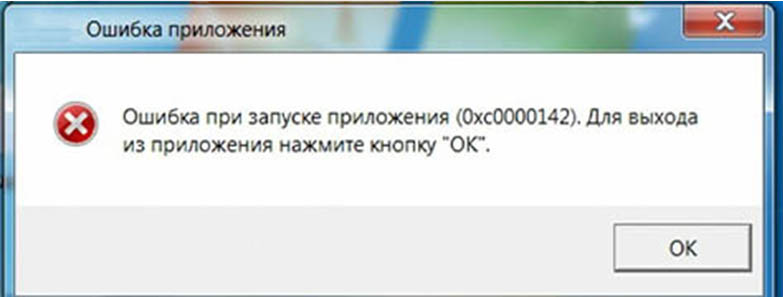
О: Чаще всего данная ошибка возникает из-за наличия кириллицы (русских букв) в одном из путей, по которым игра хранит свои файлы. Это может быть имя пользователя или сама папка в которой находится игра. Решением будет установка игры в другую папку, название которой написано английскими буквами или смена имени пользователя.
Ошибка 0xc0000906.
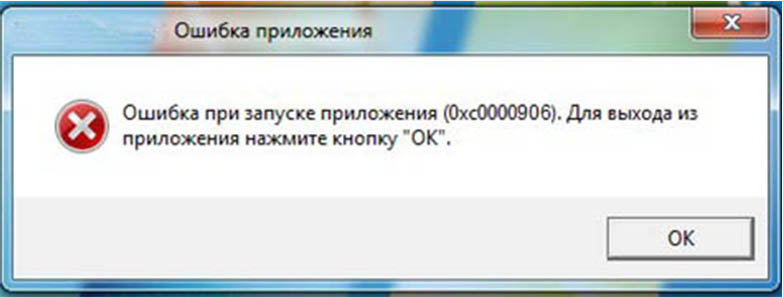
О: Данная ошибка связана с блокировкой одного или нескольких файлов игры антивирусом или “Защитником Windows”. Для её устранения необходимо добавить всю папку игры в исключени. Для каждого антивируса эта процедура индивидуально и следует обратиться к его справочной системе. Стоит отметить, что вы делаете это на свой страх и риск. Все мы любим репаки, но если вас часто мучает данная ошибка — стоит задуматься о покупке игр. Пусть даже и по скидкам, о которых можно узнать из новостей на нашем сайте.
Отсутствует msvcp 140.dll/msvcp 120.dll/msvcp 110.dll/msvcp 100.dll
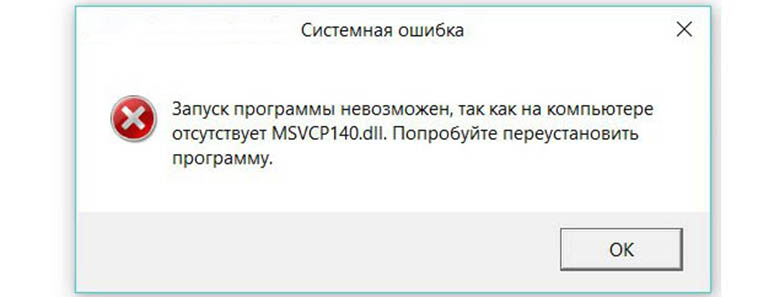
О: Ошибка возникает в случае отсутствия на компьютере корректной версии пакета Microsoft Visual C++, в который и входит msvcp 140.dll (и подобные ему). Решением будет установка нужной версии пакета.
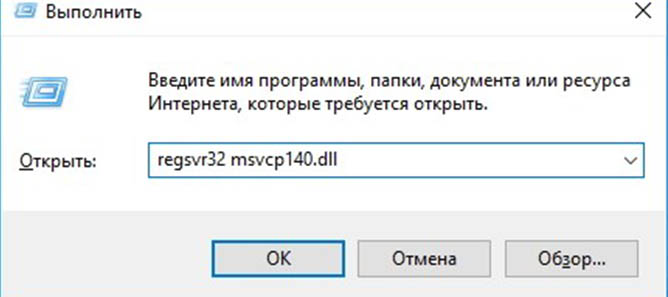
После загрузки и установки нового пакета ошибка должна пропасть. Если сообщение об отсутствии msvcp 140.dll (120, 110, 100) сохраняется необходимо сделать следующее:
Ошибка 0xc0000009a/0xc0000009b/0xc0000009f и другие
О: Все ошибки начинающиеся с индекса 0xc0000009 (например 0xc0000009a, где на месте “а” может находиться любая буква или цифра) можно отнести к одному семейству. Подобные ошибки являются следствием проблем с оперативной памятью или файлом подкачки.


Размер файла подкачки должен быть кратен 1024. Объём зависит от свободного места на выбранном локальном диске. Рекомендуем установить его равным объему ОЗУ.
Если ошибка 0xc0000009а сохранилась, необходимо проверить вашу оперативную память. Для этого нужно воспользоваться функциями таких программ как MemTest86, Acronis, Everest.
Игра тормозит и лагает
Скорее всего данная проблема носит аппаратный характер. Проверьте системные требования игры и установите корректные настройки качества графики. Подробнее об оптимизации игры можно почитать на форуме. Также загляните в раздел файлов, где найдутся программы для оптимизации River City Girls для работы на слабых ПК. Ниже рассмотрены исключительные случаи.
Появились тормоза в игре.
О: Проверьте компьютер на вирусы, отключите лишние фоновые процессы и неиспользуемые программы в диспетчере задач. Также стоит проверить состояние жесткого диска с помощью специализированных программ по типу Hard Drive Inspector. Проверьте температуру процессора и видеокарты —возможно пришла пора обслужить ваш компьютер.
Долгие загрузки в игре.
О: Проверьте состояние своего жесткого диска. Рекомендуется удалить лишние моды — они могут сильно влиять на продолжительность загрузок. Проверьте настройки антивируса и обязательно установите в нём “игровой режим” или его аналог.
River City Girls лагает.
О: Причинами периодических тормозов (фризов или лагов) в River City Girls могут быть запущенные в фоновом режиме приложения. Особое внимание следует уделить программам вроде Discord и Skype. Если лаги есть и в других играх, то рекомендуем проверить состояние жесткого диска — скорее всего пришла пора заменить его.
Проблемы с модами
Ошибки загрузки/обновления
Проверьте стабильность подключения к интернету, а также скорость загрузки. При слишком высоком пинге или низкой пропускной способности обновление может выдавать ошибки.
Если магазин или лончер River City Girls не завершает обновления или выдает ошибки, то переустановите саму программу. При этом все скачанные вами игры сохранятся.
Запустите проверку целостности данных игры.
Проверьте наличие свободного места на том диске, на котором установлена игра, а также на диске с операционной системой. И в том и в другом случае должно быть свободно места не меньше, чем занимает игра на текущий момент. В идеале всегда иметь запас около 100Гб.
Проверьте настройки антивируса и “Защитника Windows”, а также разрешения в брандмауэре. Вполне возможно они ограничивают подключение к интернету для ряда приложений. Данную проблему можно решить и полной переустановкой магазина или лончера т.к. большинство из них попросит предоставить доступ к интернету в процессе инсталляции.
О специфических ошибках связанных с последними обновлениями можно узнать на форуме игры.
Вопросы по прохождению
Ответы на все вопросы касающиеся прохождения River City Girls можно найти в соответствующих разделах Wiki, а также на нашем форуме. Не стесняйтесь задавать вопросы и делиться своими советами и решениями.
How was the article?

Wayforward Games’ River City Girls was slightly undermined by the game director’s sociopolitical screed against gamers while attempting to grovel at the heels of non-gaming feminists on Twitter. It’s a shame because it seems like a right proper game, but apparently the game director didn’t want real gamers purchasing a copy of the title. Anyway, for those of you who did pick up a copy of the game on PC, there are some cheat trainers available.
The first trainer is available from MegaDev.info.
The trainer offers both free and premium options, with the movement speed cheats being free while the stat buffs and infinite money cheats will require a membership with MegaDev to make use of those options.
There’s a premium trainer available over on Cheat Happens.
The trainer features the following cheats for River City Girls:
The trainer offers you similar options to MegaDev, but there are no free options, so you’ll have to pony up for a premium membership if you want to make use of the trainer.
Alternatively you can just grab a free cheat table for the Cheat Engine from over on Fearless Revolution.
It’s funny but the cheat table actually offers you the best options out of all the trainers out there so far and you don’t have to pay a dime for it.
Now the game itself is solid. It’s a classically made beat-’em-up designed to rekindle the feeling of the old Kunio-Kun games from the NES and SNES.
You can also unlock additional characters to play, level-up your characters by purchasing abilities and skills from shop owners around town, and basically set out on a quest to discover what happened to Kunio and Riki.
Sadly, the story is somewhat soured by the game’s director who decided to virtue signal online. If you’re unaware of what I’m talking about, it happened ahead of the game’s release on Twitter; game director Adam Tierney decided to court the appeal of the phantom audience, prostrating himself before the court of public opinion and throwing gamers under the bus.
Sakura’s guzzler has the tweets in a screen capture you can check out below.
What does this mean? It means if you support the game you’re supporting Tierney’s hatred against gamers. A real shame, too, because River City Girls could have been worthwhile addition to any beat-’em-up fan’s library.
River City Girls → Файлы
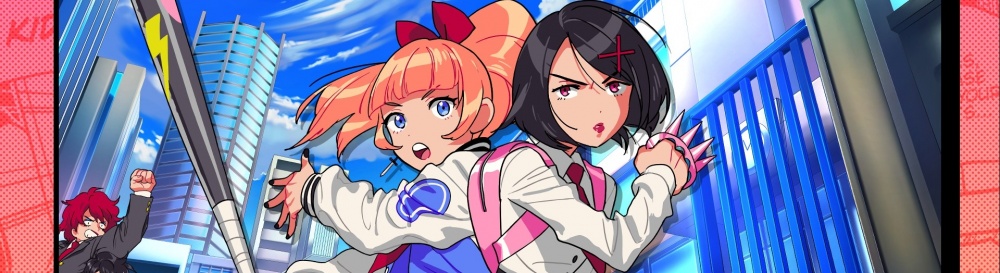
River City Girls — увлекательный аркадный ретро-экшен с видом сбоку. События игры перенесут вас на опасные улицы Ривер-сити. Двум героиням. Подробнее
Сохранение (Игра пройдена на 100%) River City Girls

Игра пройдена на 100% на уровне сложно.
— Собраны все статуи людей и кошек (25шт)
— Открыты все магазины и куплены все шмотки
— Уровни персонажей на максимуме (30Lvl)
— Денег очень много и так же открыты 10 ячеек для жизней
— Чтобы открыть секретного босса нужно совместить 2 кулона в ячейки
— Так же собраны все рекруты
Путь установки:
C:\Users\User\AppData\LocalLow\WayForward Technologies\River City Girls
Сохранения к играм
В этой категории мы собираем самые разные игровые сохранения, которые нам присылают пользователи и которые нам удается найти в свободном доступе. Если вы не можете пройти какой-то момент или просто потеряли свои сохранения, вы всегда можете воспользоваться нашим архив, скачать файл сохранения игры и приступить к игре. Конечно, мы всегда указываем авторов файлов, когда это возможно.
Если вы автор и вы считаете, что ваши права нарушены — обращайтесь.
0 не понравилось 0 понравилось


Если вы хотите облегчить прохождение River City Girls, то можете воспользоваться нашим файловым архивом. Здесь собраны только проверенные и работоспособные файлы для игр, которые можно скачать бесплатно.
При скачивании файлов нужно обратить внимание на версию игры, для которой он предназначен. Трейнеры для игр, например, не всегда совместимы со всеми версиями игры, так как разработчики, выпуская обновления, могут менять архитектуру игры и принципы работы тех или иных ее механик. Обычно версия, с которой совместим файл, указывается прямо в его названии.