
Sonic adventure dx моды на супер соника








В данной категории находятся моды, привносящие разнообразие в игровой процесс и добавляющие больше геймплейных фич.
SADX CHAO GAMEPLAY [gamebanana.com]
Данный мод добавляет новые возможности взаимодействия с вашими чао и расширяет их функционал. Теперь вы сможете не только заботиться о своих чао в саду или отправлять его на чао-гонки, но и брать с собой на уровни и поля приключений. А ещё ваш чао, в зависимости от прокачки, может атаковать врагов, прямо как Чиз в Sonic Heroes.
CHAO WORLD EXTENDED [gamebanana.com]
Данный мод немного улучшает систему чао и добавляет фичи из Sonic Adventure 2:
1) Возможность покупать до 5 вещей в Блэк Маркете, а не одну
2) Игрушки из SA2 за победу в гонках чао
3) Эволюция чао и т д
BETTER TAILS AI [gamebanana.com]
С этим модом Тейлз становится полноценным напарником Соника, благодаря более улучшенному искусственному интеллекту. Тейлз будет всюду ходить за персонажами, не будет отставать от них или может вообще спасти персонажа от смерти, если тот вдруг начал падать (правда, такое случается не всегда). А ещё, если к компьютеру/ноутбуку подключено два геймпада, то второй игрок сможет играть за Тейлза, так что в какой-то степени это даже весело.
В этой категории собраны моды на изменение и улучшение визуальных объектов.
BRIGHTER DASH TRAIL [gamebanana.com]
Данный мод делает след за Соником и эффект набирания энергии для Лайт-Дэша более ярче и красивее. Также, мод функционирует с модом на Гипер Соника, который тоже присутствует в этой сборке.
Теперь я расскажу, как установить эти моды на Sonic Adventure DX!
1) Первым делом вы должны перейти по этой ссылке и скачать последнюю версию модификации «BetterSADX».
3) Теперь вы должны выбрать, какую версию BetterSADX вы будете устанавливать: «Complete Dreamcast Experience» (моды на текстуры, модели, вырезанные объекты и т д из Sonic Adventure на Sega Dreamcast) или «Enchanced Director’s Cut Experience» (DX версия с теми же текстурами из Gamecube версии, но с улучшениями)
4) Переходим по этой ссылке [drive.google.com] и скачиваем сборку. Потом открываем архив через WinRAR или 7ZIP и переносим все моды из сборки в папку «mods» (Steam\steamapps\common\Sonic Adventure DX/mods)
5) В папке «Sonic Adventure DX» открываем Mod Loader и включаем все моды, которые мы добавили. Если появятся обновления модов, обновляем.
Sonic Adventure DX
Sega | Released 1998
An ancient evil lurking within the Master Emerald has been unleashed from its slumber by the devious Dr. Eggman and is on the verge of becoming the ultimate monster using the 7 Chaos Emeralds. Only Sonic and his friends are heroic enough to put a stop to Dr. Eggman and his evil minions. Hit the ground running in this classic epic adventure in a race against time to save the world!

Shadow Adventure
This mod has Shadow Model,SA2 VOICE and Text has changed
shadow adventure music

Silver The Hedgehog
Silver The Hedgehog from Sonic 2006 for Sonic Adventure Dx
silver the hedgehog fantasy

Amy Amitie
Amy Amitie from Sonic Runners for Sonic Adventure Dx
amy amitie fantasy
This is a mod for Sonic Adventure DX. It replaces some sounds with sounds and music from Persona 5. I didn’t change absoulutely everything, but I did.
Dreamcast Conversion
Dreamcast Conversion is a mod to make the PC version of Sonic Adventure DX look like the original Dreamcast version of Sonic Adventure.
dreamcast conversion anime
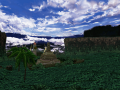
AI HD textures
This mod scalates many textures by using Topaz AI Gigapixel, making them look a lot better than the original ones, specially when playing on a high resolution.
ai hd textures anime

Christmas in Station Square!
Pair this mod with either of the Christmas DLCs, and have a cozy Christmas season!
christmas in station square! realism

Sonic adventure better music mod
changed all action stage music a few voice clips changed
sonic adventure better music mod abstract

Shadow Adventure DX
this mod replaces shadow the hedgehog with sonic and gives new abilities and menu and HUDs and vioces
shadow adventure dx fantasy

Sonic Adventure Generations DX
sonic adventure generations dx fantasy
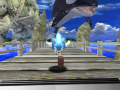
Classic/Retro Characters
turns Sonic, Tails, Knuckles, Amy, Metal Sonic and Super Sonic to their Classic/Retro versions
classic/retro characters comic
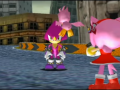
Espio Mod
Espio joins to the SADX team, and he have a amazing super form download to see
Total SA2 Style
This is texture/sound modification for Sonic Adventure DX This version is adapted for SADX Mod Loader and compartible with Better SA DX mod (just uncheck.
total sa2 style anime
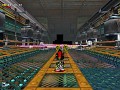
Metal Shadow
How to install: 1. Right click the SADX shortcut and click «Open file location». 2. Extract the files from the zip folder and replace the ones in the.
metal shadow sci-fi

Sonic Adventure X
An Old Sonic MOD that i won’t be finishing. Emerald Coast and Windy Valey 100% Changed, Casinopolis playable but unfinished.
sonic adventure x nature
No mods were found matching the criteria specified. We suggest you try the mod list with no filter applied, to browse all available. Add mod and help us achieve our mission of showcasing the best content from all developers. Join now to share your own content, we welcome creators and consumers alike and look forward to your comments.







Updates
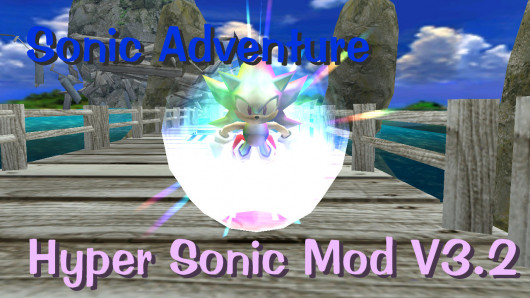
Minor indev update for Hyper Sonic mod that adds two small features, one of which is Hyper Sonic being unable to drown, a feature carried over from Sonic 3 & Knuckles, and work-in-progress displaying of Hyper Sonic menu textures for the Adventure mode select screen on 130-emblem saves.
The menu texture displaying is not 100% correct! Texture replacements will not load on first load of adventure mode select screen, and once textures have been replaced, will persist for the rest of the game’s runtime (Even when switching files).
This also marks the beginning of Hyper Sonic Mod going open-source! Check out and contribute to the source code here:
This mod is now compatible with DC Styled Super Sonic, a mod that restores Super Sonic’s environment mapped textures onto the SADX Super Sonic model! It is recommended to install this if you are using the SADX models.
As of V3.1-Indev, Hyper Sonic Mod is now open source.
You can contribute to the mod here:
DC Hyper Sonic Mod github repository
——————————————————
v2.0 Update: Complete overhaul! DC Hyper Sonic Mod is no longer just a skin mod! Be sure to read update notes!
v1.3 Update: Support for default / Sonic Adventure DX’s Super Sonic model. However I highly recommend you use Dreamcast models as it generally looks better.
v1.2 Update: Added another voice clip and added «HYPER SONIC» text to Adventure mode’s character select screen. New voice clip can be heard by using the Fixes/Adds/Beta Restores mod and fighting Perfect Chaos.
v1.1 Update: Changed the grunt sound Sonic makes when transforming or choosing Super Sonic’s story mode. It resembles Hyper Sonic’s echo-y voice from Sonic: Nazo Unleashed.




Updates
Super Miles and Flickies are here!
1. SADX Super Tails Mod

1.1. Welcome to Super Tails v2.0!

This is a mod for the PC version of Sonic Adventure DX. It allows Miles to use his super form, this is similar to the Super Sonic mod by Kell.
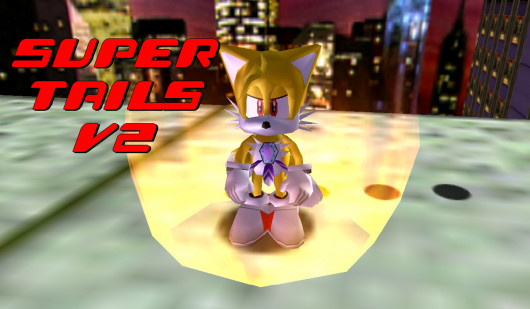
In gameplay, Super Tails gains a golden energy shield around himself, he is invincible and can move and fly faster. While transformed, Miles also summons his «army of death», aka the four super-transformed Flickies that follow him around. Similar to Sonic 3 & Knuckles, The flickies will protect Miles by destroying all enemies around. If you lose your super form, the Flickies will fly away.
The default button transformation is Y, so simply collect 50 rings, jump, press Y and enjoy the show. However, there is more that you should know and many stuff are configurable if you
take a look at the features below.

— Appearance changes: Glow yellow, red eyes, angry face (thanks to MelonSpeedruns, Junkey and Speeps)
— Golden Shield like Super Sonic
— Move and Fly faster
— Invincible
— Summons the four super-transformed Flickies
— Infinite flight
— Water hack so you can float on the water.
— Custom Button transformation
— Custom Physics
— Custom Super music
— Custom Sound transformation
— Option to always be Super Tails
— Option to remove limitations (50 rings and ring drop).
— Better Tails AI support (Tails AI Transformation).
1.2. Installation:
— Make sure you have the latest version of SADX Mod Loader downloaded and installed from this link.
— Download the latest version of Super Tails and place the entire folder in the mods folder.
— If all the above steps have been done properly, you should be able to run SADX Mod Manager and select the mod in the list.
— To configure options for Super Tails, select the mod in the Mod Manager and click on ‘Configure. ‘ to see all the options.
— Click on Save and play!
The file BetterSADX v.4.4.7 is a modification for Sonic Adventure DX, a(n) arcade game. Download for free.
file type Game mod
file size 1233.6 MB
last update Tuesday, March 9, 2021
Report problems with download to [email protected]
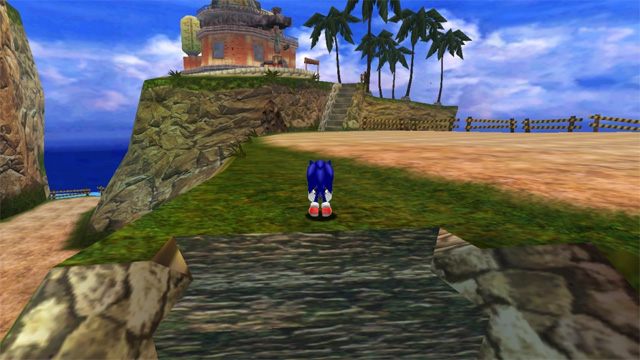
BetterSADX is a mod for Sonic Adventure DX, created by The BetterSADX Group (see the bottom of this page for detailed credits).
Description (in authors’ own words):
The definitive way to play Sonic Adventure.
BetterSADX is an easy to install / automated patch that transforms the Steam version of Sonic Adventure DX into an enhanced version with many more features added by the community over the last several years.
During install, you will be given 3 options:
Please join the Steam group and/or sign up for email updates (feedburner.google.com) to be notified when BetterSADX is updated.
An incredible Dreamcast Conversion mod by PkR, TheArcadeStriker, and SonicFreak94. This project aims to return the PC version of Sonic Adventure DX to it’s appearance on the original Sega Dreamcast. This includes the restoration of the palette lighting engine, as well as ports of the Dreamcast land tables, level models, and textures.
Use any custom resolution. With “Windowed Fullscreen” and “Stretch Fullscreen” (enabled by default), you can specify resolutions larger than your native which will downsample.
Texture filtering, Mipmapping, better sound and an extensive range of layout and bug fixes, created by the community.
BetterSADX includes and relies on the latest version of SADX Mod Manager, which provides a clean entry point and effective way to manage mods for the game! All of BetterSADX is fully modular, meaning, you can configure and tweak it here to your heart’s content.
Improved Graphics, Sound and Fixes
Full Controller Support
Super Sonic in Action Stages
Includes the latest version of the Input Mod (By SonicFreak94). This provides improved support with use of the right stick and trigger buttons. It also includes Smooth Cam to give you a smoother first person camera.
Once you’ve completed the 7 main story modes, you can play as Super Sonic who is faster, invincible and can run along most water. He loses 1 ring per second and will lose the power once his ring count hits 0.
Make sure you’ve completed the Super Sonic story at least once.
Jump and press the B button to transform into Super Sonic (or to transform back).
Please Note: Some stages and items/set-pieces (which force you to spindash) will auto-transform Sonic back to his normal form to stop the game from crashing. If you are unable to transform for this reason, Sonic will say:
In the past, this feature was restricted to Super Sonic Adventure mode, however, it is now usable on any save file that has the Super Sonic story completed. It’s possible this will change in the future, however.
The wonderful DLC mods by PkR! These mods allow you to experience the original Dreamcast DLC at any time by toggling them from the Mod Manager! Simply open the game and choose configure to bring up the mod manager.
Playable Game Gear titles
The Game Gear games from previous SADX releases are back.
Sonic the Hedgehog
Sonic the Hedgehog 2
Dr. Robotnik’s Mean Bean Machine
Sonic Triple Trouple
You can unlock them by collecting emblems and beating missions in Mission mode. It is recommended you run the game in 640 x 480 if you plan on playing these.
You can enjoy all the features just from running the game via Steam and choosing Play or Configure, and in addition, this also supports Steam Achievements.
Discord Rich Presence
Show what you’re doing in-game to your Discord friends and servers.
When you launch the game from Steam, you can still choose “Play” or “Configure” to change settings. Other than the resolution, we recommend you leave the settings as their defaults.
Configure opens the SADX Mod Manager, where you can manage and tweak what we’ve provided to you in any way you’d like. We’ve included the mods in the optimal order by default as well, but for future reference, mods have a priority system. The lower on the list the mod is, the higher the priority for that mod is, meaning if multiple mods replace the same thing, only the lowest one on the list will show it’s changes.
Set your resolution
By default, the installer will set your desktop resolution.
To set your own resolution:
Start the game from Steam and choose the Configure option.
Click the “Options” tab.
Next to “Use Custom Resolution” you can specify your own or click the “Native Resolution” button to use what your Desktop is currently set to.
Click “Save” and close the window or click “Save and Play”.
Converting your Steam saves
This is now done automatically during the install.
If a «savedata» folder already exists in your game folder from a prior install of BetterSADX, then no saves will be copied (to prevent overwriting and save loss)
When installing, there is a «Minimal / Speedruns» option.
Choosing this will perform only a basic install consisting of the SADX Mod Manager and the following mods.
Camera Code Error Fix
Frame Limiter (disabled but turn it on if the game runs >60FPS)
This patch is designed to only work for the Steam version and will not install unless you have a legitimate Steam version installed.
Here’s a few noteworthy places! Note that some of the mods on the below pages are actually included.