
Installing mods for Empire at War (Revised 12/17) tutorial
This tutorial shows you how to correctly install and launch a mod for Empire at war or the Forces of Corruption expansion.
I. Installing your mod
(Note that some mods come with their own proprietary installers, such as Republic At War. In such cases, you should refer to the readme file included with that mod for information on how to install it. In any case, if your mod comes with a readme file, read it!)
Extract whatever is in your downloaded archive and drag it into your Mods folder. Once you have done that, you can create your own shortcut as a batch file or download a mod launcher. If you have a Steam copy, skip to section II.
Ia. Creating your own mod shortcut for FOC or EAW
While in the main FOC game directory, create a notepad file and paste the following command line within
swfoc MODPATH=Mods\mod folder name
For Empire at War, put the mod files in your EAW mods directory. Then in the notepad paste
sweaw MODPATH=Mods\mod folder name
Save it as a .bat file. For the sake of simplicity you should give the batch file the same name as the Mod it is for. It’s worth noting you can rename a particular mods folder to whatever you want, so long as the command line referencing it has the same name.
After saving, you’ll notice a new file in your directory in addition to the original text document that you just created. You can delete the text file as we only need the batch file. You can create as many batch files as you need depending on how many mods you have. You should keep them in your EAW/FOC directory. I recommend creating a short cut to the batch file itself, or your game directory.
Ib. Using a Mod Launcher
There are many mod launchers out there available for download. They essentially recognize and compile all of your mods into a comprehensive list, so you can just pick one and launch it immediately. I personally don’t like using them. Your mileage may vary. A cursory google search will net you some results.
II. Launching mods with Steam
Instead of making a .bat file, simply right click the game in your steam library. Go to [Properties]. Under the general tab, click [SET LAUNCH OPTIONS. ] Paste in one of the following command lines, depending on which game your mod is for.
sweaw MODPATH=Mods\mod folder name
swfoc MODPATH=Mods\mod folder name
You’ll notice these are the same command lines used in batch files for manual shortcuts. After that, simply close the window and pick whether to launch eaw or foc.
What NOT to do
NEVER use the Data folder contained within any download mod to overwrite your game directory. Mods all use the games base files to run, and overwriting these files can create all sorts of interesting bugs and glitches. You wont be able to launch other mods unless you do a clean install. In some cases the game itself won’t even work properly.
If you dont have keys with your game, you can find some here.
These keys are legitimate, but are used by many so unless you buy a new copy don’t plan on playing multiplayer.
Star Wars: Empire at War «Фанатский ремейк игры»
 EAW Remake 3.0 (обновлено)
Оригинальное название: Empire At War Remake: Galactic Civil War
Масштабная модификация для игры Star Wars: Empire at War 2006 года, существенно осовременит ее до стандартов 2019 года. Мод улучшает графику в игре, изменяет дизайн локации сохраняя дух оригинала, добавляет новых врагов и углубляет привычный игровой процесс.


Мод года 2019  Еще скриншоты из закрытой беты




Мод с русским языком?

народ кто играл что скажите?

СЕРЁГА 003 Сложно, красиво, эпичненько, стоит того)
AnaBIOS КАК ЕГО УСТАНОВИТЬ? Я ИЗ АРХИВА В ПАПКУ Star Wars Empire At War Collection ДАТА2 ПЕРЕКИНУЛ
СЕРЁГА 003 Хз, я в стиме просто пару кнопочек нажал)
AnaBIOS у тебя лицензия же
СЕРЁГА 003 Да, помню еще давно как-то брал Star Wars Collection по какой-то башенной скидке)

Выглядит весьма впечатляюще! Really not bad. Автор, поделись опытом, как тебе удалось так круто улучшить графику?)

Darth_Sebastian https://www.moddb.com/mods/empire-at-war-re/downloads/eaw-remake-30 ответить
На 2K не особо хорошо выглядит, но эффекты отличные, плохо что наземных боев на галактической карте нет.

у меня одного не качает?
А для пиратов как установить этот мод?

у кого-нибудь еще вылетает игра при попытке загрузить сэйв.
LegioN_N7 Да сохранился в сохранился в битве в системе ракатан-прайм.
LegioN_N7 да таже проблема (не только в римейки но и в альянсе моде)
Ggrievous короче говоря я закренделился уже пинаться с этими багами и тупо купил лицуху в стиме. и всё! никаких проблем больше. сижу играю спокойно, радуюсь и плакаю от счастья
LegioN_N7 дарова,ты можешь объяснить пожалуйста.как его установить?облазил весь инет,но так ничего путного не нашёл
Grinvichs как мод установить?
Кто-нибудь еще играет в этот мод?
У меня вылетает на рабочий стол при загрузке боя с Затмением,при остальных норм работает


Красиво, эпично, но дико неудобно вследствие тотального затемнения и реалистичного масштаба кораблей

у меня проблема когда установил мод захожу игру потом схватку и нет космической станций
Sanya 5 на кнопочки справа от миникарты потыкай

Какие кнопочки?Там нет никаких кнопочек, кроме оригинальных.Все кнопочки,кроме меню и маяка закрыты!


Мод нормальный но скажу честно. Проблемы с запуском Да у меня возникала такая херня и просто тупо вылет. Лаги и фризы? Ну ё маё да их целая куча. Невозможно играть с 5 fps. Тот-же например Battlefront Commander, хорошо оптимизирован.
Я не понял а где космостанции?

Перепакуйте архив, пожалуйста, используя хотя бы fast lzma2 можно получить 2.61 гб.
Лучшие моды для Star Wars Empire at War + Forces of Corruption
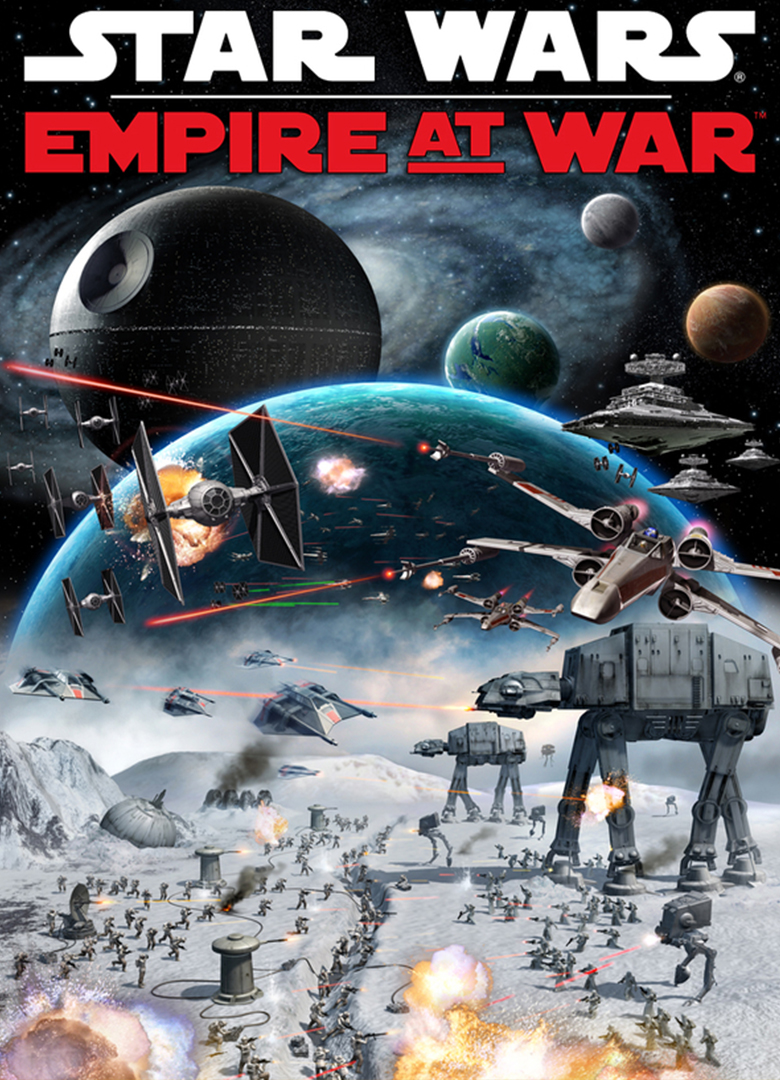
Star Wars Empire at War — одна из самых выдающихся стратегий по Звёздным Войнам. В неё до сих пор играют по сети миллионы преданных фанатов. Отличная графика, увлекательный геймплей и бесподобная система боя — вот главные принципы EaW. В оригинал играть безумно интересно, но моды делают его ещё более увлекательным и завораживающим.
Star Wars Empire at War — это не просто стратегия, а настоящий шедевр, выпущенный студией Petroglyph в 2005 году. Нас ждала по-настоящему удивительная и увлекательная стратегия в реальном времени, совмещающая в себе как глобальный стратегический режим, так и тактический в стиле Dawn of War и одновременно Homeworld 2. По Звёздным войнам создавались игры и ранее, но все они выглядят очень скудно по сравнению с таким титаном как Empire at War.
Игра 2005 года подарила нам две интересные кампании за Повстанцев и Империю, а также чудный режим тактических схваток. Основные действия происходили на рубеже IV и V эпизодов Звёздных войн. Главная изюминка состояла в том, что сражения были разбиты на два виды — космические и наземные. В космических мы командовали армадами кораблей, а в наземных — техникой и пехотой. Эффекты и анимация вышли на новый уровень и до сих пор заставляют игрока буквально дрожать от восхищения. Помимо сюжетных миссий нас ждал ещё и режим Галактического Завоевания, больше похожий на глобальную кампанию Total War. Нам давались несколько глобальных карт, на которых разворачивалось тотальное противостояние Повстанцев и Империи. Победа доставалась тому, кто либо захватывал ключевые миры, либо полностью выпиливал вражескую фракцию.

Помимо Империи и Повстанцев на карте присутствовали ещё и неиграбельные фракции, вроде Синдиката «Чёрного Солнца» и Хаттского Картеля. Захват планет происходил двумя способами. Вначале нужно сокрушить космическую оборону противника, а потом только провести десантирование и зачистить от врага. Давалось и супероружие вроде ковровых бомбометаний и самой Звезды Смерти.
В 2006 году Petroglyph создала и своеобразный аддон для Empire at War — Forces of Corruption. Решили пойти по стопам Battle for Middle-Earth 2 и внедрить особенную фракцию в кампанию, разработав специальную сюжетную линию. Третьей фракцией стал Синдикат Тайбера Занна, также известный как Консорциум. В основном лоре Star Wars Синдикат Занна являлся не слишком примечательной преступной организацией, которая действовала тихо и исподтишка. В игре же её превратили едва ли не в глобальную угрозу для всей Галактики. Синдикат обзавёлся мандалорской техникой и кораблями, а также получил хорошую армию из фоллинцев, викуэйских пиратов и колдуний Датомира. Порой заставляет задумываться, почему же авторы просто-напросто не ввели Мандалорский Союз или какой-нибудь Кримсон Дон.
В аддоне стали доступными и новые функции, к примеру коррупция и хищения чёрного рынка. Чёрный рынок позволяет Синдикату совершенствовать технологии и «красть» чужие войска, а коррупция даёт возможность обогащения и проведения массовых терактов. Благодаря супер-усилению фракция Синдиката стала сильнейшей во всех кампаниях игры. Появились и новые виды супероружия для всех рас. До сих пор популярностью пользуется именно аддон к Empire at War, а не оригинальная игра 2005 года. Естественно для этих игр существует и поддержка модов. Лучшие из них вы найдете чуть ниже.
Установка модов
Для Empire at War и Forces of Corruption создано почти бесчисленное количество модификаций. Однако их установка поначалу выглядела очень муторной и долгой. Нужно было создавать некоторые папки в корневой директории, впихивать файлы того или иного мода, а затем уже создавать ярлык, в котором прописывать целую криптограмму. Тысячи игроков мучились днями и ночами. Однако вскоре всё изменилось…
Один из кодеров сумел создать отличный и надёжный Mod Launcher, который раз в двадцать облегчает установку дополнений. Достаточно просто скачать этот лаунчер, скопировать в корневую папку игры (желательно FoC), затем скачать нужный мод, поместить в папку Mods и просто запустить лаунчер. Модов на EaW и FoC можно ставить едва ли не сотню одновременно. Ни одна из модификаций не конфликтует друг с другом. Через лаунчер можно запускать хоть двадцать пять модов, в том числе и оригинал игры. На данный момент это — одна из самых надёжных программ для Empire at War. Скачать её можно с зелёной панели.
Installing mods for Empire at War (Revised 12/17) tutorial
This tutorial shows you how to correctly install and launch a mod for Empire at war or the Forces of Corruption expansion.
I. Installing your mod
(Note that some mods come with their own proprietary installers, such as Republic At War. In such cases, you should refer to the readme file included with that mod for information on how to install it. In any case, if your mod comes with a readme file, read it!)
Extract whatever is in your downloaded archive and drag it into your Mods folder. Once you have done that, you can create your own shortcut as a batch file or download a mod launcher. If you have a Steam copy, skip to section II.
Ia. Creating your own mod shortcut for FOC or EAW
While in the main FOC game directory, create a notepad file and paste the following command line within
swfoc MODPATH=Mods\mod folder name
For Empire at War, put the mod files in your EAW mods directory. Then in the notepad paste
sweaw MODPATH=Mods\mod folder name
Save it as a .bat file. For the sake of simplicity you should give the batch file the same name as the Mod it is for. It’s worth noting you can rename a particular mods folder to whatever you want, so long as the command line referencing it has the same name.
After saving, you’ll notice a new file in your directory in addition to the original text document that you just created. You can delete the text file as we only need the batch file. You can create as many batch files as you need depending on how many mods you have. You should keep them in your EAW/FOC directory. I recommend creating a short cut to the batch file itself, or your game directory.
Ib. Using a Mod Launcher
There are many mod launchers out there available for download. They essentially recognize and compile all of your mods into a comprehensive list, so you can just pick one and launch it immediately. I personally don’t like using them. Your mileage may vary. A cursory google search will net you some results.
II. Launching mods with Steam
Instead of making a .bat file, simply right click the game in your steam library. Go to [Properties]. Under the general tab, click [SET LAUNCH OPTIONS. ] Paste in one of the following command lines, depending on which game your mod is for.
sweaw MODPATH=Mods\mod folder name
swfoc MODPATH=Mods\mod folder name
You’ll notice these are the same command lines used in batch files for manual shortcuts. After that, simply close the window and pick whether to launch eaw or foc.
What NOT to do
NEVER use the Data folder contained within any download mod to overwrite your game directory. Mods all use the games base files to run, and overwriting these files can create all sorts of interesting bugs and glitches. You wont be able to launch other mods unless you do a clean install. In some cases the game itself won’t even work properly.
If you dont have keys with your game, you can find some here.
These keys are legitimate, but are used by many so unless you buy a new copy don’t plan on playing multiplayer.
Привет всем поклонникам жанра! Извиняюсь за долгий перерыв. Отдельное спасибо всем, кто ждал нового обновления: ребята, вы его дождались! =)
Основные изменения в текущем патче направлены на улучшение баланса сил и некоторое улучшение визуального оформления.
Первоначально планировалось добавить новые игровые фракции (пара таковых уже была в разработке), сделать много классных карт завоевания галактики и совершить примерно такой же рывок в развитии, какой совершали оригинальная игра с дополнением Forces of Corruption.
Однако неучтённые «подводные камни» при добавлении фракций, а также куча других дел, не связанных с модом, привели к тому, что процесс всё ещё в разработке. Надеюсь, что полноценная версия со всеми задумками 4.0 будет готова ко дню Звёздных Войн 4 мая (какого года – не уточняю). =)
Установка.
Содержимое скаченного архива в вашу папку Star Wars: Forces of Corruption.
Само собой, нужно заменить все файлы, которые потребуется заменить при копировании.
Основные изменения в версии 3.2.
А пока представляю текущее обновление 3.2. Основные нововведения нацелены на исправление баланса сил.
Всем приятной игры!
Да пребудет с вами Сила!
Hi, funs! Sorry for my long absence. Great thank for all who had been waiting a new version: guys, it is done! =)
Most part of changes are to improve game balance between factions.
Firstly I wanted to add new factions (a couple of them was already in process), new Galactic Conquest maps and do such great step in the game’s development as one was done by Forces of Corruption for original EaW.
But unfortunately I didn’t foreseen some “nice” things is further development. Some tasks are also made making the new version slower. I still hope the 4th version will be completed to the day of Star Wars, 4th of May (but I am not sure about a year). =)
1. Installation.
Just copy files from downloaded archive to your Star Wars: Forces of Corruption.
2. Full list of changes in 3.2 version.
And now I am pleased to present the current renovation (patch). Most improvements are for the game balance.
1. Broadside cruiser and Marauder cruiser have a smaller size. Now they look like corvettes, not capital ships.
2. Color of proton torpedoes of TIE-bombers is light blue, as it should be.
3. Lancer frigate has now less accuracy, approximately as Tartan patrol cruiser has (but a lot of anti-fighter laser cannons makes it still dangerous for fighters and bombers).
4. Victory Star Destroyer has less shield protection, but still pretty good against frigates, including MC-30c and MC-40. Build cost for skirmishes is decreased.
5. Tector Star Destroyer refresh shield faster when uses ability.
6. Interdictor has greater chances to hit frigates.
7. Imperial Star Destroyer has more shield protection, but also greater build cost.
8. Build cost of Star Destroyer II for skirmishes is now 5600 credits, not 6000 as in previous versions.
9. Build cost of Tector Star Destroyer is now 5700 credits for skirmishes (not 6400), and 6000 credits for Galactic Conquest (not 7000 as sooner).
10. Mon Calamari cruiser’s built cost is 4200 credits for skirmishes (not 4500).
11. T2-b tank company’s build cost is 300 credits instead 500 is Galactic Conquest (they are pretty weak and could be easily destroyed by almost any enemy vehicle).
12. MPTL artillery brigade’s cost is 640 credits instead 520 is Galactic Conquest.
13. Super battle droids are more tough and do more damage, can use also rockets as in Battlefront. But their squads are smaller and cost is increased.
14. New animation for dark trooper’s attack (inspired by clone-commander in Extreme mod for BF-2 (2005)).
15. New balance for GC map about 5th episode.
16. Grand admiral Thrawn as one of imperial leaders can decrease build cost of all production in a planet where he is.
17. Problem of added weapon sound absence is fixed.
18. And of course, more music themes are added (time for music fans!)
Have fun!
And may the Force be with you!
Скриншоты / Screenshots