
State of Decay 2 «Редактор скрытых настроек игры»
Редактор настроек игры. Поле зрения(FOV), отключение смазывание(Motion Blur), глубину резкости(Depth Of Field).
Использование этого редактора простое. В него уже включены все настройки ini, которые найдены и протестированы.
Просто введите «имя параметра» в поле «Фильтр»(Filter), дважды щелкните его «текущее значение»(Current Value) и нажмите «Ввод», когда закончите редактирование.
Он автоматически отредактирует правильный INI-файл в правильном разделе.
Он также автоматически установит значение ini только для чтения, чтобы не допустить изменение игрой ваши настройки.
Резервные копии также автоматически создаются при первом запуске, поэтому вы можете легко вернуться к старым настройкам, если что-то пойдет не так.
Файлы резервных копий будут лежать по следующему пути %localappdata%\Packages\Microsoft.Dayton_8wekyb3d8bbwe\LocalState\StateOfDecay2\Saved\Config\UWP в папке «backupcfgs».
Чтобы туда попасть нажимаем сочетание клавиш Win+R и вставляем путь в строку, жмем Enter.
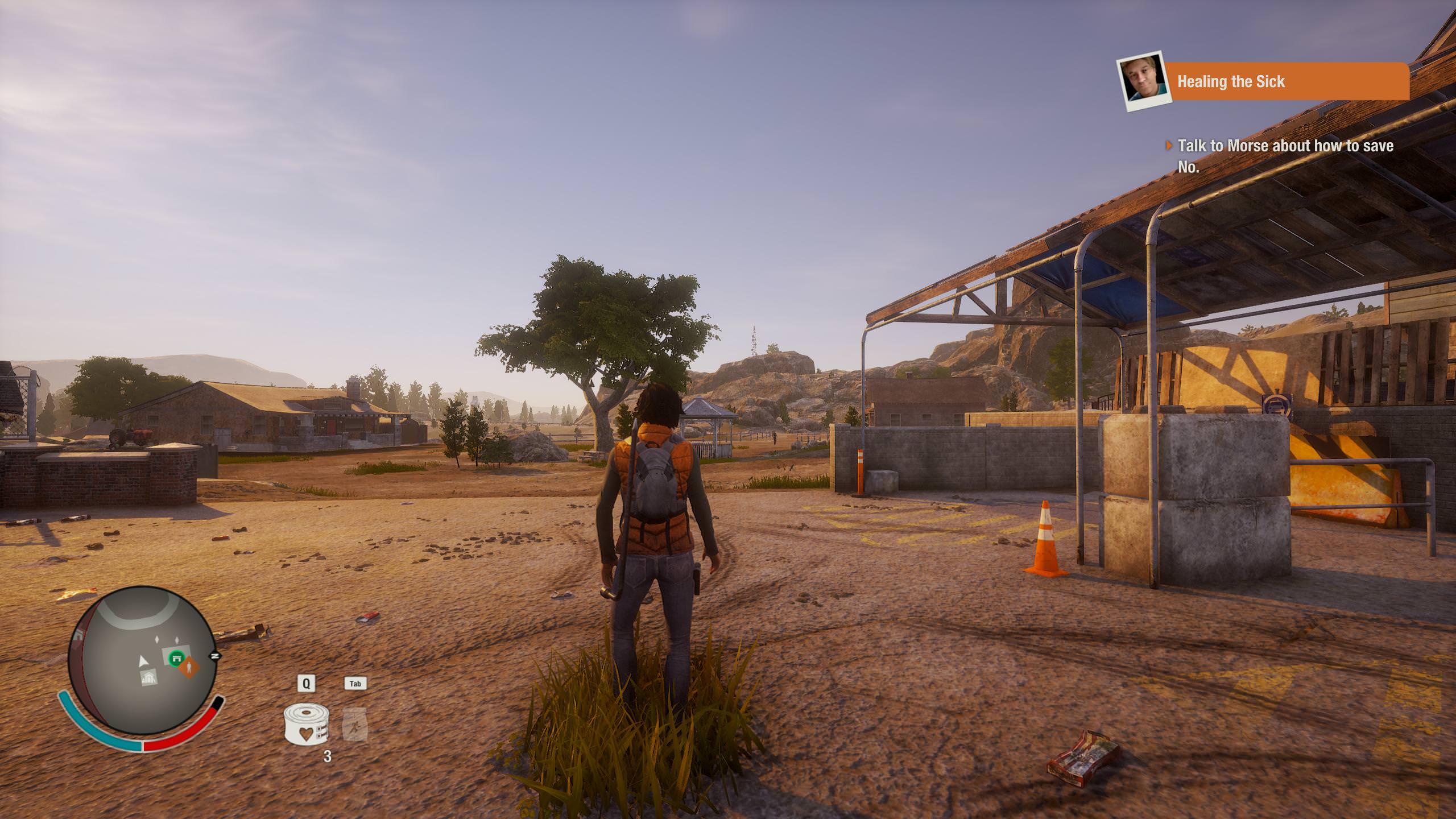
Пример: Для изменения поле зрения (FOV) «Фильтр»(Filter) вставляем параметр «AspectRatioAxisConstraint» без ковычек. В графу «текущее значение»(Current Value) дважды щелкаем левой кл. мыши и вставляем туда значение «AspectRatio_MaintainYFOV» без ковычек, жмем ввод. Все готово, заходим в игру и видим на много больше того, что происходит за спиной нашего игрового персонажа. Изображения:

Все остальное меняется аналогичным образом. Не меняйте то, что не проверенно.
Параметры и значения.
FOV (Поле зрения)
AspectRatioAxisConstraint=AspectRatio_MaintainYFOV
Motion Blur (Смазывания при движении)
r.DefaultFeature.MotionBlur=False
Depth Of Field (Глубина резкости)
r.DefaultFeature.DepthOfField=False
Disable Lens Flare (Отключение вспышки в прицеле)
r.DefaultFeature.LensFlare=False
Mouse Smoothing (Отключение сглаживания мыши)
bDisableMouseAcceleration=True
Grass Density (Плотность и дальность отображения травы)
sg.GrassDrawDistanceQuality=2 (Дистанция прорисовки травы. Значения от 0 до 3, по умолчанию 2).
sg.FoliageQuality=2 (Плотность травы. Значения от 0 до 3, по умолчанию 2).
Remove Film grain effect (Эффект зернистости пленки)
r.Tonemapper.GrainQuantization=0 (По умолчанию 1)
r.Tonemapper.Quality=0
Результаты проверки на вирусы Virus Total Results
Please log in or register
To enjoy the benefits of Nexus Mods, please log in or register a new account
Unlock Developer Menu
File information
Last updated
Original upload
Created by
Uploaded by
Virus scan
Tags for this mod
About this mod
Enables opening the Developer Menu in game
Nexus requirements
| Mod name | Notes |
|---|---|
| State of Decay 2 Mod Manager | Required for integration of the new version with other custom script mods |
Mods requiring this file
| Mod name | Notes |
|---|---|
| A Noisy Cricket | To acquire the weapon. |
| Drug Lords AK | To acquire the weapon. |
| LightSaber V1 and V2 | To get the weapons. |
| Meat Ur Doom | |
| Nuff Said AK Mod | To acquire the weapon. |
| ZOD49 Sidearm | To acquire the weapon. |
Credits and distribution permission
Author notes
This author has not provided any additional notes regarding file permissions
File credits
This author has not credited anyone else in this file
Donation Points system
This mod is opted-in to receive Donation Points
Straight donations accepted
Enables opening the in game developer menu in game.
Add the pak file to the State of Decay 2 Mod Manager and then use the «Create Intergration Pak» function to add this to your game.
Dev menu is opened with F2
Can spawn weapons, control your radio, spawn and kill zombies, plague hearts, infestations, add more followers, enclaves and various other things.
IMPORTANT NOTE: Not all functions will work. Those that do not work will not be fixed as I did not build the menu, it was created for the developers for debugging purposes.
To install, unzip the zip file contents to either of the following locations;
Steam & Epic Users:
%LocalAppData%\StateOfDecay2\Saved\Paks
Windows Users:
%LocalAppData%\Packages\Microsoft.Dayton_8wekyb3d8bbwe\LocalCache\Local\StateOfDecay2\Saved\Paks
Windows Store users may need to use the steam/epic location if the windows directory doesn’t exist.
Thee Paks folder doesn’t exist by default, you will need to make it if you’ve not used pak mods before
Please log in or register
To enjoy the benefits of Nexus Mods, please log in or register a new account
Unlock Developer Menu
File information
Last updated
Original upload
Created by
Uploaded by
Virus scan
Tags for this mod
About this mod
Enables opening the Developer Menu in game
Nexus requirements
| Mod name | Notes |
|---|---|
| State of Decay 2 Mod Manager | Required for integration of the new version with other custom script mods |
Mods requiring this file
| Mod name | Notes |
|---|---|
| A Noisy Cricket | To acquire the weapon. |
| Drug Lords AK | To acquire the weapon. |
| LightSaber V1 and V2 | To get the weapons. |
| Meat Ur Doom | |
| Nuff Said AK Mod | To acquire the weapon. |
| ZOD49 Sidearm | To acquire the weapon. |
Credits and distribution permission
Author notes
This author has not provided any additional notes regarding file permissions
File credits
This author has not credited anyone else in this file
Donation Points system
This mod is opted-in to receive Donation Points
Straight donations accepted
Enables opening the in game developer menu in game.
Add the pak file to the State of Decay 2 Mod Manager and then use the «Create Intergration Pak» function to add this to your game.
Dev menu is opened with F2
Can spawn weapons, control your radio, spawn and kill zombies, plague hearts, infestations, add more followers, enclaves and various other things.
IMPORTANT NOTE: Not all functions will work. Those that do not work will not be fixed as I did not build the menu, it was created for the developers for debugging purposes.
To install, unzip the zip file contents to either of the following locations;
Steam & Epic Users:
%LocalAppData%\StateOfDecay2\Saved\Paks
Windows Users:
%LocalAppData%\Packages\Microsoft.Dayton_8wekyb3d8bbwe\LocalCache\Local\StateOfDecay2\Saved\Paks
Windows Store users may need to use the steam/epic location if the windows directory doesn’t exist.
Thee Paks folder doesn’t exist by default, you will need to make it if you’ve not used pak mods before
Please log in or register
To enjoy the benefits of Nexus Mods, please log in or register a new account
Top Lists
Most endorsed files in the last two weeks
Most endorsed recently added files
Most endorsed files of all-time (non-adult)
Top 30 Files in past two weeks:

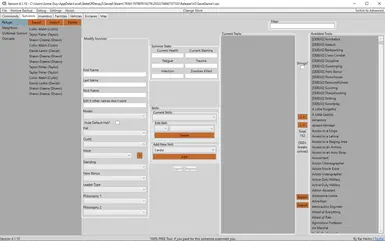
**Updated for V26 of SoD2**This tool enables you to edit a host of things inside your save file.
**Updated for V26 of SoD2**This tool enables you to edit a host of things inside your save file.
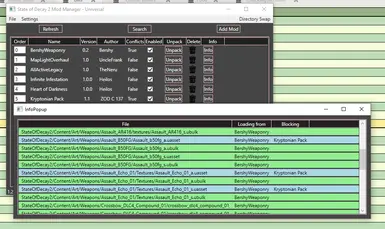
A tool for managing both your paks and coooked folder, detecting conflicts, finding lost assets and generally just being awesome
A tool for managing both your paks and coooked folder, detecting conflicts, finding lost assets and generally just being awesome
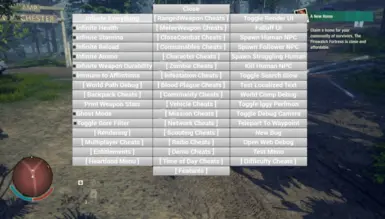
Enables opening the Developer Menu in game
Enables opening the Developer Menu in game
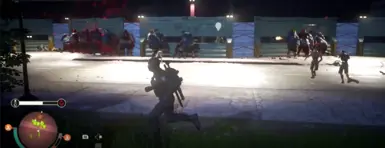
Makes the destructible walls in Daybreak nearly Unbreakable by increasing the wall health by around 8000%
Makes the destructible walls in Daybreak nearly Unbreakable by increasing the wall health by around 8000%
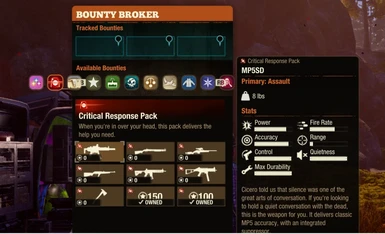
Unlocks all bounty tabs and is modified to make unlocking easier not all can be easily unlocked because it will result in crash but most..if you see a bounty were it says kill 0 ot of 0 something select it then go kill something and it will unlock
Unlocks all bounty tabs and is modified to make unlocking easier not all can be easily unlocked because it will result in crash but most..if you see a bounty were it says kill 0 ot of 0 something select it then go kill something and it will unlock
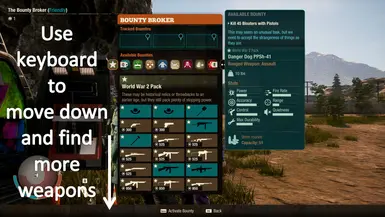
Unlock all hidden bounties pages from Bounty Broker.
Unlock all hidden bounties pages from Bounty Broker.
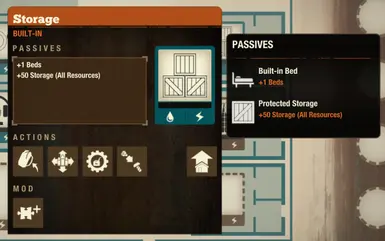
Improves the Facilities in the Base
Improves the Facilities in the Base
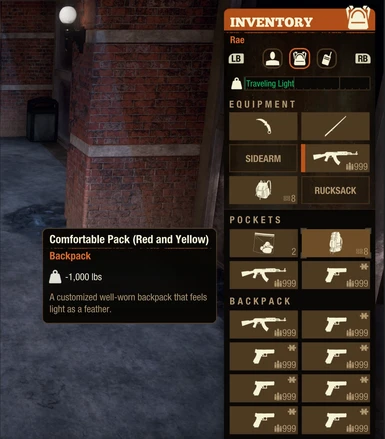
Various backpack mods to change weight and capacity.
Various backpack mods to change weight and capacity.
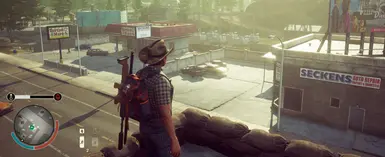
Night will be very short in game and daytime is very long.
Night will be very short in game and daytime is very long.
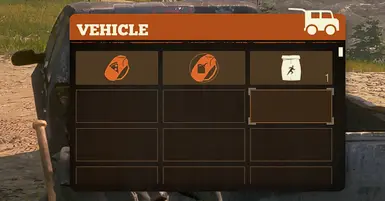
Vehicles will have 100 inventory slots
Vehicles will have 100 inventory slots
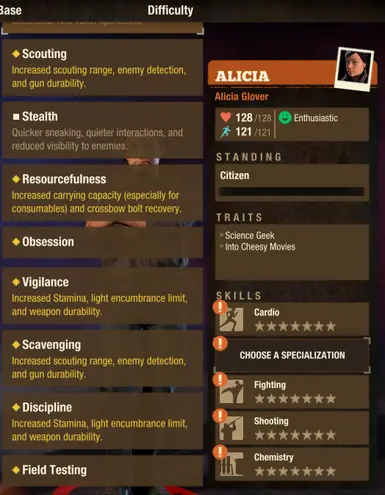
Unlocks all Specialization from the 4 core skills.
Unlocks all Specialization from the 4 core skills.
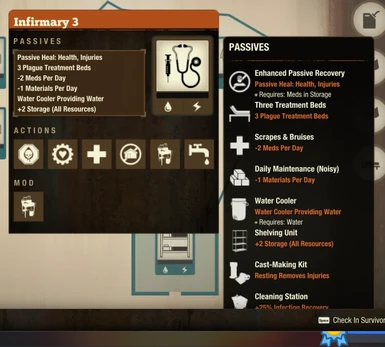
Allows you to add on 10 Facility Mods opposed to the 1 the game normally gives
Allows you to add on 10 Facility Mods opposed to the 1 the game normally gives
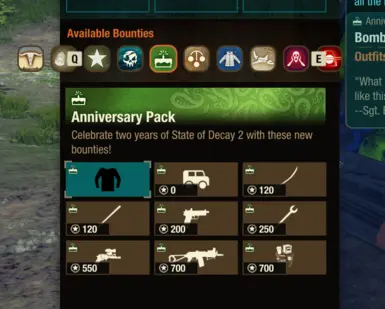
Unlocks all bounty broker tabs
Unlocks all bounty broker tabs
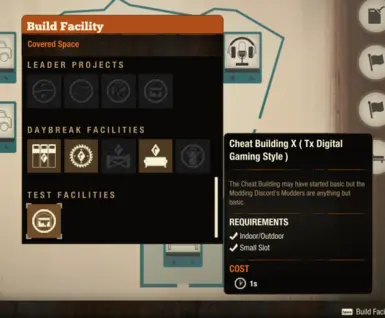
Cheat Building uses a hidden in game asset that I have upgraded to give nearly every Ranged and Melee weapon available in game. It also gives Consumables and Explosives as well as Heartland specific items such as enhanced plague cure and plague busters for use in the base game. You can also activate all 4 Legacy Boons at once + much more
Cheat Building uses a hidden in game asset that I have upgraded to give nearly every Ranged and Melee weapon available in game. It also gives Consumables and Explosives as well as Heartland specific items such as enhanced plague cure and plague busters for use in the base game. You can also activate all 4 Legacy Boons at once + much more

Makes Plague Zeds, Plague Juggs, Plague Ferals, and Plague Screamers drop rucksacks with goodies inside instead of just samples. loot includes, Ammo, Bandages, Coffee, Firstaid kit, Painkillers, Snacks, Alcohol, Circuitry, Parts, Reagents, Seeds, Krambit, extracomfy backpack, Advanced tool kit, Gas can. and More.
Makes Plague Zeds, Plague Juggs, Plague Ferals, and Plague Screamers drop rucksacks with goodies inside instead of just samples. loot includes, Ammo, Bandages, Coffee, Firstaid kit, Painkillers, Snacks, Alcohol, Circuitry, Parts, Reagents, Seeds, Krambit, extracomfy backpack, Advanced tool kit, Gas can. and More.
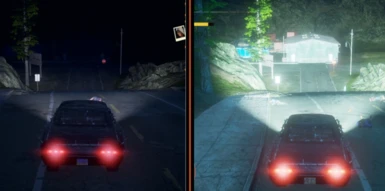
Significantly improves the flashlight and Headlights
Significantly improves the flashlight and Headlights
State of Decay 2 — Инструмент модификации сохранений [RU]
Разработчик: jedijosh920
Это инструмент по модификации сохранений на русском языке (да, уже такой имеется на PlayGround, но на английском). Перевёл для удобства пользования саму программу и ReadMe, где вы можете посмотреть часто встречающиеся проблемы/вопросы.


u5UYEDSWIIY Демонстрация возможностей программы




Тоже проблема что и у


Артем Мун После того как сохранили предмет, вы скорее всего нажали по большой кнопке «Сохранить». Ну а потом ищите в инвентаре персонажа или хранилища данный предмет
Артем Мун Программа на английском? Значит, сударь, не оттуда скачали, у всех на русском или заново скачайте но с Я.Диска (ссылка вверху)

2 главных вопроса! Первый. Все навыки атрибуты и скиллы переведены? Просто далеко от компа и не могу скачать. И второй вопрос) если написать русские имя будут так же знаки вопроса? То есть локализацию редактору добавил ли?
Metis163 Ответ на первый вопрос: к сожалению нет, не переведены, так как программа навыки и атрибуты берёт напрямую из игры, то есть они идут, как код игры и не могут быть локализованы. С навыками и атрибутами можно разобраться, если ты неплохо шаришь в английском) Ответ на второй вопрос: изменить английское имя можно только на английское (кроме имён с префиксом «Preset», как будешь рядом с компьютером, в файле ReadMe прочтёшь почему так). Локализация имён, да и всей игры зашита глубоко в её архивах, доступ к ней получить на данный момент нельзя.